Samsung STAR II Duos GT-C6712 dan yedeklenen kişiler, takvim, görevler ve notlar
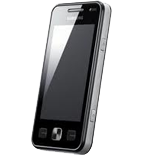
Güvenli buluta senkronizasyon için mevcut kılavuzlar
Desteklenen işlevler
- Kişiler senkronizasyonu
- Takvim senkronizasyonu
- görev senkronizasyonu
- Notlar senkronizasyonu

kişiler, takvim, görevler ve notlar verilerinizi Samsung STAR II Duos GT-C6712 cihazından çevrimiçi bir depolama alanına ve geri aktararak güvende ve güncel tutun.
Samsung STAR II Duos GT-C6712 cihazını PhoneCopy desteklenmektedir.
Lütfen aşağıdaki ayarların ürün yazılımı sürümüne bağlı olarak biraz değişebileceğini unutmayın.
Onaylanan modeller
Onaylanan sürümler
Haberler
- 18.06.2026
- Recently we got new user of Samsung STAR II Duos GT-C6712 also in Bulgaristan. He is using PhoneCopy for backup of kişiler.
- 12.09.2021
- We just got first user of Samsung STAR II Duos GT-C6712 in Çekya! Someone just backed up his kişiler from a new phone.
- 14.11.2019
- Someone just used PhoneCopy for backup of Samsung STAR II Duos GT-C6712 in country Ukrayna. His kişiler were backed up.
dünya genelindeki Samsung STAR II Duos GT-C6712 kullanıcıları
İstatistiklerimize göre, PhoneCopy kullanıcıları Samsung STAR II Duos GT-C6712 cihazını Ukrayna (Ukraїna, Україна) - 92.11%, Bulgaristan (Bulgariya, Bălgarija, България) - 5.26%, Çekya (Czech Republic, Česká republika) - 2.63% ülkelerinde veri yedeklemesi için kullanmaktadır.
Haritada
Aşağıdaki ısı haritası, dünya genelinde PhoneCopy kullanarak Samsung STAR II Duos GT-C6712 ile yapılan kişi senkronizasyonlarını göstermektedir.
Talimat metni - Nasıl yedekleme yapılır
Samsung STAR II Duos GT-C6712 ile
- Press Menu.
- Choose menu item Applications and press Synchronization.
- Select New synchronization profile and set up the following items.
▼ hide fields
- Profile name: Fill in PhoneCopy
- Synchronization: In this category set up All and continue with:
- Remote contacts
- Write contacts
- Remote calendar
- Write calendar
- Remote tasks
- Write tasks
- Remote notes
- Write notes
- Synchronization type: Choose Full synchronization.
- Synchronization server: In this category set up:
- Address
- Write http://www.phonecopy.com/sync
- Username
- your_username
- Password
- your_password
- Network profile: Choose type of your internet connection.
- Return into Menu
- Go into Applications and continue with Synchronization press PhoneCopy and synchronize your phone.
Ve lütfen şimdi, Telefonunuzu PhoneCopy hesabınıza atama işlemini yapınız
Senkronizasyon esnasında herhangi bir problemle karşılaşırsanız Yardım İsteyin
