Sony Ericsson J10i (Elm) dan yedeklenen kişiler, takvim, görevler ve notlar
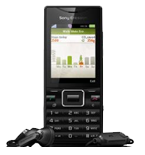
Güvenli buluta senkronizasyon için mevcut kılavuzlar
Desteklenen işlevler
- Kişiler senkronizasyonu
- Takvim senkronizasyonu
- görev senkronizasyonu
- Notlar senkronizasyonu

kişiler, takvim, görevler ve notlar verilerinizi Sony Ericsson J10i (Elm) cihazından çevrimiçi bir depolama alanına ve geri aktararak güvende ve güncel tutun.
Sony Ericsson J10i (Elm) cihazını PhoneCopy desteklenmektedir.
Lütfen aşağıdaki ayarların ürün yazılımı sürümüne bağlı olarak biraz değişebileceğini unutmayın.
Onaylanan modeller
Onaylanan sürümler
Haberler
- 5.02.2026
- Sony Ericsson J10i (Elm) phone was synchronized by PhoneCopy user in Yunanistan. His kişiler were transferred.
- 25.09.2023
- We just got first user of Sony Ericsson J10i (Elm) in Almanya! Someone just backed up his kişiler from a new phone.
- 8.05.2020
- Sony Ericsson J10i (Elm) phone was synchronized by PhoneCopy user in Hindistan. His kişiler were transferred.
- 2.04.2020
- We detected PhoneCopy app on Sony Ericsson J10i (Elm) phone in Çekya. All kişiler were backed up.
- 4.11.2019
- We detected PhoneCopy app on Sony Ericsson J10i (Elm) phone in Sri Lanka. All kişiler were backed up.
dünya genelindeki Sony Ericsson J10i (Elm) kullanıcıları
Sony Ericsson J10i (Elm), dünya genelindeki birçok ülkede PhoneCopy kullanıcıları tarafından kişi yedeklemesi için tercih edilmektedir - İngiltere (Y Deyrnas Unedig, Unitit Kinrick, Rìoghachd Aonaichte, Ríocht Aontaithe, An Rywvaneth Unys) - 38.10%, Çekya (Czech Republic, Česká republika) - 28.57%, Almanya (Deutschland) - 14.29%, Sri Lanka (Sri Lankā, ශ්රී ලංකාව, இலங்கை) - 9.52%, Hindistan (Bharôt, ভাৰত, ভারত, Bhārat, ભારત, भारत, Bhārata, ಭಾರತ, Bhāratam, ഭാരതം, Bharôtô, ଭାରତ, ਭਾਰਤ, भारतम्, Bārata, பாரதம், Bhāratadēsam, భారత దేశం) - 4.76%, Yunanistan (Hellas, Ελλάς, Ellada, Ελλάδα) - 4.76%.
Haritada
Harita, dünya genelinde PhoneCopy ile kişi yedeklemesi için Sony Ericsson J10i (Elm) kullanımını göstermektedir.
Talimat metni - Nasıl yedekleme yapılır
Sony Ericsson J10i (Elm) ile
| Profile name: | PhoneCopy |
|---|---|
| Host address: | http://www.phonecopy.com/sync |
| Port: | 80 |
| Login name: | username |
| Password: | Enter the password (allowed length is 5-50 characters) |
| Remote calendar database: | Calendar |
| Remote contact database: | Contacts |
| Remote note database: | Notes |
| Remote task/To-Do database: | Tasks |
| HTTP authentication | No |
| HTTP/Network username: | Do not enter |
| HTTP password: | Do not enter |
| Allow sync request: | Yes |
| Confirm sync request: | No |
| Internet connection: | Choose a connection, which you use for web browsing on your mobile phone (e.g. internet or GPRS etc.) |
When the above mentioned set up is done, start a sychronization.
Ve lütfen şimdi, Telefonunuzu PhoneCopy hesabınıza atama işlemini yapınız
Senkronizasyon esnasında herhangi bir problemle karşılaşırsanız Yardım İsteyin
