Telma Wi-Kif Max 4G dan yedeklenen kişiler, takvim, fotoğraflar ve videolar
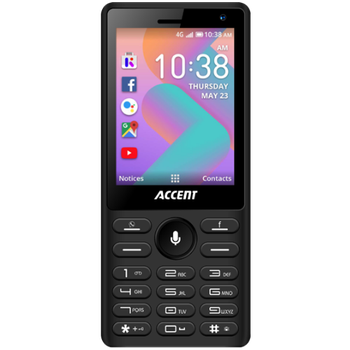
Güvenli buluta senkronizasyon için mevcut kılavuzlar
Desteklenen işlevler
- Kişiler senkronizasyonu
- Takvim senkronizasyonu
- fotoğraf senkronizasyonu
- video senkronizasyonu
- Otomatik senkronizasyon


kişiler, takvim, fotoğraflar ve videolar verilerinizi Telma Wi-Kif Max 4G cihazından çevrimiçi bir depolama alanına ve geri aktararak güvende ve güncel tutun.
Telma Wi-Kif Max 4G cihazını PhoneCopy desteklenmektedir.
Lütfen aşağıdaki ayarların ürün yazılımı sürümüne bağlı olarak biraz değişebileceğini unutmayın.
Onaylanan modeller
Onaylanan sürümler
Haberler
- 16.06.2025
- We just got first user of this model in Amerika Birleşik Devletleri! Someone just backed up his kişiler ve medya.
- 17.01.2022
- This phone model was just synchronized by PhoneCopy user in Benin. It transferred kişiler.
- 11.11.2021
- Even in Togo we have a user with Telma Wi-Kif Max 4G phone. He backs up his kişiler.
- 28.03.2021
- Someone used PhoneCopy for backup of this phone model in Madagaskar. His kişiler were transferred.
Telma Wi-Kif Max 4G üzerinde çalışan KaiOS sürümleri
Senkronizasyon sırasında, PhoneCopy kullanıcılarının Telma Wi-Kif Max 4G cihazlarında şu KaiOS sürümleri vardı: KaiOS 2.5.3.2 (100.00%).
dünya genelindeki Telma Wi-Kif Max 4G kullanıcıları
Telma Wi-Kif Max 4G, PhoneCopy kullanıcıları tarafından Madagaskar (Madagasikara) - 98.15%, Togo - 1.65%, Benin (Bénin) - 0.15%, Amerika Birleşik Devletleri (Estados Unidos, États-Unis, ‘Amelika Hui Pū ‘ia) - 0.05% gibi ülkelerde sıklıkla kullanılmaktadır.
Harita, dünya genelinde PhoneCopy ile kişi yedeklemesi için Telma Wi-Kif Max 4G kullanımını göstermektedir.
Talimat metni - Nasıl yedekleme yapılır
Telma Wi-Kif Max 4G 'dan
- Download our PhoneCopy for KaiOS from application KaiOS Marketplace to your mobile device.
- After launching the application, create a new account from the application. If you have already created an account on web pages www.phonecopy.com, log in to this existing account in the application.
- After succesful login press "Synchronize" for complete synchronization, you can choose "This device >> Server" for one-way sync.
If you need more help with the settings, visit our step by step screenshot guide: How to synchronize contacts to phone with KaiOS
If you need more help with the settings, visit our step by step screenshot guide: How to backup contacts from phone with Kai OS
Senkronizasyon esnasında herhangi bir problemle karşılaşırsanız Yardım İsteyin
Telma Wi-Kif Max 4G 'a doğru
- Download our PhoneCopy for KaiOS from application KaiOS Marketplace to your mobile device.
- After launching the application, log in to this existing account in the application.
- After succesful login press "Synchronize" for complete synchronization, you can choose "Server >> This device" for one-way sync.
If you need more help with the settings, visit our step by step screenshot guide: How to synchronize contacts to phone with KaiOS
If you need more help with the settings, visit our step by step screenshot guide: How to backup contacts from phone with Kai OS
Senkronizasyon esnasında herhangi bir problemle karşılaşırsanız Yardım İsteyin
Kullanıcı yorumları
Yorum yazmak için lütfen Giriş yapın
-
Can I copy sms-messages from Nokia C1-02 to Nokia 6300 4G& ambdsg, 7.01.2022
-
I am sorry but these phones don't allow to backup or synchronize SMS.
-
