Backup Kontakte, Kalendar und Aufgaben from LG KU450
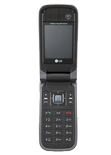
Available guides for synchronization to the secure cloud
Supported functions
- Kontakt-Synchronisation
- Kalender-Synchronisation
- Aufgabe-Synchronisation

LG KU450 wird von PhoneCopy unterstützt. Please note that following settings may vary a little depending on the firmware version.
Text guideline - How to backup
Mit LG KU450
Die Richtlinie ist noch nicht in Ihre Sprache übersetzt worden.
| Profile name: | PhoneCopy |
|---|---|
| Host address: | http://www.phonecopy.com/sync |
| Port: | 80 |
| Login name: | username |
| Password: | Enter the password (allowed length is 5-50 characters) |
| Remote calendar database: | Calendar |
| Remote contact database: | Contacts |
| Remote note database: | Notes |
| Remote task/To-Do database: | Tasks |
| HTTP authentication | No |
| HTTP/Network username: | Do not enter |
| HTTP password: | Do not enter |
| Allow sync request: | Yes |
| Confirm sync request: | No |
| Internet connection: | Choose a connection, which you use for web browsing on your mobile phone (e.g. internet or GPRS etc.) |
When the above mentioned set up is done, start a sychronization.
And now please, assign your phone to your PhoneCopy account.
Bei Problemen mit der Synchronisierung, bitte kontaktieren Sie uns.
