Backup Kontakte, Kalendar und Aufgaben from Motorola V980
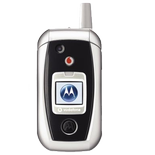
Available guides for synchronization to the secure cloud
Supported functions
- Kontakt-Synchronisation
- Kalender-Synchronisation
- Aufgabe-Synchronisation

Motorola V980 wird von PhoneCopy unterstützt. Please note that following settings may vary a little depending on the firmware version.
Text guideline - How to backup
Mit Motorola V980
Die Richtlinie ist noch nicht in Ihre Sprache übersetzt worden.
- Press Main Menu - Settings .
- Select Connection - Sync - New entry and configure given fields.
▼ hide fields
- Name: Write PhoneCopy
- Server Address: Write http://www.phonecopy.com/sync
- Username: your_username
- Password: your_password
- Data Connection: Choose Internet
- Select Data paths.
- If you want to synchronize your contacts, choose Contacts and write contacts into the Data Path.
- If you want to synchronize your events from calendar, choose Calendar Events and write calendar into the Data Path.
- If you want to synchronize your tasks, choose Tasks and write tasks into the Data Path .
- Press Main Menu - SettingsConnection and press Select .
And now please, assign your phone to your PhoneCopy account.
Bei Problemen mit der Synchronisierung, bitte kontaktieren Sie uns.
