Kontakte, Kalender, Fotos und Videos sichern: Alcatel 3088X
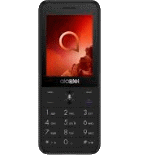
Verfügbare Anleitungen für die Synchronisierung mit der sicheren Cloud
Unterstützte Funktionen
- Kontakt-Synchronisation
- Kalender-Synchronisation
- Foto-Synchronisierung
- Video-Synchronisation
- automatisch synchronisieren


Übertragen Sie Ihre Kontakte, Kalender, Fotos und Videos von Alcatel 3088X in einen Online-Speicher und zurück, um sie sicher und aktuell zu halten.
Alcatel 3088X wird von PhoneCopy unterstützt.
Bitte beachten Sie, dass die folgenden Einstellungen je nach Firmware-Version leicht variieren können.
Bestätigte Modelle
Bestätigte Versionen
News
- 30.07.25
- Wir haben die PhoneCopy-App auf einem Alcatel 3088X-Telefon in Malta erkannt. Alle Kontakte wurden gesichert.
- 24.07.25
- Dieses Telefonmodell wurde gerade von einem PhoneCopy-Benutzer in Kiribati synchronisiert. Es hat Kontakte und Medien übertragen.
- 16.09.24
- Wir haben die PhoneCopy-App auf einem Alcatel 3088X-Telefon in Madagaskar erkannt. Alle Kontakte und Medien wurden gesichert.
- 19.06.24
- Wir haben gerade den ersten Benutzer dieses Modells in Papua Neu-Guinea bekommen! Jemand hat gerade seine Kontakte gesichert.
- 02.03.24
- Kürzlich haben wir auch in Ägypten einen neuen Benutzer von Alcatel 3088X bekommen. Er nutzt PhoneCopy zur Sicherung von Kontakte und Medien.
KaiOS-Versionen auf Alcatel 3088X
Die PhoneCopy-App für KaiOS unterstützt verschiedene KaiOS-Versionen. Unsere Benutzer haben ihr Alcatel 3088X mit KaiOS 2.5.1.1 (99.87%), KaiOS 2.5.1 (0.13%) synchronisiert.
Das folgende Kreisdiagramm zeigt den Anteil der KaiOS-Versionen auf Alcatel 3088X bei der Synchronisierung mit PhoneCopy.
Alcatel 3088X Nutzer auf der ganzen Welt
Laut unseren Statistiken verwenden PhoneCopy-Benutzer Alcatel 3088X für die Datensicherung in den Ländern Spanien (España, Espanya, Espainia, Espanha) - 17.83%, Frankreich - 17.02%, Marokko (Amerruk, Elmeɣrib, ⴰⵎⵔⵔⵓⴽ, ⵍⵎⵖⵔⵉⴱ, Al-maɣréb, المغرب) - 13.67%, Ägypten (Misr, Masr, مصر) - 13.40%, Türkei (Türkiye) - 11.93%, Niederlande (Nederland, Nederlân) - 3.22%, Deutschland (Deutschland) - 3.08%, Vereinigtes Königreich (Y Deyrnas Unedig, Unitit Kinrick, Rìoghachd Aonaichte, Ríocht Aontaithe, An Rywvaneth Unys) - 2.82%, Tschechien (Czech Republic, Česká republika) - 2.82%, Nigeria (Nijeriya, Naigeria, Nàìjíríà) - 2.68% und 18 mehr.
Die folgende Heatmap zeigt den Anteil der Benutzer weltweit, die ihr Alcatel 3088X mit PhoneCopy synchronisieren.
Textanleitung - So sichern Sie Ihre Daten
Von Alcatel 3088X
- Download our PhoneCopy for KaiOS from application KaiOS Marketplace to your mobile device.
- After launching the application, create a new account from the application. If you have already created an account on web pages www.phonecopy.com, log in to this existing account in the application.
- After succesful login press "Synchronize" for complete synchronization, you can choose "This device >> Server" for one-way sync.
If you need more help with the settings, visit our step by step screenshot guide: How to synchronize contacts to phone with KaiOS
If you need more help with the settings, visit our step by step screenshot guide: How to backup contacts from phone with Kai OS
Bei Problemen mit der Synchronisierung, bitte kontaktieren Sie uns.
Zu Alcatel 3088X
- Download our PhoneCopy for KaiOS from application KaiOS Marketplace to your mobile device.
- After launching the application, log in to this existing account in the application.
- After succesful login press "Synchronize" for complete synchronization, you can choose "Server >> This device" for one-way sync.
If you need more help with the settings, visit our step by step screenshot guide: How to synchronize contacts to phone with KaiOS
If you need more help with the settings, visit our step by step screenshot guide: How to backup contacts from phone with Kai OS
Bei Problemen mit der Synchronisierung, bitte kontaktieren Sie uns.
Benutzer Kommentare
Um einen Kommentar zu hinterlassen, melden Sie sich an.
-
-
If you will find similar settings like in our guide, it will work.
https://www.phonecopy.com/en/phones/view/samsung_xcover_271_%28gt-b2710%29?referrer=Samsung#text-guideline-
Thank you for your suggestion. I do not own the cell phone today, I am looking for a new one. One important criterium for me is whether you support it.
So, alas, I cannot check...
What about the NOKIA 5710 XpressAudio? Is this in planing or...? The N5700 with & w/o Xpressmusic is supported.
Beafone and Swisstone are off your radar, are they?
Thank you for your patience.
-
Everytime you can check list of our supported phoned https://www.phonecopy.com/en/phones/
-
-
-

Dou you also support Samsung B2710?
I have no idea what might be the difference between the two.
Thank you. nachtkrabb, 28.02.23