Kontakte, Kalender, Fotos und Videos sichern: Azumi L4K 4G
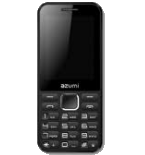
Verfügbare Anleitungen für die Synchronisierung mit der sicheren Cloud
Unterstützte Funktionen
- Kontakt-Synchronisation
- Kalender-Synchronisation
- Foto-Synchronisierung
- Video-Synchronisation
- automatisch synchronisieren


Übertragen Sie Ihre Kontakte, Kalender, Fotos und Videos von Azumi L4K 4G in einen Online-Speicher und zurück, um sie sicher und aktuell zu halten.
Azumi L4K 4G wird von PhoneCopy unterstützt.
Bitte beachten Sie, dass die folgenden Einstellungen je nach Firmware-Version leicht variieren können.
Bestätigte Modelle
Bestätigte Versionen
News
- 09.11.25
- Wir haben gerade den ersten Benutzer dieses Modells in Vereinigte Staaten bekommen! Jemand hat gerade seine Kontakte und Medien gesichert.
- 03.11.23
- Jemand hat PhoneCopy zur Sicherung dieses Telefonmodells in Kenia verwendet. Seine Kontakte wurden übertragen.
- 25.06.23
- Ein Azumi L4K 4G-Telefon wurde von einem PhoneCopy-Benutzer in Demokratische Republik Kongo synchronisiert. Seine Kontakte und Medien wurden übertragen.
- 02.09.22
- Wir haben die PhoneCopy-App auf einem Azumi L4K 4G-Telefon in Burundi erkannt. Alle Kontakte und Medien wurden gesichert.
- 05.10.21
- Ein neuer Telefonbenutzer hat seine Kontakte von Sambia aus mit PhoneCopy synchronisiert.
KaiOS-Versionen auf Azumi L4K 4G
Die PhoneCopy-App für KaiOS unterstützt verschiedene KaiOS-Versionen. Unsere Benutzer haben ihr Azumi L4K 4G mit KaiOS 2.5.2 (61.86%), KaiOS 2.5.2.2 (38.14%) synchronisiert.
Das folgende Kreisdiagramm zeigt den Anteil der KaiOS-Versionen auf Azumi L4K 4G bei der Synchronisierung mit PhoneCopy.
Azumi L4K 4G Nutzer auf der ganzen Welt
Azumi L4K 4G wird häufig von PhoneCopy-Benutzern in Ländern wie Tansania - 80.02%, Malawi (Malaŵi) - 15.78%, Burundi (Uburundi) - 2.05%, Demokratische Republik Kongo (République démocratique du Congo, Republíki ya Kongó Demokratíki, Jamhuri ya Kidemokrasia ya Kongo) - 1.51%, Mosambik (Moçambique) - 0.56%, Vereinigte Staaten (Estados Unidos, États-Unis, ‘Amelika Hui Pū ‘ia) - 0.02%, Kenia - 0.02%, Sambia - 0.02% verwendet.
Die folgende Heatmap zeigt den Anteil der Benutzer weltweit, die ihr Azumi L4K 4G mit PhoneCopy synchronisieren.
Textanleitung - So sichern Sie Ihre Daten
Von Azumi L4K 4G
- Download our PhoneCopy for KaiOS from application KaiOS Marketplace to your mobile device.
- After launching the application, create a new account from the application. If you have already created an account on web pages www.phonecopy.com, log in to this existing account in the application.
- After succesful login press "Synchronize" for complete synchronization, you can choose "This device >> Server" for one-way sync.
If you need more help with the settings, visit our step by step screenshot guide: How to synchronize contacts to phone with KaiOS
If you need more help with the settings, visit our step by step screenshot guide: How to backup contacts from phone with Kai OS
Bei Problemen mit der Synchronisierung, bitte kontaktieren Sie uns.
Zu Azumi L4K 4G
- Download our PhoneCopy for KaiOS from application KaiOS Marketplace to your mobile device.
- After launching the application, log in to this existing account in the application.
- After succesful login press "Synchronize" for complete synchronization, you can choose "Server >> This device" for one-way sync.
If you need more help with the settings, visit our step by step screenshot guide: How to synchronize contacts to phone with KaiOS
If you need more help with the settings, visit our step by step screenshot guide: How to backup contacts from phone with Kai OS
Bei Problemen mit der Synchronisierung, bitte kontaktieren Sie uns.
Benutzer Kommentare
Um einen Kommentar zu hinterlassen, melden Sie sich an.
-
How do I back up text on Alcatel smart flip 4052r kdawgpups, 11.03.21
-
I am sorry, but your phone doesn't support text messages backup
-
So is there anyway possible to retrieve deleted text messages
-
No. I am sorry but we don't know any way to retrieve deleted text messages in KaiOS
-
-
-
