Realizar copia de seguridad de contactos, calendário, fotos y vídeos desde Azumi L4K 4G
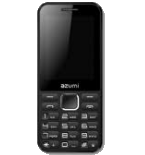
Guías disponibles para la sincronización con la nube segura
Funciones compatibles
- sincronización de contactos
- sincronización de calendario
- sincronización de fotos
- sincronización de vídeos
- sincronización automática


Transfiera sus contactos, calendário, fotos y vídeos desde Azumi L4K 4G a un almacenamiento en línea y viceversa para mantenerlos seguros y actualizados.
Azumi L4K 4G es compatible con PhoneCopy.
Tenga en cuenta que la siguiente configuración puede variar ligeramente según la versión del firmware.
Modelos confirmados
Versiones confirmadas
Noticias
- 9/11/25
- ¡Acabamos de conseguir el primer usuario de este modelo en Estados Unidos! Alguien acaba de hacer una copia de seguridad de sus contactos y multimedia.
- 3/11/23
- Alguien usó PhoneCopy para hacer una copia de seguridad de este modelo de teléfono en Kenia. Sus contactos fueron transferidos.
- 25/6/23
- Un teléfono Azumi L4K 4G fue sincronizado por un usuario de PhoneCopy en República Democrática del Congo. Sus contactos y multimedia fueron transferidos.
- 2/9/22
- Detectamos la aplicación PhoneCopy en un teléfono Azumi L4K 4G en Burundi. Todos los contactos y multimedia fueron respaldados.
- 5/10/21
- Un nuevo usuario de teléfono ha sincronizado sus contactos con PhoneCopy desde Zambia.
versiones de KaiOS ejecutándose en Azumi L4K 4G
La aplicación PhoneCopy para KaiOS es compatible con varias versiones de KaiOS. Nuestros usuarios sincronizaron su Azumi L4K 4G con KaiOS 2.5.2 (61.86%), KaiOS 2.5.2.2 (38.14%).
El siguiente gráfico circular ilustra la proporción entre las versiones de KaiOS en Azumi L4K 4G al sincronizar con PhoneCopy.
usuarios de Azumi L4K 4G en todo el mundo
Azumi L4K 4G es utilizado a menudo por usuarios de PhoneCopy en países como Tanzania - 80.02%, Malaui (Malaŵi) - 15.78%, Burundi (Uburundi) - 2.05%, República Democrática del Congo (République démocratique du Congo, Republíki ya Kongó Demokratíki, Jamhuri ya Kidemokrasia ya Kongo) - 1.51%, Mozambique (Moçambique) - 0.56%, Estados Unidos (Estados Unidos, États-Unis, ‘Amelika Hui Pū ‘ia) - 0.02%, Kenia - 0.02%, Zambia - 0.02%.
El siguiente mapa de calor ilustra la proporción de usuarios de todo el mundo que sincronizan su Azumi L4K 4G utilizando PhoneCopy.
Guía de texto - Cómo hacer copias de seguridad
Desde Azumi L4K 4G
- Download our PhoneCopy for KaiOS from application KaiOS Marketplace to your mobile device.
- After launching the application, create a new account from the application. If you have already created an account on web pages www.phonecopy.com, log in to this existing account in the application.
- After succesful login press "Synchronize" for complete synchronization, you can choose "This device >> Server" for one-way sync.
If you need more help with the settings, visit our step by step screenshot guide: How to synchronize contacts to phone with KaiOS
If you need more help with the settings, visit our step by step screenshot guide: How to backup contacts from phone with Kai OS
En el caso de problemas con la sincronización, contacte con nosotros.
A Azumi L4K 4G
- Download our PhoneCopy for KaiOS from application KaiOS Marketplace to your mobile device.
- After launching the application, log in to this existing account in the application.
- After succesful login press "Synchronize" for complete synchronization, you can choose "Server >> This device" for one-way sync.
If you need more help with the settings, visit our step by step screenshot guide: How to synchronize contacts to phone with KaiOS
If you need more help with the settings, visit our step by step screenshot guide: How to backup contacts from phone with Kai OS
En el caso de problemas con la sincronización, contacte con nosotros.
Comentarios de usuarios
Para dejar un comentario, por favor inicie sesión.
-
How do I back up text on Alcatel smart flip 4052r kdawgpups, 11/3/21
-
I am sorry, but your phone doesn't support text messages backup
-
So is there anyway possible to retrieve deleted text messages
-
No. I am sorry but we don't know any way to retrieve deleted text messages in KaiOS
-
-
-
