Kontakte, Kalender, Fotos und Videos sichern: iPro K2 3G
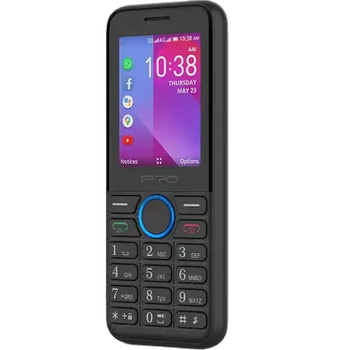
Verfügbare Anleitungen für die Synchronisierung mit der sicheren Cloud
Unterstützte Funktionen
- Kontakt-Synchronisation
- Kalender-Synchronisation
- Foto-Synchronisierung
- Video-Synchronisation
- automatisch synchronisieren


Übertragen Sie Ihre Kontakte, Kalender, Fotos und Videos von iPro K2 3G in einen Online-Speicher und zurück, um sie sicher und aktuell zu halten.
iPro K2 3G wird von PhoneCopy unterstützt.
Bitte beachten Sie, dass die folgenden Einstellungen je nach Firmware-Version leicht variieren können.
Bestätigte Modelle
Bestätigte Versionen
News
- 05.02.25
- Sogar in Costa Rica haben wir einen Benutzer mit einem iPro K2 3G-Telefon. Er sichert seine Kontakte und Medien.
- 15.10.24
- Dieses Telefonmodell wurde gerade von einem PhoneCopy-Benutzer in Nigeria synchronisiert. Es hat Kontakte und Medien übertragen.
- 08.04.24
- Ein Benutzer aus Türkei hat seine Kontakte mit seinem Telefon synchronisiert.
- 29.11.23
- Ein Benutzer aus Eswatini hat seine Kontakte mit seinem Telefon synchronisiert.
- 24.08.23
- Jemand hat gerade PhoneCopy zur Sicherung von iPro K2 3G im Land Vereinigte Staaten verwendet. Seine Kontakte und Medien wurden gesichert.
KaiOS-Versionen auf iPro K2 3G
Die PhoneCopy-App für KaiOS unterstützt verschiedene KaiOS-Versionen. Unsere Benutzer haben ihr iPro K2 3G mit KaiOS 2.5.1.2 (100.00%) synchronisiert.
iPro K2 3G Nutzer auf der ganzen Welt
Laut unseren Statistiken verwenden PhoneCopy-Benutzer iPro K2 3G für die Datensicherung in Ländern Türkei (Türkiye) - 85.46%, Venezuela - 8.98%, Vereinigte Staaten (Estados Unidos, États-Unis, ‘Amelika Hui Pū ‘ia) - 2.89%, Eswatini (eSwatini) - 2.44%, Nigeria (Nijeriya, Naigeria, Nàìjíríà) - 0.08%, Kolumbien - 0.08%, Costa Rica - 0.08%.
Das Histogramm zeigt die iPro K2 3G-Sicherung mit PhoneCopy weltweit.
Textanleitung - So sichern Sie Ihre Daten
Von iPro K2 3G
- Download our PhoneCopy for KaiOS from application KaiOS Marketplace to your mobile device.
- After launching the application, create a new account from the application. If you have already created an account on web pages www.phonecopy.com, log in to this existing account in the application.
- After succesful login press "Synchronize" for complete synchronization, you can choose "This device >> Server" for one-way sync.
If you need more help with the settings, visit our step by step screenshot guide: How to synchronize contacts to phone with KaiOS
If you need more help with the settings, visit our step by step screenshot guide: How to backup contacts from phone with Kai OS
Bei Problemen mit der Synchronisierung, bitte kontaktieren Sie uns.
Zu iPro K2 3G
- Download our PhoneCopy for KaiOS from application KaiOS Marketplace to your mobile device.
- After launching the application, log in to this existing account in the application.
- After succesful login press "Synchronize" for complete synchronization, you can choose "Server >> This device" for one-way sync.
If you need more help with the settings, visit our step by step screenshot guide: How to synchronize contacts to phone with KaiOS
If you need more help with the settings, visit our step by step screenshot guide: How to backup contacts from phone with Kai OS
Bei Problemen mit der Synchronisierung, bitte kontaktieren Sie uns.
Benutzer Kommentare
Um einen Kommentar zu hinterlassen, melden Sie sich an.
-
-
Мы обнаружили проблему с неправильной датой рождения у одного из ваших контактов.
-

aitemt70, 28.03.21