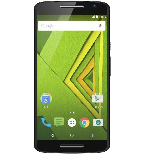
Kontakte, Fotos, Videos, SMS-Nachrichten und Anrufprotokolle sichern: Motorola Moto X Play XT1562
Verfügbare Anleitungen für die Synchronisierung mit der sicheren Cloud
Unterstützte Funktionen
- Kontakt-Synchronisation
- sms-Sicherung
- Sicherung des Anrufprotokolls
- Foto-Synchronisierung
- Video-Synchronisation
- automatisch synchronisieren


Übertragen Sie Ihre Kontakte, Fotos, Videos, SMS-Nachrichten und Anrufprotokolle von Motorola Moto X Play XT1562 in einen Online-Speicher und zurück, um sie sicher und aktuell zu halten.
Motorola Moto X Play XT1562 wird von PhoneCopy unterstützt.
Bitte beachten Sie, dass die folgenden Einstellungen je nach Firmware-Version leicht variieren können.
Bestätigte Modelle
Bestätigte Versionen
- Android 7.1 Nougat
- Android 6.0 Marshmallow
- Android 5.1 Lollipop
News
- 05.05.23
- Ein Motorola Moto X Play XT1562-Telefon wurde von einem PhoneCopy-Benutzer in Vereinigtes Königreich synchronisiert. Seine Kontakte und SMS-Nachrichten wurden übertragen.
- 25.07.20
- Wir haben die PhoneCopy-App auf einem Motorola Moto X Play XT1562-Telefon in Indien erkannt. Alle Kontakte wurden gesichert.
- 16.01.20
- Wir haben gerade den ersten Benutzer von Motorola Moto X Play XT1562 in Spanien bekommen! Jemand hat gerade seine Kontakte von einem neuen Telefon gesichert.
- 01.01.20
- Ein neuer Telefonbenutzer hat seine Kontakte von Deutschland aus mit PhoneCopy synchronisiert.
- 23.11.19
- Jemand hat PhoneCopy zur Sicherung dieses Telefonmodells in Kanada verwendet. Seine Kontakte wurden übertragen.
Android-Versionen auf Motorola Moto X Play XT1562
Bei der Synchronisierung hatten PhoneCopy-Benutzer folgende Android-Versionen auf ihrem Motorola Moto X Play XT1562: Android 6.0 Marshmallow (68.99%), Android 7.1 Nougat (21.01%), Android 5.1 Lollipop (10.00%).
Das Diagramm zeigt die Nutzung von Motorola Moto X Play XT1562- und Android-Versionen für die Kontaktsicherung mit PhoneCopy weltweit.
Motorola Moto X Play XT1562 Nutzer auf der ganzen Welt
Motorola Moto X Play XT1562 wird für die Kontaktsicherung von PhoneCopy-Benutzern in mehreren Ländern auf der ganzen Welt bevorzugt - Kanada - 33.33%, Vereinigtes Königreich (Y Deyrnas Unedig, Unitit Kinrick, Rìoghachd Aonaichte, Ríocht Aontaithe, An Rywvaneth Unys) - 33.33%, Indien (Bharôt, ভাৰত, ভারত, Bhārat, ભારત, भारत, Bhārata, ಭಾರತ, Bhāratam, ഭാരതം, Bharôtô, ଭାରତ, ਭਾਰਤ, भारतम्, Bārata, பாரதம், Bhāratadēsam, భారత దేశం) - 11.11%, Deutschland (Deutschland) - 11.11%, Spanien (España, Espanya, Espainia, Espanha) - 11.11%.
Die Karte zeigt die Nutzung von Motorola Moto X Play XT1562 für die Kontaktsicherung mit PhoneCopy weltweit.
Textanleitung - So sichern Sie Ihre Daten
Mit Motorola Moto X Play XT1562
- Laden Sie unsere PhoneCopy für Android-Anwendung auf Ihr Mobilgerät herunter.
- Erstellen Sie nach dem Start der Anwendung ein neues Konto in der Anwendung. Wenn Sie bereits ein Konto auf der Webseite www.phonecopy.com erstellt haben, melden Sie sich in der Anwendung mit diesem bestehenden Konto an.
- Nach erfolgreicher Anmeldung durchlaufen Sie den Einrichtungsassistenten der Anwendung und wählen Sie dann Synchronize (für ein Konto mit einer bestehenden Sicherung) / Backup (für ein leeres Konto) aus, oder drücken Sie die Schaltfläche Later und wählen Sie dann im Seitenmenü die Option Back up contacts / Restore contacts für eine einseitige Synchronisierung.
Weitere Informationen zu unserer App finden Sie auf unserer PhoneCopy für Android-Seite.
Bei Problemen mit der Synchronisierung, bitte kontaktieren Sie uns.
Benutzer Kommentare
Um einen Kommentar zu hinterlassen, melden Sie sich an.
-
-
It sounds like the cloud version still holds your old contacts. Try deleting the extra contacts directly from your PhoneCopy cloud account, then force a manual sync from your device. If that doesn’t work, you might need to reset the sync or re-link your account. Hope this helps!
-
Hello,
the number of contacts online is what matters. So please remove unnecessary contacts on the web. After that, the synchronization will be allowed again.-
So, though I did all the cleanup locally in my phone's contacts, and though the App DOES see the local number as less than 500 it will not initiate uploading the information as for the deletions? Because if it replicated the deletions, then there would not be a sync problem.
-
Hello,
the limit works this way. It is stated in the email user receives when the limit is exceeded.-
I realize the limitation of the platform, and since it is not capable of synchronizing in the traditional technical meaning of the term, could you suggest a workaround?
Perhaps if I deleted my account, removed my app and started over in a suggested sequence so that my less than 500 contacts would be then uploaded?-
If you have blocked an account because of exceeding limits, you just need to delete some contacts on the server to fit the limit of 500 and your account will be unlocked.
-
there is much overhead to re-do the same thing I already did locally a few months ago.
Do you think, considering all I have previously mentioned, that there is a different work-around to the platform not being able to two-say sync the information?-
It seems we are discussing several contacts which have to be deleted from your online profile to make it free again. We explained to you that contacts online are what matters. If you don't want to follow our recommendation you can delete the whole account and create it as a new profile with the number of contacts stored in your mobile phone.
-
-
-
-
-
-
-

But on Phonecopy on the cloud there is a different amount of Contacts, much more than 600. On the app I see that it recognizes that I do have less than 500 contacts on my device.
But of course it does not sync. What do I have to do to make this work? kanoyati, 03.01.24