Kontakte sichern: Nokia N950
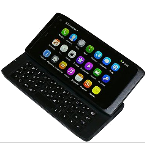
Verfügbare Anleitungen für die Synchronisierung mit der sicheren Cloud
Unterstützte Funktionen
- Kontakt-Synchronisation

Übertragen Sie Ihre Kontakte von Nokia N950 in einen Online-Speicher und zurück, um sie sicher und aktuell zu halten.
Nokia N950 wird von PhoneCopy unterstützt.
Bitte beachten Sie, dass die folgenden Einstellungen je nach Firmware-Version leicht variieren können.
Bestätigte Modelle
Bestätigte Versionen
Textanleitung - So sichern Sie Ihre Daten
Mit Nokia N950
Die Richtlinie ist noch nicht in Ihre Sprache übersetzt worden.
The ActiveSync protocol does not enable access to the contacts which are already in the phone. So the following guideline cannot be used for exporting contacts from the phone.
- Before you start setting up your phone, make sure that you have already registered on the website www.phonecopy.com. Into the phone you will enter the same user name and password that you used during registration.
- From main menu of your phone choose Accounts and press Add accounts and Mail for Exchange.
- Configure given fields.
- Email address
- your_username@phonecopy.com
- User name
- your_username
- Password
- your_password
- Domain
- www.phonecopy.com
- Click Sign in.
- Choose Contacts only.
- Click Done and Sign in.
Now the contacts should automatically synced to the phone. You can see synchronized contacts on the www.phonecopy.com.
If you need more help with the settings, visit our step by step screenshot guide "How to backup and synchronize contacts from phone with operating system MeeGo".
Bei Problemen mit der Synchronisierung, bitte kontaktieren Sie uns.
