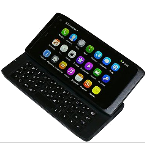
Realizar copia de seguridad de contactos desde Nokia N950
Guías disponibles para la sincronización con la nube segura
Funciones compatibles
- sincronización de contactos

Transfiera sus contactos desde Nokia N950 a un almacenamiento en línea y viceversa para mantenerlos seguros y actualizados.
Nokia N950 es compatible con PhoneCopy.
Tenga en cuenta que la siguiente configuración puede variar ligeramente según la versión del firmware.
Modelos confirmados
Versiones confirmadas
Guía de texto - Cómo hacer copias de seguridad
Con Nokia N950
Las instrucciones no han sido trducidas a su lengua.
The ActiveSync protocol does not enable access to the contacts which are already in the phone. So the following guideline cannot be used for exporting contacts from the phone.
- Before you start setting up your phone, make sure that you have already registered on the website www.phonecopy.com. Into the phone you will enter the same user name and password that you used during registration.
- From main menu of your phone choose Accounts and press Add accounts and Mail for Exchange.
- Configure given fields.
- Email address
- your_username@phonecopy.com
- User name
- your_username
- Password
- your_password
- Domain
- www.phonecopy.com
- Click Sign in.
- Choose Contacts only.
- Click Done and Sign in.
Now the contacts should automatically synced to the phone. You can see synchronized contacts on the www.phonecopy.com.
If you need more help with the settings, visit our step by step screenshot guide "How to backup and synchronize contacts from phone with operating system MeeGo".
En el caso de problemas con la sincronización, contacte con nosotros.
