Kontakte, Fotos, Videos, SMS-Nachrichten und Anrufprotokolle sichern: Realme GT Master Edition
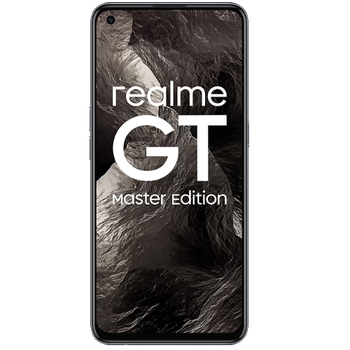
Verfügbare Anleitungen für die Synchronisierung mit der sicheren Cloud
Unterstützte Funktionen
- Kontakt-Synchronisation
- sms-Sicherung
- Sicherung des Anrufprotokolls
- Foto-Synchronisierung
- Video-Synchronisation
- automatisch synchronisieren


Übertragen Sie Ihre Kontakte, Fotos, Videos, SMS-Nachrichten und Anrufprotokolle von Realme GT Master Edition in einen Online-Speicher und zurück, um sie sicher und aktuell zu halten.
Realme GT Master Edition wird von PhoneCopy unterstützt.
Bitte beachten Sie, dass die folgenden Einstellungen je nach Firmware-Version leicht variieren können.
Bestätigte Modelle
Bestätigte Versionen
- Android 13
- Android 12
- Android 11
News
- 31.07.24
- Jemand hat gerade PhoneCopy zur Sicherung von Realme GT Master Edition im Land Indonesien verwendet. Seine Kontakte, SMS-Nachrichten und Anrufprotokolle wurden gesichert.
- 30.07.24
- Wir haben die PhoneCopy-App auf einem Realme GT Master Edition-Telefon in Pakistan erkannt. Alle Kontakte wurden gesichert.
- 07.05.23
- Update Realme GT Master Edition to Android 13 is available including the fully working contact, SMS, photo, and video backup to PhoneCopy Cloud.
- 23.01.23
- Der erste Benutzer aus Deutschland hat gerade seine Kontakte, Medien und SMS-Nachrichten auf seinem Realme GT Master Edition-Telefon synchronisiert.
- 20.01.23
- Wir haben gerade den ersten Benutzer von Realme GT Master Edition in Polen bekommen! Jemand hat gerade seine Kontakte und SMS-Nachrichten von einem neuen Telefon gesichert.
- 28.09.22
- Kürzlich haben wir auch in Singapur einen neuen Benutzer von Realme GT Master Edition bekommen. Er nutzt PhoneCopy zur Sicherung von Kontakte und SMS-Nachrichten.
- 08.04.22
- Update Realme GT Master Edition to Android 12 is available including the fully working contact, SMS, photo, and video backup to PhoneCopy Cloud.
- 28.12.21
- Wir haben das Betriebssystem Android und Huawei Mobile Services auf Realme GT Master Edition mit unserer PhoneCopy-App getestet, und es funktioniert einwandfrei.
- 08.11.21
- We just added Realme GT Master Edition to supported devices with the Android 11 operating system. We allow synchronization and backup of contacts, SMSes, call logs, photos, and videos to a secure PhoneCopy Cloud.
Android-Versionen auf Realme GT Master Edition
Die PhoneCopy-App für Android unterstützt verschiedene Android-Versionen. Unsere Benutzer haben ihr Realme GT Master Edition mit Android 11 (66.99%), Android 12 (25.24%), Android 13 (7.77%) synchronisiert.
Das Diagramm zeigt die Realme GT Master Edition-Sicherung mit PhoneCopy unter verschiedenen Android-Versionen.
Realme GT Master Edition Nutzer auf der ganzen Welt
Realme GT Master Edition wird häufig von PhoneCopy-Benutzern in Ländern wie Philippinen (Pilipinas) - 56.31%, Tschechien (Czech Republic, Česká republika) - 25.73%, Deutschland (Deutschland) - 3.88%, Indien (Bharôt, ভাৰত, ভারত, Bhārat, ભારત, भारत, Bhārata, ಭಾರತ, Bhāratam, ഭാരതം, Bharôtô, ଭାରତ, ਭਾਰਤ, भारतम्, Bārata, பாரதம், Bhāratadēsam, భారత దేశం) - 3.40%, Indonesien - 2.43%, Polen (Polska) - 2.43%, Bangladesch (বাংলাদেশ) - 2.43%, Griechenland (Hellas, Ελλάς, Ellada, Ελλάδα) - 0.97%, Malaysia (Mǎláixīyà, 马来西亚, Malēṣiyā, மலேசியா) - 0.49%, Singapur (Singapura, Xīnjiāpō, 新加坡, Singapur, சிங்கப்பூர்) - 0.49% und 3 anderen Ländern verwendet.
Das Histogramm zeigt die Realme GT Master Edition-Sicherung mit PhoneCopy weltweit.
Textanleitung - So sichern Sie Ihre Daten
Von Realme GT Master Edition
- Download our PhoneCopy for Huawei application to your mobile device.
- After launching the application, create a new account from the application. If you have already created an account on web pages www.phonecopy.com, log in to this existing account in the application.
- After succesful login press "Synchronize" for complete synchronization, or press "Advanced & Account", select "One-way sync" and after choose "This device >> server" for one-way sync.
More detailed information and instructions include screenshots: how to backup and synchronize contacts from Huawei
For more information about our app, visit our PhoneCopy for Huawei page.
Let us just remind you, that for now PhoneCopy for Android transfers to server contacts, photos, videos, Call Logs and SMS.
Bei Problemen mit der Synchronisierung, bitte kontaktieren Sie uns.
Zu Realme GT Master Edition
- Download our PhoneCopy for Huawei application to your mobile device.
- After launching the application, create a new account from the application. If you have already created an account on web pages www.phonecopy.com, log in to this existing account in the application.
- After succesful login press "Synchronize" for complete synchronization, or press "Advanced & Account", select "One-way sync" and after choose "Server >> this device" for one-way sync.
More detailed information and instructions include screenshots: how transfer contacts to Huawei
For more information about our app, visit our PhoneCopy for Huawei page.
Let us just remind you, that for now PhoneCopy for Android transfers to server contacts, photos, videos, Call Logs and SMS.
Bei Problemen mit der Synchronisierung, bitte kontaktieren Sie uns.
Benutzer Kommentare
Um einen Kommentar zu hinterlassen, melden Sie sich an.
-
Please send me a script to uptodate emails with my information about any working products android may use and plus I have to send you these applications about the Mexican Mexican apple butter apply app steals and regains grades from wire craigandre06, 20.07.26
