Kontakte, Fotos, Videos, SMS-Nachrichten und Anrufprotokolle sichern: Samsung Galaxy Z Flip 3 5G (SM-F711n)
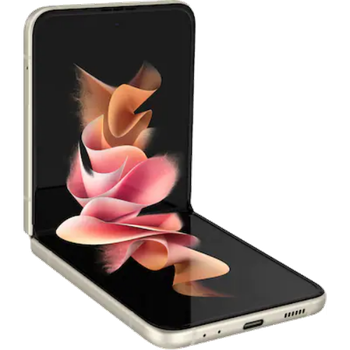
Verfügbare Anleitungen für die Synchronisierung mit der sicheren Cloud
Unterstützte Funktionen
- Kontakt-Synchronisation
- sms-Sicherung
- Sicherung des Anrufprotokolls
- Foto-Synchronisierung
- Video-Synchronisation
- automatisch synchronisieren


Übertragen Sie Ihre Kontakte, Fotos, Videos, SMS-Nachrichten und Anrufprotokolle von Samsung Galaxy Z Flip 3 5G (SM-F711n) in einen Online-Speicher und zurück, um sie sicher und aktuell zu halten.
Samsung Galaxy Z Flip 3 5G (SM-F711n) wird von PhoneCopy unterstützt.
Bitte beachten Sie, dass die folgenden Einstellungen je nach Firmware-Version leicht variieren können.
Bestätigte Modelle
Bestätigte Versionen
- Android 13
News
- 08.10.23
- We freshly support Samsung Galaxy Z Flip 3 5G (SM-F711n) with Android 13 OS for photo, video, call log, SMS and contact backup.
- 04.10.23
- Der erste Benutzer aus Indonesien hat gerade seine Kontakte und SMS-Nachrichten auf seinem Samsung Galaxy Z Flip 3 5G (SM-F711n)-Telefon synchronisiert.
Android-Versionen auf Samsung Galaxy Z Flip 3 5G (SM-F711n)
Bei der Synchronisierung hatten PhoneCopy-Benutzer folgende Android-Versionen auf ihrem Samsung Galaxy Z Flip 3 5G (SM-F711n): Android 13 (100.00%).
Samsung Galaxy Z Flip 3 5G (SM-F711n) Nutzer auf der ganzen Welt
Samsung Galaxy Z Flip 3 5G (SM-F711n) wird für die Kontaktsicherung von PhoneCopy-Benutzern in mehreren Ländern auf der ganzen Welt bevorzugt - Indonesien - 100.00%.
Die Karte zeigt die Nutzung von Samsung Galaxy Z Flip 3 5G (SM-F711n) für die Kontaktsicherung mit PhoneCopy weltweit.
Textanleitung - So sichern Sie Ihre Daten
Mit Samsung Galaxy Z Flip 3 5G (SM-F711n)
- Laden Sie unsere PhoneCopy für Android-Anwendung auf Ihr Mobilgerät herunter.
- Erstellen Sie nach dem Start der Anwendung ein neues Konto in der Anwendung. Wenn Sie bereits ein Konto auf der Webseite www.phonecopy.com erstellt haben, melden Sie sich in der Anwendung mit diesem bestehenden Konto an.
- Nach erfolgreicher Anmeldung durchlaufen Sie den Einrichtungsassistenten der Anwendung und wählen Sie dann Synchronize (für ein Konto mit einer bestehenden Sicherung) / Backup (für ein leeres Konto) aus, oder drücken Sie die Schaltfläche Later und wählen Sie dann im Seitenmenü die Option Back up contacts / Restore contacts für eine einseitige Synchronisierung.
Weitere Informationen zu unserer App finden Sie auf unserer PhoneCopy für Android-Seite.
Bei Problemen mit der Synchronisierung, bitte kontaktieren Sie uns.
Benutzer Kommentare
Um einen Kommentar zu hinterlassen, melden Sie sich an.
-
-
Hi, did you download PhoneCopy application from Google Play or Huawei AppGallery?
-
Hi, on Windowsphone it was from Google Play, on new P40 plus, I honestly don't remember, but THINK it was from H AppGalley. I even paid for a month's premium upgrade. Having a look around 'tinternet' I've seen one version of PhoneCopy with the red/black background and another with a pale blue background. Both mine are red/black. Should I delete both phones and start again? Can't actually find the 'pale-blue-one' in a store? Is the blue one the newer version? Regards, Trevor L
-
Hi, Windows mobile (Lumia) has older design because we keep it working until Microsoft will keep live their store. That step don't need to be repeated. Huawei P40 application is the same like on the following guide https://www.phonecopy.com/en/pages/how_to_synchronize_contacts_to_android . We found your phone contacting our servers but still not synchronized. Our technical team will contact you on Monday to check what should be wrong.
-
Hello again, and thank you for your prompt response. I will be patient and wait 'till Monday then. Trevor L
-
Hello,
your Huawei does not support Google Play Services.
In this case, please, install PhoneCopy for Huawei:
https://appgallery7.huawei.com/#/app/C102701109-
-
My Huawei DOES support Google Play Services...., what it will NOT do is respond to the link that you've sent me. I think I may have to write-off the £1:92 I've paid to PhoneCopy. I still have the same problem! I've successfully uploaded my contacts from my Lumia 640 LTE to your 'Cloud'. But cannot download anything to my Huawei P40 pro. In the app, the P40 Think I want to UPload, but says there is nothing to upload. Is there anything else you can suggest please?
-
Hello again, sorry, but official Huawei documentation says that Huawei P40 does not contain Google Services and running on Android 10.
In our logs, generated by communication with your phone is named as P40 pro, but running on Android 4.4.2 KITKAT with older type of processor, what is very unusual.
We will send you more informaction to your private mail.-
Thank you for this information. I've had this handset for less than a week. It came unlocked, apparently 'sealed', boxed, with the usual very small instruction leaflet, from a usually reliable source that I've used for a long time. I do now wonder though, if it is a genuine Huawei product? I have not owned any Huawei products before, so cannot compare. It is advertised variously at between £695:00 and £875:00 approx. I am very careful about buying things on the internet, but there's always a first time to be conned. I'm SURE that your information is correct. I'll await your further contact with interest. Thanks again, Trevor L
-
-
-
-
-
Answered via private mail.
-
Hello again PhoneCopy team,
Just wanted to say a really big thank you. After a complete week of communication to/fro between us, I have finally synchronised my Lumia 640 LTE with my new (highly suspect P40 pro) You even built a version of your app specifically for my use.
I now have all 87 contacts and hundreds of diary entries on the Android P40 pro. Sorted all the contacts; now just looking around for a decent calendar📅diary for other content.
Upgraded to premium at the start of this 'adventure' and have just paid for a bit😊more storage, (not that I'll need it) by way of a Thank You. Kind Regards, Trevor L
-
Thanks
-
-
-
-
-
-
-

I have uploaded my contacts+diary etc, from my Lumia 640 LTE (windows phone) successfully, but I don't seem to be able to download (from your cloud) to my new Huawei P40 Pro..., (previously known as the P40 els-nx9) which your systems say is supported. Spent hours so far..., even losing weight now! Help PLEASE...., REGARDS, Trev. trevor.lidbury, 29.08.20