Kontakte, Kalender, Aufgaben und Notizen sichern: Samsung Pixon GT-M8800
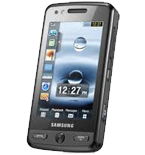
Verfügbare Anleitungen für die Synchronisierung mit der sicheren Cloud
Unterstützte Funktionen
- Kontakt-Synchronisation
- Kalender-Synchronisation
- Aufgabe-Synchronisation
- Notiz-Synchronisierung

Übertragen Sie Ihre Kontakte, Kalender, Aufgaben und Notizen von Samsung Pixon GT-M8800 in einen Online-Speicher und zurück, um sie sicher und aktuell zu halten.
Samsung Pixon GT-M8800 wird von PhoneCopy unterstützt.
Bitte beachten Sie, dass die folgenden Einstellungen je nach Firmware-Version leicht variieren können.
Bestätigte Modelle
Bestätigte Versionen
Textanleitung - So sichern Sie Ihre Daten
Mit Samsung Pixon GT-M8800
Die Richtlinie ist noch nicht in Ihre Sprache übersetzt worden.
- Press Menu.
- Choose menu item Applications and press Synchronization.
- Select New synchronization profile and set up the following items.
▼ hide fields
- Profile name: Fill in PhoneCopy
- Synchronization: In this category set up All and continue with:
- Remote contacts
- Write contacts
- Remote calendar
- Write calendar
- Remote tasks
- Write tasks
- Remote notes
- Write notes
- Synchronization type: Choose Full synchronization.
- Synchronization server: In this category set up:
- Address
- Write http://www.phonecopy.com/sync
- Username
- your_username
- Password
- your_password
- Network profile: Choose type of your internet connection.
- Return into Menu
- Go into Applications and continue with Synchronization press PhoneCopy and synchronize your phone.
Und nun bitte weisen Sie Ihr Telefon Ihrem PhoneCopy-Konto zu.
Bei Problemen mit der Synchronisierung, bitte kontaktieren Sie uns.
