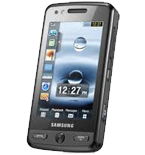
Realizar copia de seguridad de contactos, calendário, tareas y notas desde Samsung Pixon GT-M8800
Guías disponibles para la sincronización con la nube segura
Funciones compatibles
- sincronización de contactos
- sincronización de calendario
- sincronización de tareas
- sincronización de notas

Transfiera sus contactos, calendário, tareas y notas desde Samsung Pixon GT-M8800 a un almacenamiento en línea y viceversa para mantenerlos seguros y actualizados.
Samsung Pixon GT-M8800 es compatible con PhoneCopy.
Tenga en cuenta que la siguiente configuración puede variar ligeramente según la versión del firmware.
Modelos confirmados
Versiones confirmadas
Guía de texto - Cómo hacer copias de seguridad
Con Samsung Pixon GT-M8800
Las instrucciones no han sido trducidas a su lengua.
- Press Menu.
- Choose menu item Applications and press Synchronization.
- Select New synchronization profile and set up the following items.
▼ hide fields
- Profile name: Fill in PhoneCopy
- Synchronization: In this category set up All and continue with:
- Remote contacts
- Write contacts
- Remote calendar
- Write calendar
- Remote tasks
- Write tasks
- Remote notes
- Write notes
- Synchronization type: Choose Full synchronization.
- Synchronization server: In this category set up:
- Address
- Write http://www.phonecopy.com/sync
- Username
- your_username
- Password
- your_password
- Network profile: Choose type of your internet connection.
- Return into Menu
- Go into Applications and continue with Synchronization press PhoneCopy and synchronize your phone.
Por favor, ahora asigne su teléfono a su cuenta PhoneCopy.
En el caso de problemas con la sincronización, contacte con nosotros.
