Kontakte sichern: Viewsonic ViewPad P100
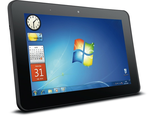
Verfügbare Anleitungen für die Synchronisierung mit der sicheren Cloud
Unterstützte Funktionen
- Kontakt-Synchronisation

Übertragen Sie Ihre Kontakte von Viewsonic ViewPad P100 in einen Online-Speicher und zurück, um sie sicher und aktuell zu halten.
Viewsonic ViewPad P100 wird von PhoneCopy unterstützt.
Bitte beachten Sie, dass die folgenden Einstellungen je nach Firmware-Version leicht variieren können.
Textanleitung - So sichern Sie Ihre Daten
Mit Viewsonic ViewPad P100
Die Richtlinie ist noch nicht in Ihre Sprache übersetzt worden.
- Download an application PhoneCopy for Windows
- After installing and launching the application will be minimized to status bar icon. When you will press this icon at first time you will be asked to fill your username and password. Also you can select folder which will be used to store VCARD contacts. Next icon click will start synchronization
- You can anytime add VCARD contact to selected folder to synchronize it to www.phonecopy.com to have it available for any other PhoneCopy compatible device. Also you can import or open VCARD contact in other PC software as MS Outlook etc.
More detailed informations and instructions include screenshots: how to synchronize contacts to your Windows PC
For more information about our app, visit our PhoneCopy for Windows page.
Bei Problemen mit der Synchronisierung, bitte kontaktieren Sie uns.
