Kontakte, Fotos, Videos, SMS-Nachrichten und Anrufprotokolle sichern: Xiaomi Mi 11 Lite 5G NE
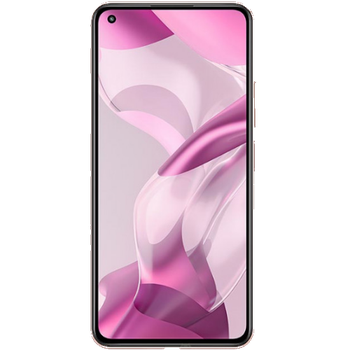
Verfügbare Anleitungen für die Synchronisierung mit der sicheren Cloud
Unterstützte Funktionen
- Kontakt-Synchronisation
- sms-Sicherung
- Sicherung des Anrufprotokolls
- Foto-Synchronisierung
- Video-Synchronisation
- automatisch synchronisieren


Übertragen Sie Ihre Kontakte, Fotos, Videos, SMS-Nachrichten und Anrufprotokolle von Xiaomi Mi 11 Lite 5G NE in einen Online-Speicher und zurück, um sie sicher und aktuell zu halten.
Xiaomi Mi 11 Lite 5G NE wird von PhoneCopy unterstützt.
Bitte beachten Sie, dass die folgenden Einstellungen je nach Firmware-Version leicht variieren können.
Bestätigte Modelle
Bestätigte Versionen
- Android 14
- Android 13
- Android 12
- Android 11
News
- 29.12.25
- Wir haben gerade den ersten Benutzer dieses Modells in Burma bekommen! Jemand hat gerade seine Kontakte und Medien gesichert.
- 09.07.25
- Die PhoneCopy-App wird auf Xiaomi Mi 11 Lite 5G NE mit dem Betriebssystem Android und Huawei Mobile Services vollständig unterstützt.
- 08.07.25
- Ein Benutzer aus Italien hat seine Kontakte mit seinem Telefon synchronisiert.
- 11.04.24
- We noticed the update possibility of Xiaomi Mi 11 Lite 5G NE to a new Android operating system version 14.
- 08.02.24
- Jemand hat PhoneCopy zur Sicherung dieses Telefonmodells in Iran verwendet. Seine Kontakte wurden übertragen.
- 20.12.23
- Ein neuer Telefonbenutzer hat seine Kontakte und SMS-Nachrichten von Niederlande aus mit PhoneCopy synchronisiert.
- 19.12.23
- Sogar in Vereinigte Staaten haben wir einen Benutzer mit einem Xiaomi Mi 11 Lite 5G NE-Telefon. Er sichert seine Kontakte, Medien und SMS-Nachrichten.
- 22.03.23
- We noticed the update possibility of Xiaomi Mi 11 Lite 5G NE to a new Android operating system version 13.
- 13.03.22
- Xiaomi Mi 11 Lite 5G NE now offers Android 12 update.
- 18.10.21
- We tested new Android 11 on Xiaomi Mi 11 Lite 5G NE with our PhoneCopy app and it's completely working.
Android-Versionen auf Xiaomi Mi 11 Lite 5G NE
Die PhoneCopy-App für Android unterstützt verschiedene Android-Versionen. Unsere Benutzer haben ihr Xiaomi Mi 11 Lite 5G NE mit Android 11 (53.50%), Android 12 (23.74%), Android 13 (13.17%), Android 14 (9.59%) synchronisiert.
Das folgende Kreisdiagramm zeigt den Anteil der Android-Versionen auf Xiaomi Mi 11 Lite 5G NE bei der Synchronisierung mit PhoneCopy.
Xiaomi Mi 11 Lite 5G NE Nutzer auf der ganzen Welt
Xiaomi Mi 11 Lite 5G NE wird für die Kontaktsicherung von PhoneCopy-Benutzern auf der ganzen Welt bevorzugt – Tschechien (Czech Republic, Česká republika) - 48.55%, Malaysia (Mǎláixīyà, 马来西亚, Malēṣiyā, மலேசியா) - 26.18%, Griechenland (Hellas, Ελλάς, Ellada, Ελλάδα) - 8.16%, Israel (Yisra'el, ישראל, Israʼiyl, إسرائيل) - 6.45%, Hongkong (Heung Gong, 香港) - 6.45%, Indien (Bharôt, ভাৰত, ভারত, Bhārat, ભારત, भारत, Bhārata, ಭಾರತ, Bhāratam, ഭാരതം, Bharôtô, ଭାରତ, ਭਾਰਤ, भारतम्, Bārata, பாரதம், Bhāratadēsam, భారత దేశం) - 1.18%, Türkei (Türkiye) - 0.46%, Frankreich - 0.39%, Dänemark (Danmark) - 0.33%, Kroatien (Hrvatska) - 0.33% und 18 andere Länder.
Die folgende Heatmap zeigt den Anteil der Benutzer weltweit, die ihr Xiaomi Mi 11 Lite 5G NE mit PhoneCopy synchronisieren.
Textanleitung - So sichern Sie Ihre Daten
Von Xiaomi Mi 11 Lite 5G NE
- Download our PhoneCopy for Huawei application to your mobile device.
- After launching the application, create a new account from the application. If you have already created an account on web pages www.phonecopy.com, log in to this existing account in the application.
- After succesful login press "Synchronize" for complete synchronization, or press "Advanced & Account", select "One-way sync" and after choose "This device >> server" for one-way sync.
More detailed information and instructions include screenshots: how to backup and synchronize contacts from Huawei
For more information about our app, visit our PhoneCopy for Huawei page.
Let us just remind you, that for now PhoneCopy for Android transfers to server contacts, photos, videos, Call Logs and SMS.
Bei Problemen mit der Synchronisierung, bitte kontaktieren Sie uns.
Zu Xiaomi Mi 11 Lite 5G NE
- Download our PhoneCopy for Huawei application to your mobile device.
- After launching the application, create a new account from the application. If you have already created an account on web pages www.phonecopy.com, log in to this existing account in the application.
- After succesful login press "Synchronize" for complete synchronization, or press "Advanced & Account", select "One-way sync" and after choose "Server >> this device" for one-way sync.
More detailed information and instructions include screenshots: how transfer contacts to Huawei
For more information about our app, visit our PhoneCopy for Huawei page.
Let us just remind you, that for now PhoneCopy for Android transfers to server contacts, photos, videos, Call Logs and SMS.
Bei Problemen mit der Synchronisierung, bitte kontaktieren Sie uns.
Benutzer Kommentare
Um einen Kommentar zu hinterlassen, melden Sie sich an.
-
I received the notification to sycronize messages and cotacts since the tenth day of this month.I gave a try but unsuccesful to syncronize.That made outgoing calls very impossible.So please assist as soon as possible. georgeweikel16, 26.12.23
-
We didn't find any synchronized phone in your profile. Are you sure you received notification from PhoneCopy?
-
