How to transfer contacts data to Windows Phone 8.1 (include Lumia)
Considering that a number of users using Windows Phone is significant, more and more people find themselves in need of synchronize contacts. For these purposes there is a simple solution PhoneCopy.com, which we've prepared this tutorial for. Because of technical limitation there is not possible to export your existing contacts from device directly, but you can use your contacts stored on PhoneCopy on your Windows Phone device.
This article should work for all Windows phones 8 OS which are for example: none
Next help and advices are on page How to
IF YOU NEED TO TRANSFER CONTACTS FROM Windows Phone 8.1 please use another guide
How to start?
You need to have a mobile phone with Windows Phone 8.1 OS.
Synchronization contacts to Windows Phone 8.1
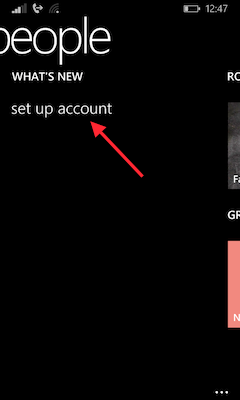
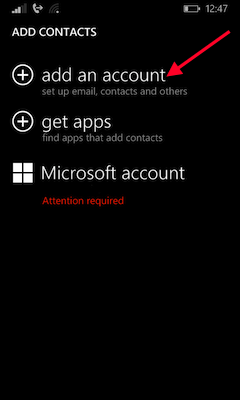
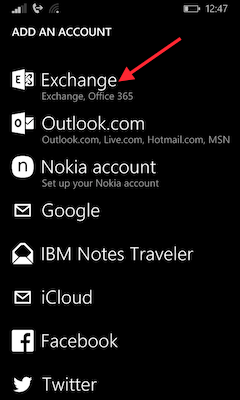
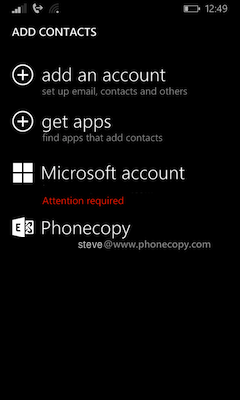
Go to folder „people“, choose „set up account“ and press „add and account“.
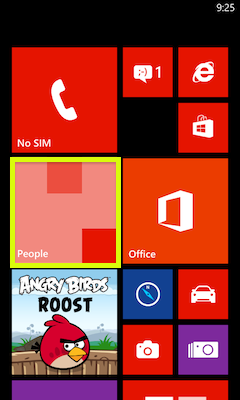
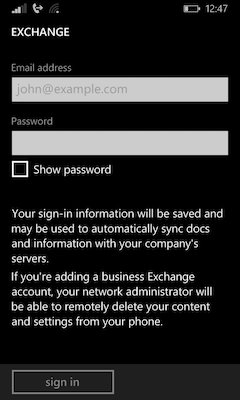
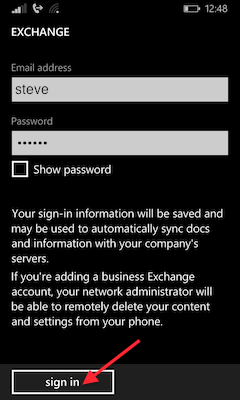
Press „Exchange". Type in your email as your_username@www.phonecopy.com, fill in your password and choose „sign in“.
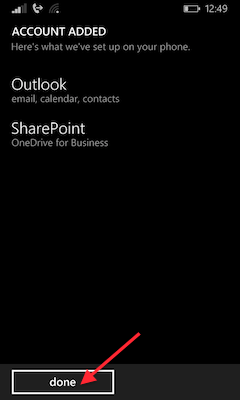
Press „done". Contacts from PhoneCopy.com were copied to your device.
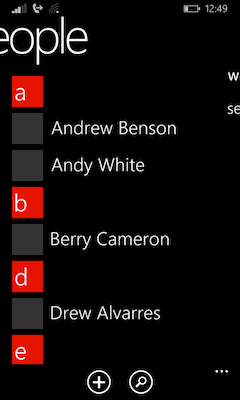
Now you have all your contacts synchronized on PhoneCopy and you can edit your contacts in your online account. PhoneCopy can also be used as a regular synchronization service, should you lose your phone or the stored data, or if you just run out of battery and you need to see your contacts online. Also, on your online account, you will see full history of your contacts, as well as the data that you've deleted in between the synchronizations. You can find them in an archvie from where you can restore them.
IF YOU NEED TO TRANSFER CONTACTS FROM Windows Phone 8.1 please use another guide
