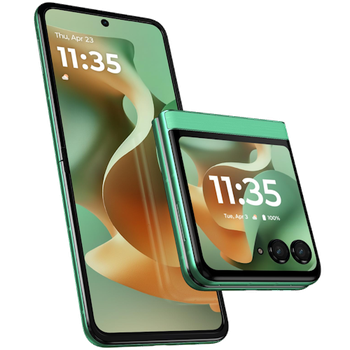
Backup contacts, calendar, photos, videos, sms messages and call logs from Motorola RAZR 2025
Available guides for synchronization to the secure cloud
Supported functions
- contact synchronization
- calendar synchronization
- sms backup
- call log backup
- photo synchronization
- video synchronization
- automatic sync


Transfer your contacts, calendar, photos, videos, sms messages and call logs from Motorola RAZR 2025 to an online storage and back to keep them safe and up to date.
Motorola RAZR 2025 is supported on PhoneCopy.
Please note that following settings may vary a little depending on the firmware version.
Confirmed models
Confirmed versions
- Android 16
- Android 15
News
- 21/05/2026
- PhoneCopy app is fully working after updating the Motorola RAZR 2025 to Android 16.
- 01/12/2025
- We freshly support Motorola RAZR 2025 with Android 15 OS for photo, video, SMS, call log and contact backup.
- 05/10/2025
- First user from United States just synced his contacts, media, sms messages and call logs on Motorola RAZR 2025 phone.
Android versions running on Motorola RAZR 2025
When synchronizing, PhoneCopy users had following Android versions on their Motorola RAZR 2025: Android 16 (66.90%), Android 15 (33.10%).
The chart shows usage of Motorola RAZR 2025 and Android versions for contact backup with PhoneCopy around the world.
Motorola RAZR 2025 users around the world
According to our statistics, PhoneCopy users use Motorola RAZR 2025 for data backup in countries United States (Estados Unidos, États-Unis, ‘Amelika Hui Pū ‘ia) - 100.00%.
The map shows usage of Motorola RAZR 2025 for contact backup with PhoneCopy around the world.
Text guideline - How to backup
With Motorola RAZR 2025
- Download our PhoneCopy for Android application to your mobile device.
- After launching the application, create a new account from the application. If you have already created an account on web pages www.phonecopy.com, log in to this existing account in the application.
- After successful login, go through the application setup wizard and then select Synchronize (for an account with an existing backup) / Backup (for an empty account) or press the Later button and then select option in the side menu Back up contacts / Restore contacts for one-way synchronization.
For more information about our app, visit our PhoneCopy for Android page.
In the case of problems with synchronization, please contact us.
User comments
To leave a comment please sign in.
-
-
Hello, PhoneCopy backs up all SMS on the phone, there is no need to set anything else. Our records show a backup of 1818 SMS firstly and then adding of two more SMS (one by one) during consequent backups. Are you sure that the other messages that were not backed up are also SMS?
-

I don't see where to add more. Can anyone help me figure this out?
adolph1960, 01/08/2022