Backup contacts, photos, videos, sms messages and call logs from Motorola RAZR 40 5G
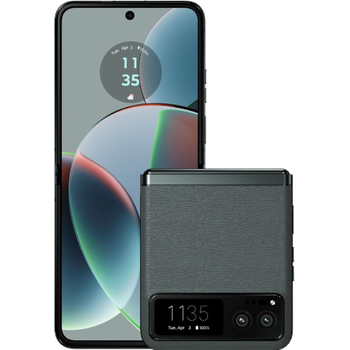
Available guides for synchronization to the secure cloud
Supported functions
- contact synchronization
- sms backup
- call log backup
- photo synchronization
- video synchronization
- automatic sync


Transfer your contacts, photos, videos, sms messages and call logs from Motorola RAZR 40 5G to an online storage and back to keep them safe and up to date.
Motorola RAZR 40 5G is supported on PhoneCopy.
Please note that following settings may vary a little depending on the firmware version.
Confirmed models
Confirmed versions
- Android 15
- Android 13
News
- 08/08/2025
- We added Motorola RAZR 40 5G to supported devices with Android 15.
- 07/08/2025
- User from Bulgaria has synchronized contacts, media and sms messages with his phone.
- 20/08/2024
- PhoneCopy app is fully supported on Motorola RAZR 40 5G with Android version 13.
- 14/08/2024
- Even in Mexico we have a user with Motorola RAZR 40 5G phone. He backs up his contacts, media and sms messages.
- 04/05/2024
- Someone used PhoneCopy for backup of this phone model in Hungary. His contacts, media, sms messages and call logs were transferred.
Android versions running on Motorola RAZR 40 5G
When synchronizing, PhoneCopy users had following Android versions on their Motorola RAZR 40 5G: Android 13 (98.11%), Android 15 (1.89%).
Following chart shows contacts synchronisations with Motorola RAZR 40 5G running different Android versions.
Motorola RAZR 40 5G users around the world
Motorola RAZR 40 5G is preffered for contact backup by PhoneCopy users in several countries around the world - Hungary (Magyarország) - 94.34%, Mexico (México, Mēxihco) - 3.77%, Bulgaria (Bulgariya, Bălgarija, България) - 1.89%.
Following heat map shows contacts synchronisations with Motorola RAZR 40 5G using PhoneCopy across the globe.
Text guideline - How to backup
With Motorola RAZR 40 5G
- Download our PhoneCopy for Android application to your mobile device.
- After launching the application, create a new account from the application. If you have already created an account on web pages www.phonecopy.com, log in to this existing account in the application.
- After successful login, go through the application setup wizard and then select Synchronize (for an account with an existing backup) / Backup (for an empty account) or press the Later button and then select option in the side menu Back up contacts / Restore contacts for one-way synchronization.
For more information about our app, visit our PhoneCopy for Android page.
In the case of problems with synchronization, please contact us.
User comments
To leave a comment please sign in.
-
-
What do I need to download my photos
-
Please check our guide https://www.phonecopy.com/en/pages/how_to_synchronize_contacts_to_android
-
-
abbas
-
When you synchronize your photos to PhoneCopy.com you can download them from your profile or you can synchronize them directly to your Windows PC via PhoneCopy for Windows. https://www.phonecopy.com/discussion/?comment_id=7263&category_id=237
-

jakeabobich, 22/10/2021