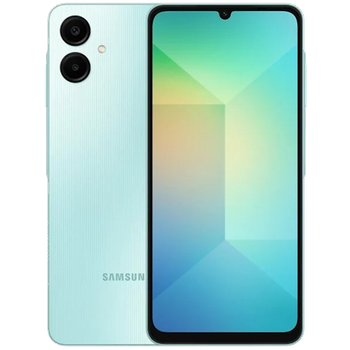
Backup contacts, photos, videos, sms messages and call logs from Samsung Galaxy A06 (SM-A065g)
Available guides for synchronization to the secure cloud
Supported functions
- contact synchronization
- sms backup
- call log backup
- photo synchronization
- video synchronization
- automatic sync


Transfer your contacts, photos, videos, sms messages and call logs from Samsung Galaxy A06 (SM-A065g) to an online storage and back to keep them safe and up to date.
Samsung Galaxy A06 (SM-A065g) is supported on PhoneCopy.
Please note that following settings may vary a little depending on the firmware version.
Confirmed models
Confirmed versions
- Android 16
- Android 15
- Android 14
News
- 06/07/2026
- Samsung Galaxy A06 (SM-A065g) phone was synchronized by PhoneCopy user in Philippines. His contacts and media were transferred.
- 24/03/2026
- User from Poland has synchronized contacts, sms messages and call logs with his phone.
- 23/03/2026
- Someone just used PhoneCopy for backup of Samsung Galaxy A06 (SM-A065g) in country Spain. His contacts, sms messages and call logs were backed up.
- This phone model was just synchronized by PhoneCopy user in Germany. It transferred contacts, sms messages and call logs.
- 15/12/2025
- Samsung Galaxy A06 (SM-A065g) phone was synchronized by PhoneCopy user in Netherlands. His contacts and media were transferred.
- 02/12/2025
- PhoneCopy app is fully working after updating the Samsung Galaxy A06 (SM-A065g) to Android 16.
- 01/08/2025
- We tested the functionality of the PhoneCopy app on Samsung Galaxy A06 (SM-A065g) device after the Android 15 update.
- 20/10/2024
- We just added Samsung Galaxy A06 (SM-A065g) to supported devices with the Android 14 operating system. We allow synchronization and backup of contacts, SMSes, call log, photos, and videos to a secure PhoneCopy Cloud.
Android versions running on Samsung Galaxy A06 (SM-A065g)
PhoneCopy for Android app supports various Android versions. Our users synchronized their Samsung Galaxy A06 (SM-A065g) running Android 14 (90.70%), Android 15 (4.65%), Android 16 (4.65%).
The chart depicts Samsung Galaxy A06 (SM-A065g) backup with PhoneCopy, running on various versions of Android.
Samsung Galaxy A06 (SM-A065g) users around the world
According to our statistics, PhoneCopy users use Samsung Galaxy A06 (SM-A065g) for data backup in countries United Kingdom (Y Deyrnas Unedig, Unitit Kinrick, Rìoghachd Aonaichte, Ríocht Aontaithe, An Rywvaneth Unys) - 71.65%, Saudi Arabia (Al-Mamlaka Al-‘Arabiyyah as Sa‘ūdiyyah, المملكة العربية السعودية) - 7.30%, Eswatini (eSwatini) - 3.65%, Ethiopia (Ityop'ia, ኢትዮጵያ) - 3.48%, United States (Estados Unidos, États-Unis, ‘Amelika Hui Pū ‘ia) - 2.96%, France - 2.78%, Kenya - 2.09%, Nigeria (Nijeriya, Naigeria, Nàìjíríà) - 1.91%, Pakistan (Pākistān, پاکستان) - 0.70%, Germany (Deutschland) - 0.52% and 14 more.
Histogram depicts Samsung Galaxy A06 (SM-A065g) backup with PhoneCopy around the world.
Text guideline - How to backup
With Samsung Galaxy A06 (SM-A065g)
- Download our PhoneCopy for Android application to your mobile device.
- After launching the application, create a new account from the application. If you have already created an account on web pages www.phonecopy.com, log in to this existing account in the application.
- After successful login, go through the application setup wizard and then select Synchronize (for an account with an existing backup) / Backup (for an empty account) or press the Later button and then select option in the side menu Back up contacts / Restore contacts for one-way synchronization.
For more information about our app, visit our PhoneCopy for Android page.
In the case of problems with synchronization, please contact us.
User comments
To leave a comment please sign in.
-
Hi, please since the day I have been using my Tecno spark 3 I yve not enjoy my personal video coverage, I mean whenever I make videos coverage then when I try to play the video, the video won't play very well, the picture in the video won't move the way a normal video suppose to move(skipping) please what can I do? abiolaolatubosun16, 08/06/2021
-
Sorry, we are a backup and synchronization service and not Tecno support.
-
