Backup contacts, photos, videos, sms messages and call logs from Samsung Galaxy A25 5G sm-a256e
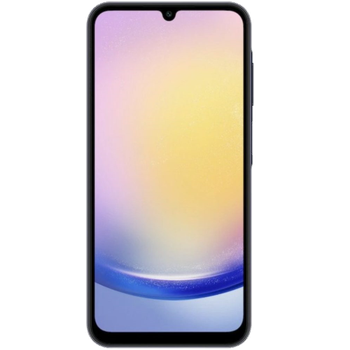
Available guides for synchronization to the secure cloud
Supported functions
- contact synchronization
- sms backup
- call log backup
- photo synchronization
- video synchronization
- automatic sync


Transfer your contacts, photos, videos, sms messages and call logs from Samsung Galaxy A25 5G sm-a256e to an online storage and back to keep them safe and up to date.
Samsung Galaxy A25 5G sm-a256e is supported on PhoneCopy.
Please note that following settings may vary a little depending on the firmware version.
Confirmed models
Confirmed versions
- Android 16
- Android 15
- Android 14
News
- 09/12/2025
- User from Uzbekistan has synchronized contacts with his phone.
- 31/10/2025
- We tested the functionality of the PhoneCopy app on Samsung Galaxy A25 5G sm-a256e device after the Android 16 update.
- 30/10/2025
- Someone just used PhoneCopy for backup of Samsung Galaxy A25 5G sm-a256e in country Jordan. His contacts were backed up.
- 29/09/2025
- Someone just used PhoneCopy for backup of Samsung Galaxy A25 5G sm-a256e in country Mexico. His contacts and sms messages were backed up.
- 19/06/2025
- Samsung Galaxy A25 5G sm-a256e now offers an Android 15 update.
- 06/04/2025
- We just got first user of Samsung Galaxy A25 5G sm-a256e in South Africa! Someone just backed up his contacts, media and call logs from a new phone.
- 25/03/2025
- First user from Kenya just synced his contacts on Samsung Galaxy A25 5G sm-a256e phone.
- 19/05/2024
- We added Samsung Galaxy A25 5G sm-a256e to supported devices with Android 14.
Android versions running on Samsung Galaxy A25 5G sm-a256e
When synchronizing, PhoneCopy users had following Android versions on their Samsung Galaxy A25 5G sm-a256e: Android 14 (54.62%), Android 16 (25.21%), Android 15 (20.17%).
The chart shows usage of Samsung Galaxy A25 5G sm-a256e and Android versions for contact backup with PhoneCopy around the world.
Samsung Galaxy A25 5G sm-a256e users around the world
Samsung Galaxy A25 5G sm-a256e is often used by PhoneCopy users in countries like United Arab Emirates (Al-’Imārat Al-‘Arabiyyah Al-Muttaḥidah, الإمارات العربيّة المتّحدة) - 78.81%, United Kingdom (Y Deyrnas Unedig, Unitit Kinrick, Rìoghachd Aonaichte, Ríocht Aontaithe, An Rywvaneth Unys) - 5.08%, United States (Estados Unidos, États-Unis, ‘Amelika Hui Pū ‘ia) - 3.39%, Iran (Īrān, ایران) - 2.54%, Egypt (Misr, Masr, مصر) - 1.69%, Kenya - 1.69%, Australia - 1.69%, South Africa (Suid-Afrika, iNingizimu Afrika, uMzantsi Afrika, Afrika-Borwa, Afrika Borwa, Aforika Borwa, Afurika Tshipembe, Afrika Dzonga, iSewula Afrika) - 0.85%, Jordan (Al-’Urdun, الأردن) - 0.85%, Russia (Rossiya, Rossiâ, Россия) - 0.85% and 3 other countries.
The map shows usage of Samsung Galaxy A25 5G sm-a256e for contact backup with PhoneCopy around the world.
Text guideline - How to backup
With Samsung Galaxy A25 5G sm-a256e
- Download our PhoneCopy for Android application to your mobile device.
- After launching the application, create a new account from the application. If you have already created an account on web pages www.phonecopy.com, log in to this existing account in the application.
- After successful login, go through the application setup wizard and then select Synchronize (for an account with an existing backup) / Backup (for an empty account) or press the Later button and then select option in the side menu Back up contacts / Restore contacts for one-way synchronization.
For more information about our app, visit our PhoneCopy for Android page.
In the case of problems with synchronization, please contact us.
User comments
To leave a comment please sign in.
-
How do I make my American parent as a donation so it accepts it? anniebugg, 12/09/2022
-
Hi, can you, please, a little more explain your request? Our Donation form is located at https://www.phonecopy.com/en/donate/ and supports most cards and Paypal.
-
