Backup contacts, photos, videos, sms messages and call logs from Samsung Galaxy S24 FE 5G sm-s721w
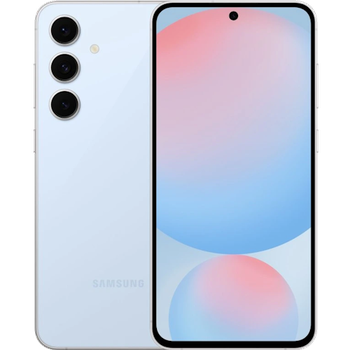
Available guides for synchronization to the secure cloud
Supported functions
- contact synchronization
- sms backup
- call log backup
- photo synchronization
- video synchronization
- automatic sync


Transfer your contacts, photos, videos, sms messages and call logs from Samsung Galaxy S24 FE 5G sm-s721w to an online storage and back to keep them safe and up to date.
Samsung Galaxy S24 FE 5G sm-s721w is supported on PhoneCopy.
Please note that following settings may vary a little depending on the firmware version.
Confirmed models
Confirmed versions
- Android 15
- Android 14
News
- 28/10/2025
- We just added Samsung Galaxy S24 FE 5G sm-s721w to supported devices with the Android 14 operating system. We allow synchronization and backup of contacts, SMSes, call log, photos, and videos to a secure PhoneCopy Cloud.
- Android 15 can be officially updated even on Samsung Galaxy S24 FE 5G sm-s721w.
- 24/10/2025
- Samsung Galaxy S24 FE 5G sm-s721w phone was synchronized by PhoneCopy user in Canada. His contacts were transferred.
Android versions running on Samsung Galaxy S24 FE 5G sm-s721w
PhoneCopy for Android app supports various Android versions. Our users synchronized their Samsung Galaxy S24 FE 5G sm-s721w running Android 15 (91.67%), Android 14 (8.33%).
The chart depicts Samsung Galaxy S24 FE 5G sm-s721w backup with PhoneCopy, running on various versions of Android.
Samsung Galaxy S24 FE 5G sm-s721w users around the world
According to our statistics, PhoneCopy users use Samsung Galaxy S24 FE 5G sm-s721w for data backup in countries Canada - 100.00%.
Histogram depicts Samsung Galaxy S24 FE 5G sm-s721w backup with PhoneCopy around the world.
Text guideline - How to backup
With Samsung Galaxy S24 FE 5G sm-s721w
- Download our PhoneCopy for Android application to your mobile device.
- After launching the application, create a new account from the application. If you have already created an account on web pages www.phonecopy.com, log in to this existing account in the application.
- After successful login, go through the application setup wizard and then select Synchronize (for an account with an existing backup) / Backup (for an empty account) or press the Later button and then select option in the side menu Back up contacts / Restore contacts for one-way synchronization.
For more information about our app, visit our PhoneCopy for Android page.
In the case of problems with synchronization, please contact us.
User comments
To leave a comment please sign in.
-
-
Hi, I am sorry but the current version doesn't support automatic synchronization. But the next version which will be launched soon will allow it.
-

I have synchronized manually, but I would like to avoid having to open the app and manually click on the synchronize menu option? arthurquinlan, 07/09/2021