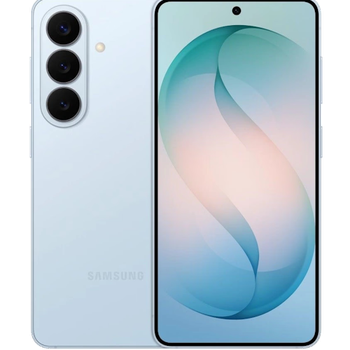
Backup contacts, photos, videos, sms messages and call logs from Samsung Galaxy S26 sm-s942n
Available guides for synchronization to the secure cloud
Supported functions
- contact synchronization
- sms backup
- call log backup
- photo synchronization
- video synchronization
- automatic sync


Transfer your contacts, photos, videos, sms messages and call logs from Samsung Galaxy S26 sm-s942n to an online storage and back to keep them safe and up to date.
Samsung Galaxy S26 sm-s942n is supported on PhoneCopy.
Please note that following settings may vary a little depending on the firmware version.
Confirmed models
Confirmed versions
- Android 16
News
- 04/10/2026
- We freshly support Samsung Galaxy S26 sm-s942n with Android 16 OS for photo, video, SMS, call log and contact backup.
- 09/09/2026
- This phone model was just synchronized by PhoneCopy user in South Korea. It transferred contacts and media.
Android versions running on Samsung Galaxy S26 sm-s942n
When synchronizing, PhoneCopy users had following Android versions on their Samsung Galaxy S26 sm-s942n: Android 16 (100.00%).
Samsung Galaxy S26 sm-s942n users around the world
Samsung Galaxy S26 sm-s942n is often used by PhoneCopy users in countries like South Korea (Hanguk, 한국, 韓國, Namhan, 남한) - 100.00%.
Following heat map shows contacts synchronisations with Samsung Galaxy S26 sm-s942n using PhoneCopy across the globe.
Text guideline - How to backup
With Samsung Galaxy S26 sm-s942n
- Download our PhoneCopy for Android application to your mobile device.
- After launching the application, create a new account from the application. If you have already created an account on web pages www.phonecopy.com, log in to this existing account in the application.
- After successful login, go through the application setup wizard and then select Synchronize (for an account with an existing backup) / Backup (for an empty account) or press the Later button and then select option in the side menu Back up contacts / Restore contacts for one-way synchronization.
For more information about our app, visit our PhoneCopy for Android page.
In the case of problems with synchronization, please contact us.
User comments
To leave a comment please sign in.
-
-
Hi, I am sorry but the current version doesn't support automatic synchronization. But the next version which will be launched soon will allow it.
-

I have synchronized manually, but I would like to avoid having to open the app and manually click on the synchronize menu option? arthurquinlan, 07/09/2021