Backup contacts, photos, videos, sms messages and call logs from Sharp Aquos R 605SH
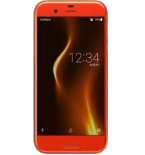
Available guides for synchronization to the secure cloud
Supported functions
- contact synchronization
- sms backup
- call log backup
- photo synchronization
- video synchronization
- automatic sync


Transfer your contacts, photos, videos, sms messages and call logs from Sharp Aquos R 605SH to an online storage and back to keep them safe and up to date.
Sharp Aquos R 605SH is supported on PhoneCopy.
Please note that following settings may vary a little depending on the firmware version.
Confirmed models
Confirmed versions
- Android 9.0 Pie
- Android 8.0 Oreo
- Android 7.1 Nougat
News
- 31/07/2025
- We just got first user of Sharp Aquos R 605SH in France! Someone just backed up his contacts, media, sms messages and call logs from a new phone.
- 25/06/2022
- Someone used PhoneCopy for backup of this phone model in Malaysia. His contacts and sms messages were transferred.
- 21/05/2022
- Recently we got new user of Sharp Aquos R 605SH also in Afghanistan. He is using PhoneCopy for backup of contacts.
- 30/12/2021
- Recently we got new user of Sharp Aquos R 605SH also in Nigeria. He is using PhoneCopy for backup of contacts.
- 07/10/2020
- User from Cameroon has synchronized contacts with his phone.
Android versions running on Sharp Aquos R 605SH
PhoneCopy for Android app supports various Android versions. Our users synchronized their Sharp Aquos R 605SH running Android 9.0 Pie (85.71%), Android 7.1 Nougat (7.14%), Android 8.0 Oreo (7.14%).
The chart depicts Sharp Aquos R 605SH backup with PhoneCopy, running on various versions of Android.
Sharp Aquos R 605SH users around the world
According to our statistics, PhoneCopy users use Sharp Aquos R 605SH for data backup in countries Cameroon (Cameroun) - 30.77%, Tanzania - 30.77%, Nigeria (Nijeriya, Naigeria, Nàìjíríà) - 15.38%, France - 7.69%, Malaysia (Mǎláixīyà, 马来西亚, Malēṣiyā, மலேசியா) - 7.69%, Afghanistan (Afghanestan, افغانستان) - 7.69%.
Histogram depicts Sharp Aquos R 605SH backup with PhoneCopy around the world.
Text guideline - How to backup
With Sharp Aquos R 605SH
- Download our PhoneCopy for Android application to your mobile device.
- After launching the application, create a new account from the application. If you have already created an account on web pages www.phonecopy.com, log in to this existing account in the application.
- After successful login, go through the application setup wizard and then select Synchronize (for an account with an existing backup) / Backup (for an empty account) or press the Later button and then select option in the side menu Back up contacts / Restore contacts for one-way synchronization.
For more information about our app, visit our PhoneCopy for Android page.
In the case of problems with synchronization, please contact us.
User comments
To leave a comment please sign in.
-
-
What do I need to download my photos
-
Please check our guide https://www.phonecopy.com/en/pages/how_to_synchronize_contacts_to_android
-
-
abbas
-
When you synchronize your photos to PhoneCopy.com you can download them from your profile or you can synchronize them directly to your Windows PC via PhoneCopy for Windows. https://www.phonecopy.com/discussion/?comment_id=7263&category_id=237
-

jakeabobich, 22/10/2021