Backup contacts, photos, videos, sms messages and call logs from Xiaomi MiX Flip
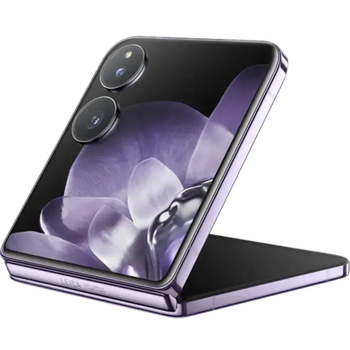
Available guides for synchronization to the secure cloud
Supported functions
- contact synchronization
- sms backup
- call log backup
- photo synchronization
- video synchronization
- automatic sync


Transfer your contacts, photos, videos, sms messages and call logs from Xiaomi MiX Flip to an online storage and back to keep them safe and up to date.
Xiaomi MiX Flip is supported on PhoneCopy.
Please note that following settings may vary a little depending on the firmware version.
Confirmed models
Confirmed versions
- Android 16
News
- 04/10/2026
- PhoneCopy app is fully supported on Xiaomi MiX Flip with Android version 16.
- 28/09/2026
- Someone used PhoneCopy for backup of this phone model in Hong Kong. His contacts and media were transferred.
Android versions running on Xiaomi MiX Flip
PhoneCopy for Android app supports various Android versions. Our users synchronized their Xiaomi MiX Flip running Android 16 (100.00%).
Xiaomi MiX Flip users around the world
Xiaomi MiX Flip is preffered for contact backup by PhoneCopy users in several countries around the world - Hong Kong (Heung Gong, 香港) - 100.00%.
Following heat map illustrates share between users around the world synchronizing their Xiaomi MiX Flip using PhoneCopy.
Text guideline - How to backup
With Xiaomi MiX Flip
- Download our PhoneCopy for Android application to your mobile device.
- After launching the application, create a new account from the application. If you have already created an account on web pages www.phonecopy.com, log in to this existing account in the application.
- After successful login, go through the application setup wizard and then select Synchronize (for an account with an existing backup) / Backup (for an empty account) or press the Later button and then select option in the side menu Back up contacts / Restore contacts for one-way synchronization.
For more information about our app, visit our PhoneCopy for Android page.
In the case of problems with synchronization, please contact us.
User comments
To leave a comment please sign in.
-
Hi, please since the day I have been using my Tecno spark 3 I yve not enjoy my personal video coverage, I mean whenever I make videos coverage then when I try to play the video, the video won't play very well, the picture in the video won't move the way a normal video suppose to move(skipping) please what can I do? abiolaolatubosun16, 08/06/2021
-
Sorry, we are a backup and synchronization service and not Tecno support.
-