Realizar copia de seguridad de contactos, fotos, vídeos, mensajes SMS y registros de llamadas desde Huawei Nova 3i ine-lx1r
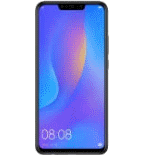
Guías disponibles para la sincronización con la nube segura
Funciones compatibles
- sincronización de contactos
- copia de seguridad de SMS
- copia de seguridad del registro de llamadas
- sincronización de fotos
- sincronización de vídeos
- sincronización automática


Transfiera sus contactos, fotos, vídeos, mensajes SMS y registros de llamadas desde Huawei Nova 3i ine-lx1r a un almacenamiento en línea y viceversa para mantenerlos seguros y actualizados.
Huawei Nova 3i ine-lx1r es compatible con PhoneCopy.
Tenga en cuenta que la siguiente configuración puede variar ligeramente según la versión del firmware.
Modelos confirmados
Versiones confirmadas
- Android 9.0 Pie
- Android 8.1 Oreo
Noticias
- 20/1/26
- Incluso en Irak tenemos un usuario con un teléfono Huawei Nova 3i ine-lx1r. Hace copia de seguridad de sus contactos.
- 14/6/25
- La aplicación PhoneCopy es totalmente compatible con Huawei Nova 3i ine-lx1r con sistema operativo Android y Huawei Mobile Services.
- 13/6/25
- Alguien usó PhoneCopy para hacer una copia de seguridad de este modelo de teléfono en Túnez. Sus contactos, multimedia, mensajes SMS y registros de llamadas fueron transferidos.
- 22/12/22
- Un nuevo usuario de teléfono ha sincronizado sus contactos, multimedia y mensajes SMS con PhoneCopy desde Filipinas.
- 30/10/22
- Recientemente también obtuvimos un nuevo usuario de Huawei Nova 3i ine-lx1r en Baréin. Está usando PhoneCopy para hacer copia de seguridad de contactos y mensajes SMS.
- 28/5/22
- Recientemente también obtuvimos un nuevo usuario de Huawei Nova 3i ine-lx1r en India. Está usando PhoneCopy para hacer copia de seguridad de contactos.
versiones de Android ejecutándose en Huawei Nova 3i ine-lx1r
La aplicación PhoneCopy para Android es compatible con varias versiones de Android. Nuestros usuarios sincronizaron su Huawei Nova 3i ine-lx1r con Android 9.0 Pie (74.36%), Android 8.1 Oreo (25.64%).
El gráfico muestra la copia de seguridad de Huawei Nova 3i ine-lx1r con PhoneCopy, ejecutando varias versiones de Android.
usuarios de Huawei Nova 3i ine-lx1r en todo el mundo
Huawei Nova 3i ine-lx1r es preferido para la copia de seguridad de contactos por usuarios de PhoneCopy en varios países del mundo - Egipto (Misr, Masr, مصر) - 38.46%, Arabia Saudí (Al-Mamlaka Al-‘Arabiyyah as Sa‘ūdiyyah, المملكة العربية السعودية) - 23.08%, Sri Lanka (Sri Lankā, ශ්රී ලංකාව, இலங்கை) - 7.69%, Baréin (Al-Baḥrayn, البحرين) - 3.85%, Pakistán (Pākistān, پاکستان) - 3.85%, Líbano (Lubnān, لبنان, Liban) - 3.85%, Túnez (Tunes, ⵜⵓⵏⵙ, Tūns, تونس) - 3.85%, Jordania (Al-’Urdun, الأردن) - 3.85%, Irak (Al-'Iraq, العراق, Îraq) - 3.85%, Filipinas (Pilipinas) - 3.85%, India (Bharôt, ভাৰত, ভারত, Bhārat, ભારત, भारत, Bhārata, ಭಾರತ, Bhāratam, ഭാരതം, Bharôtô, ଭାରତ, ਭਾਰਤ, भारतम्, Bārata, பாரதம், Bhāratadēsam, భారత దేశం) - 3.85%.
El histograma muestra la copia de seguridad de Huawei Nova 3i ine-lx1r con PhoneCopy en todo el mundo.
Guía de texto - Cómo hacer copias de seguridad
Desde Huawei Nova 3i ine-lx1r
- Download our PhoneCopy for Huawei application to your mobile device.
- After launching the application, create a new account from the application. If you have already created an account on web pages www.phonecopy.com, log in to this existing account in the application.
- After succesful login press "Synchronize" for complete synchronization, or press "Advanced & Account", select "One-way sync" and after choose "This device >> server" for one-way sync.
More detailed information and instructions include screenshots: how to backup and synchronize contacts from Huawei
For more information about our app, visit our PhoneCopy for Huawei page.
Let us just remind you, that for now PhoneCopy for Android transfers to server contacts, photos, videos, Call Logs and SMS.
En el caso de problemas con la sincronización, contacte con nosotros.
A Huawei Nova 3i ine-lx1r
- Download our PhoneCopy for Huawei application to your mobile device.
- After launching the application, create a new account from the application. If you have already created an account on web pages www.phonecopy.com, log in to this existing account in the application.
- After succesful login press "Synchronize" for complete synchronization, or press "Advanced & Account", select "One-way sync" and after choose "Server >> this device" for one-way sync.
More detailed information and instructions include screenshots: how transfer contacts to Huawei
For more information about our app, visit our PhoneCopy for Huawei page.
Let us just remind you, that for now PhoneCopy for Android transfers to server contacts, photos, videos, Call Logs and SMS.
En el caso de problemas con la sincronización, contacte con nosotros.
Comentarios de usuarios
Para dejar un comentario, por favor inicie sesión.
-
Please flash my phone, it's a Samsung A05. zuberymsiri9, 19/8/26
