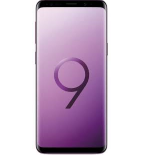
Transfiera sus contactos, fotos, vídeos, mensajes SMS y registros de llamadas desde Samsung Galaxy S9 sm-g960f a un almacenamiento en línea y viceversa para mantenerlos seguros y actualizados.
Samsung Galaxy S9 sm-g960f es compatible con PhoneCopy.
Tenga en cuenta que la siguiente configuración puede variar ligeramente según la versión del firmware.
Modelos confirmados
sm-g960f: d2seea/d2s (samsungexynos9810/exynos9810)
sm-g960f: dream2qltesq/dream2qltesq (mt6580/msm8998)
sm-g960f: lineage_starlte/starlte (samsungexynos9810/exynos9810)
sm-g960f: starlteeea/starlte (samsungexynos9810/exynos9810)
sm-g960f: starlteser/starlte (samsungexynos9810/exynos9810)
sm-g960f: starlteser/starlte (samsungexynos9810/universal9810)
sm-g960f: starltexx/starlte (samsungexynos8890/universal8890)
sm-g960f: starltexx/starlte (samsungexynos9810/exynos9810)
sm-g960f: starltexx/starlte (samsungexynos9810/universal9810)
show all
Versiones confirmadas
- Android 12
sq3a.220705.004 (unknown/g960fxxuhfvb4)
sp1a.210812.016 (unknown/g960fxxuhfvg4)
show all
- Android 10
qp1a.190711.020 (g960fxxs9dtd7,g960fxxs9dtd7/g960fxxs9dtd7)
qp1a.190711.020 (g960fxxs9dtd7/g960fxxs9dtd7)
qp1a.190711.020 (g960fxxu9etf2/g960fxxu9etf5)
qp1a.190711.020 (g960fxxu9etf2,g960fxxu9etf2/g960fxxu9etf5)
qp1a.190711.020 (g960fxxu8dtc5,g960fxxu8dtc5/g960fxxu8dtc5)
qp1a.190711.020 (g960fxxu8dtc5/g960fxxu8dtc5)
qp1a.190711.020 (g960fxxu7dta3,g960fxxu7dta3/g960fxxu7dtaa)
qp1a.190711.020 (g960fxxu7dta3/g960fxxs7dtad)
qp1a.190711.020 (g960fxxs7dtb1/g960fxxs7dtb5)
qp1a.190711.020 (g960fxxs7dtb1,g960fxxs7dtb1/g960fxxs7dtb5)
qp1a.190711.020 (g960fxxsbetg8,g960fxxsbetg8/g960fxxsbeth1)
qp1a.190711.020 (g960fxxuffuc6,g960fxxuffuc6/g960fxxuffuc6)
qp1a.190711.020 (g960fxxuffuc6/g960fxxuffuc6)
qp1a.190711.020 (g960fxxuhfvb4/g960fxxuhfvg6)
qp1a.190711.020 (g960fxxuhfvb4,g960fxxuhfvb4/g960fxxuhfvg4)
qp1a.190711.020 (g960fxxuhfvb4,g960fxxuhfvb4/g960fxxuhfvb4)
qp1a.190711.020 (g960fxxugfug4,g960fxxugfug4/g960fxxugfug4)
qp1a.190711.020 (g960fxxuhfvb4,g960fxxuhfvb4/g960fxxuhfvk1)
qp1a.190711.020 (g960fxxuhfvb4/g960fxxuhfvg4)
qp1a.190711.020 (g960fxxugfug4/g960fxxugfug4)
qp1a.190711.020 (g960fxxuhfvb4/g960fxxuhfve2)
qp1a.190711.020 (g960fxxuaetg3,g960fxxuaetg3/g960fxxuaetg3)
qp1a.190711.020 (g960fxxsffub3,g960fxxsffub3/g960fxxsffub3)
qp1a.190711.020 (g960fxxuaetg3/g960fxxuaetg3)
qp1a.190711.020 (g960fxxsffub3/g960fxxsffub3)
qp1a.190711.020 (g960fxxshfuj2,g960fxxshfuj2/g960fxxshfuj2)
qp1a.190711.020 (g960fxxsbeth2,g960fxxsbeth2/g960fxxsbeth2)
qp1a.190711.020 (g960fxxshfuj2/g960fxxshfuj2)
qp1a.190711.020 (g960fxxsbeth2/g960fxxsbeth2)
qp1a.190711.020 (g960fxxucftj1/g960fxxscftk2)
qp1a.190711.020 (g960fxxucftj1,g960fxxucftj1/g960fxxucftj2)
qp1a.190711.020 (g960fxxucftj1,g960fxxucftj1/g960fxxscftk2)
qp1a.190711.020 (g960fxxuffue1,g960fxxuffue1/g960fxxuffue1)
qp1a.190711.020 (g960fxxucftj1,g960fxxucftj1/g960fxxucftk1)
qp1a.190711.020 (g960fxxsefua1,g960fxxsefua1/g960fxxsefua1)
qp1a.190711.020 (g960fxxsdftl1,g960fxxsdftl1/g960fxxsdftl1)
qp1a.190711.020 (g960fxxuffue1/g960fxxuffue1)
qp1a.190711.020 (g960fxxsdftl1/g960fxxsdftl1)
qp1a.190711.020 (unknown/g960fxxs9dtd7)
qp1a.190711.020 (unknown/g960fxxu9etf5)
qp1a.190711.020 (unknown/g960fxxu8dtc5)
qp1a.190711.020 (unknown/g960fxxs8dtd4)
qp1a.190711.020 (unknown/g960fxxs7dtb5)
qp1a.190711.020 (unknown/g960fxxu7dtb4)
qp1a.190711.020 (unknown/g960fxxuffuc8)
qp1a.190711.020 (unknown/g960fxxuhfvg7)
qp1a.190711.020 (unknown/g960fxxu7dtaa)
qp1a.190711.020 (unknown/g960fxxs7dtad)
qp1a.190711.020 (unknown/g960fxxuhfvg6)
qp1a.190711.020 (unknown/g960fxxuffuc6)
qp1a.190711.020 (unknown/g960fxxuhfvb5)
qp1a.190711.020 (unknown/g960fxxuhfvg4)
qp1a.190711.020 (unknown/g960fxxuhfvb4)
qp1a.190711.020 (unknown/g960fxxugfug4)
qp1a.190711.020 (unknown/g960fxxuaetg3)
qp1a.190711.020 (unknown/g960fxxsffub3)
qp1a.190711.020 (unknown/g960fxxscftj3)
qp1a.190711.020 (unknown/g960fxxuhfve2)
qp1a.190711.020 (unknown/g960fxxucftj2)
qp1a.190711.020 (unknown/g960fxxshfuj2)
qp1a.190711.020 (unknown/g960fxxscftk2)
qp1a.190711.020 (unknown/g960fxxsbeth2)
qp1a.190711.020 (unknown/g960fxxuhfvk1)
qp1a.190711.020 (unknown/g960fxxuffue1)
qp1a.190711.020 (unknown/g960fxxucftk1)
qp1a.190711.020 (unknown/g960fxxsefua1)
qp1a.190711.020 (unknown/g960fxxsdftl1)
qp1a.190711.020 (unknown/g960fxxsbeth1)
show all
- Android 9.0 Pie
ppr1.180610.011 (g960fxxu7csi6,g960fxxu7csi6/g960fxxu7csj1)
ppr1.180610.011 (g960fxxu7csj5/g960fxxu7csk1)
ppr1.180610.011 (g960fxxs7csj3/g960fxxs7csk4)
ppr1.180610.011 (g960fxxs7csj3,g960fxxs7csj3/g960fxxs7csk4)
ppr1.180610.011 (g960fxxs7csj3/g960fxxs7csj3)
ppr1.180610.011 (g960fxxs7cta2,g960fxxs7cta2/g960fxxs7cta2)
ppr1.180610.011 (g960fxxs7cta2/g960fxxs7cta2)
ppr1.180610.011 (g960fxxu6csg4/g960fxxu6csg8)
ppr1.180610.011 (g960fxxu6csg4,g960fxxu6csg4/g960fxxu6csg8)
ppr1.180610.011 (g960fxxu6csg4/g960fxxs6csh2)
ppr1.180610.011 (g960fxxu5csf2,g960fxxu5csf2/g960fxxu5csf2)
ppr1.180610.011 (g960fxxu5csf2/g960fxxu5csf2)
ppr1.180610.011 (g960fxxu4cse1,g960fxxu4cse1/g960fxxu4cse3)
ppr1.180610.011 (g960fxxu3csd3/g960fxxu3csd4)
ppr1.180610.011 (g960fxxs3csd2,g960fxxs3csd2/g960fxxs3csd1)
ppr1.180610.011 (g960fxxs3csd2/g960fxxs3csd1)
ppr1.180610.011 (g960fxxu2csb3/g960fxxu2csb9)
ppr1.180610.011 (g960fxxu2csb3/g960fxxu2csb3)
ppr1.180610.011 (g960fxxu2csc1/g960fxxu2csc8)
ppr1.180610.011 (g960fxxu2csc1,g960fxxu2csc1/g960fxxu2csc8)
ppr1.180610.011 (g960fxxu2csc1,g960fxxu2csc1/g960fxxu2cscb)
ppr1.180610.011 (g960fxxu6csgd,g960fxxu6csgd/g960fxxs6csh5)
ppr1.180610.011 (g960fxxu6csgd/g960fxxu6csgd)
ppr1.180610.011 (g960fxxs4csdh/g960fxxs4csdh)
ppr1.180610.011 (g960fxxu2crli/g960fxxu2csa6)
ppr1.180610.011 (g960fxxu2crli/g960fxxu2csa1)
ppr1.180610.011 (g960fxxu2crli,g960fxxu2crli/g960fxxu2csa2)
ppr1.180610.011 (g960fxxu2crli,g960fxxu2crli/g960fxxu2crln)
ppr1.180610.011 (g960fxxu2crli,g960fxxu2crli/g960fxxu2crli)
ppr1.180610.011 (unknown/g960fxxs7csk6)
ppr1.180610.011 (unknown/g960fxxs7csj6)
ppr1.180610.011 (unknown/g960fxxs7csi5)
ppr1.180610.011 (unknown/g960fxxs7csk4)
ppr1.180610.011 (unknown/g960fxxs7csj3)
ppr1.180610.011 (unknown/g960fxxs7cta2)
ppr1.180610.011 (unknown/g960fxxu7csk1)
ppr1.180610.011 (unknown/g960fxxu7csj1)
ppr1.180610.011 (unknown/g960fxxs7cta1)
ppr1.180610.011 (unknown/g960fxxu6csg8)
ppr1.180610.011 (unknown/g960fxxu6csh6)
ppr1.180610.011 (unknown/g960fxxs6csh5)
ppr1.180610.011 (unknown/g960fxxs6csi4)
ppr1.180610.011 (unknown/g960fxxs6csh2)
ppr1.180610.011 (unknown/g960fxxu5csf7)
ppr1.180610.011 (unknown/g960fxxu5csf2)
ppr1.180610.011 (unknown/g960fxxu4cse3)
ppr1.180610.011 (unknown/g960nksu4fuc1)
ppr1.180610.011 (unknown/g960nksu3dtd1)
ppr1.180610.011 (unknown/g960fxxs3csd1)
ppr1.180610.011 (unknown/g960fxxu2csb9)
ppr1.180610.011 (unknown/g960fxxu2csc8)
ppr1.180610.011 (unknown/g960fxxu2csb3)
ppr1.180610.011 (unknown/g960fxxu2csa2)
ppr1.180610.011 (unknown/g960fxxu6csgd)
ppr1.180610.011 (unknown/g960fxxs6csgb)
ppr1.180610.011 (unknown/g960fxxs4csdh)
ppr1.180610.011 (unknown/g960fxxs4csdd)
ppr1.180610.011 (unknown/g960fxxu2crlo)
ppr1.180610.011 (unknown/g960fxxu2crli)
show all
- Android 8.0 Oreo
r16nw (g960fxxs2brh8/g960fxxs2bri1)
r16nw (g960fxxu2brg8/g960fxxu2brga)
r16nw (g960fxxu2brj4/g960fxxu2brj8)
r16nw (g960fxxu2brh4/g960fxxu2brh4)
r16nw (g960fxxs2bri4/g960fxxs2bri4)
r16nw (g960fxxs2brk3/g960fxxs2brk3)
r16nw (g960fxxu2brj1/g960fxxs2brj6)
r16nw (g960fxxu2brj1/g960fxxu2brj3)
r16nw (g960fxxu2brh1/g960fxxu2brga)
r16nw (g960fxxu1ard6/g960fxxu1ard4)
r16nw (g960fxxu1brf5/g960fxxu1brf8)
r16nw (g960fxxu1arc5/g960fxxu1arc5)
r16nw (g960fxxu1arc4/g960fxxu1arc5)
r16nw (g960fxxu1arc4/g960fxxu1arcc)
r16nw (g960fxxu1bre3/g960fxxu1bre7)
r16nw (g960fxxu1bre3/g960fxxu1bre6)
r16nw (g960fxxu1bre3/g960fxxu1bre5)
r16nw (g960fxxu1bre3/g960fxxs1brf3)
r16nw (g960fxxu1arb1/g960fxxu1arb3)
r16nw (g960fxxu2brha/g960fxxu2bri3)
r16nw (g960fxxu1arce/g960fxxs1ard1)
r16nw (g960fxxu1arcc/g960fxxs1ard1)
r16nw (g960fxxu1arcc/g960fxxu1arcc)
r16nw (unknown/g960fxxu2brj8)
r16nw (unknown/g960fxxu2brg6)
r16nw (unknown/g960fxxs2brj6)
r16nw (unknown/g960fxxu2brh4)
r16nw (unknown/g960fxxu2brj3)
r16nw (unknown/g960fxxu2bri3)
r16nw (unknown/g960fxxs2brl3)
r16nw (unknown/g960fxxs2brk3)
r16nw (unknown/g960fxxu2brk2)
r16nw (unknown/g960fxxs2bri2)
r16nw (unknown/g960fxxu2brh1)
r16nw (unknown/g960fxxs2bsa1)
r16nw (unknown/g960fxxs2bri1)
r16nw (unknown/g960fxxs2brg1)
r16nw (unknown/g960fxxu1brf8)
r16nw (unknown/g960fxxu1bre7)
r16nw (unknown/g960fxxu1bre6)
r16nw (unknown/g960fxxs1are6)
r16nw (unknown/g960fxxu1bre5)
r16nw (unknown/g960fxxu1arc5)
r16nw (unknown/g960fxxu1ard4)
r16nw (unknown/g960fxxu1arb3)
r16nw (unknown/g960fxxs1brf3)
r16nw (unknown/g960fpuu1arb3)
r16nw (unknown/g960fxxs1ard1)
r16nw (unknown/g935fxxu2erg2)
r16nw (unknown/g960fxxu2brga)
r16nw (unknown/g960fxxu1arcc)
r16nw (unknown/g960fxxu1arba)
show all
- Android 7.0 Nougat
nrd90m (unknown/unknown)
show all
Noticias
- 14/11/25
- Alguien acaba de usar PhoneCopy para hacer una copia de seguridad de Samsung Galaxy S9 sm-g960f en el país Croacia. Sus contactos fueron respaldados.
- 15/4/25
- Este modelo de teléfono acaba de ser sincronizado por un usuario de PhoneCopy en Armenia. Transfirió contactos, mensajes SMS y registros de llamadas.
- 1/9/24
- Incluso en Tanzania tenemos un usuario con un teléfono Samsung Galaxy S9 sm-g960f. Hace copia de seguridad de sus contactos.
- 16/4/23
- ¡Acabamos de conseguir el primer usuario de Samsung Galaxy S9 sm-g960f en China! Alguien acaba de hacer una copia de seguridad de sus contactos desde un nuevo teléfono.
- 7/12/22
- Un teléfono Samsung Galaxy S9 sm-g960f fue sincronizado por un usuario de PhoneCopy en Bélgica. Sus contactos y mensajes SMS fueron transferidos.
- 12/11/22
- We freshly support Samsung Galaxy S9 sm-g960f with Android 12 OS for photo, video, SMS and contact backup.
- 9/9/21
- La copia de seguridad de datos personales desde Samsung Galaxy S9 sm-g960f con sistema operativo Android y Huawei Mobile Services ya es compatible oficialmente con nuestra aplicación móvil PhoneCopy.
versiones de Android ejecutándose en Samsung Galaxy S9 sm-g960f
Al sincronizar, los usuarios de PhoneCopy tenían las siguientes versiones de Android en su Samsung Galaxy S9 sm-g960f: Android 10 (66.71%), Android 9.0 Pie (19.66%), Android 8.0 Oreo (13.51%), Android 12 (0.06%), Android 7.0 Nougat (0.06%).
El gráfico muestra el uso de versiones de Samsung Galaxy S9 sm-g960f y Android para la copia de seguridad de contactos con PhoneCopy en todo el mundo.
usuarios de Samsung Galaxy S9 sm-g960f en todo el mundo
Samsung Galaxy S9 sm-g960f es preferido para la copia de seguridad de contactos por usuarios de PhoneCopy en todo el mundo - Chequia (Czech Republic, Česká republika) - 26.30%, Reino Unido (Y Deyrnas Unedig, Unitit Kinrick, Rìoghachd Aonaichte, Ríocht Aontaithe, An Rywvaneth Unys) - 24.16%, Líbano (Lubnān, لبنان, Liban) - 10.33%, Australia - 3.97%, Suecia (Sverige) - 3.86%, India (Bharôt, ভাৰত, ভারত, Bhārat, ભારત, भारत, Bhārata, ಭಾರತ, Bhāratam, ഭാരതം, Bharôtô, ଭାରତ, ਭਾਰਤ, भारतम्, Bārata, பாரதம், Bhāratadēsam, భారత దేశం) - 3.83%, Dinamarca (Danmark) - 3.67%, Suiza (Schweiz, Suisse, Svizzera, Svizra) - 3.51%, Estados Unidos (Estados Unidos, États-Unis, ‘Amelika Hui Pū ‘ia) - 2.58%, Portugal - 2.26% y 42 países más.
El mapa muestra el uso de Samsung Galaxy S9 sm-g960f para la copia de seguridad de contactos con PhoneCopy en todo el mundo.
Guía de texto - Cómo hacer copias de seguridad
Desde Samsung Galaxy S9 sm-g960f
Las instrucciones no han sido trducidas a su lengua.
If you want to transfer contacts from your Huawei device please use following
screenshot guide.
- Download our PhoneCopy for Huawei application to your mobile device.
- After launching the application, create a new account from the application. If you have already created an account on web pages www.phonecopy.com, log in to this existing account in the application.
- After succesful login press "Synchronize" for complete synchronization, or press "Advanced & Account", select "One-way sync" and after choose "This device >> server" for one-way sync.
More detailed information and instructions include screenshots: how to backup and synchronize contacts from Huawei
For more information about our app, visit our PhoneCopy for Huawei page.
Let us just remind you, that for now PhoneCopy for Android transfers to server contacts, photos, videos, Call Logs and SMS.
En el caso de problemas con la sincronización, contacte con nosotros.
A Samsung Galaxy S9 sm-g960f
Las instrucciones no han sido trducidas a su lengua.
If you want to transfer contacts to your Huawei device please use following
screenshot guide.
- Download our PhoneCopy for Huawei application to your mobile device.
- After launching the application, create a new account from the application. If you have already created an account on web pages www.phonecopy.com, log in to this existing account in the application.
- After succesful login press "Synchronize" for complete synchronization, or press "Advanced & Account", select "One-way sync" and after choose "Server >> this device" for one-way sync.
More detailed information and instructions include screenshots: how transfer contacts to Huawei
For more information about our app, visit our PhoneCopy for Huawei page.
Let us just remind you, that for now PhoneCopy for Android transfers to server contacts, photos, videos, Call Logs and SMS.
En el caso de problemas con la sincronización, contacte con nosotros.
Comentarios de usuarios
Ver todo el debate