Sauvegarder contacts, calendrier, photos et vidéos depuis Jio Jiophone F220B
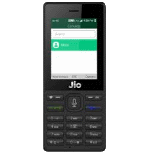
Guides disponibles pour la synchronisation vers le cloud sécurisé
Fonctions prises en charge
- synchronisation des contacts
- synchronisation du calendrier
- synchronisation des photos
- synchronisation des vidéos
- synchronisation automatique


Transférez vos contacts, calendrier, photos et vidéos de Jio Jiophone F220B vers un espace de stockage en ligne et inversement pour les garder en sécurité et à jour.
Jio Jiophone F220B est pris en charge avec PhoneCopy.
Veuillez noter que les paramètres suivants peuvent varier légèrement en fonction de la version du micrologiciel.
Modèles confirmés
Versions confirmées
Nouvelles
- 10/09/2020
- Nous avons détecté l'application PhoneCopy sur un téléphone Jio Jiophone F220B dans le pays Inde. Tous les contacts ont été sauvegardés.
versions KaiOS fonctionnant sur Jio Jiophone F220B
L'application PhoneCopy pour KaiOS prend en charge diverses versions de KaiOS. Nos utilisateurs ont synchronisé leur Jio Jiophone F220B avec KaiOS 2.5 (100.00%).
Jio Jiophone F220B utilisateurs dans le monde
Jio Jiophone F220B est privilégié pour la sauvegarde des contacts par les utilisateurs de PhoneCopy dans plusieurs pays du monde - Inde (Bharôt, ভাৰত, ভারত, Bhārat, ભારત, भारत, Bhārata, ಭಾರತ, Bhāratam, ഭാരതം, Bharôtô, ଭାରତ, ਭਾਰਤ, भारतम्, Bārata, பாரதம், Bhāratadēsam, భారత దేశం) - 100.00%.
L'histogramme illustre la sauvegarde de Jio Jiophone F220B avec PhoneCopy dans le monde entier.
Guide textuel - Comment sauvegarder
À partir de Jio Jiophone F220B
- Download our PhoneCopy for KaiOS from application KaiOS Marketplace to your mobile device.
- After launching the application, create a new account from the application. If you have already created an account on web pages www.phonecopy.com, log in to this existing account in the application.
- After succesful login press "Synchronize" for complete synchronization, you can choose "This device >> Server" for one-way sync.
If you need more help with the settings, visit our step by step screenshot guide: How to synchronize contacts to phone with KaiOS
If you need more help with the settings, visit our step by step screenshot guide: How to backup contacts from phone with Kai OS
En cas de problèmes dans la synchronisation, veuillez nous contacter.
Vers Jio Jiophone F220B
- Download our PhoneCopy for KaiOS from application KaiOS Marketplace to your mobile device.
- After launching the application, log in to this existing account in the application.
- After succesful login press "Synchronize" for complete synchronization, you can choose "Server >> This device" for one-way sync.
If you need more help with the settings, visit our step by step screenshot guide: How to synchronize contacts to phone with KaiOS
If you need more help with the settings, visit our step by step screenshot guide: How to backup contacts from phone with Kai OS
En cas de problèmes dans la synchronisation, veuillez nous contacter.
Commentaires des utilisateurs
Pour laisser un commentaire identifiez-vous.
-
How do I back up text on Alcatel smart flip 4052r kdawgpups, 11/03/2021
-
I am sorry, but your phone doesn't support text messages backup
-
So is there anyway possible to retrieve deleted text messages
-
No. I am sorry but we don't know any way to retrieve deleted text messages in KaiOS
-
-
-
