Sauvegarder contacts, calendrier, tâches et notes depuis Samsung Galaxy Tab GT-P1000
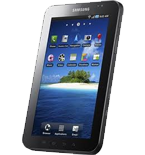
Guides disponibles pour la synchronisation vers le cloud sécurisé
Fonctions prises en charge
- synchronisation des contacts
- synchronisation du calendrier
- synchronisation des tâches
- synchronisation des notes

Transférez vos contacts, calendrier, tâches et notes de Samsung Galaxy Tab GT-P1000 vers un espace de stockage en ligne et inversement pour les garder en sécurité et à jour.
Samsung Galaxy Tab GT-P1000 est pris en charge avec PhoneCopy.
Veuillez noter que les paramètres suivants peuvent varier légèrement en fonction de la version du micrologiciel.
Modèles confirmés
Versions confirmées
Nouvelles
- 17/06/2022
- Récemment, nous avons également eu un nouvel utilisateur de Samsung Galaxy Tab GT-P1000 dans le pays Nigeria. Il utilise PhoneCopy pour sauvegarder ses contacts.
- 18/03/2021
- Récemment, nous avons également eu un nouvel utilisateur de Samsung Galaxy Tab GT-P1000 dans le pays Afrique du Sud. Il utilise PhoneCopy pour sauvegarder ses contacts.
- 29/08/2020
- Récemment, nous avons également eu un nouvel utilisateur de Samsung Galaxy Tab GT-P1000 dans le pays Indonésie. Il utilise PhoneCopy pour sauvegarder ses contacts.
Samsung Galaxy Tab GT-P1000 utilisateurs dans le monde
Samsung Galaxy Tab GT-P1000 est privilégié pour la sauvegarde des contacts par les utilisateurs de PhoneCopy dans plusieurs pays du monde - Nigeria (Nijeriya, Naigeria, Nàìjíríà) - 33.33%, Afrique du Sud (Suid-Afrika, iNingizimu Afrika, uMzantsi Afrika, Afrika-Borwa, Afrika Borwa, Aforika Borwa, Afurika Tshipembe, Afrika Dzonga, iSewula Afrika) - 33.33%, Indonésie - 33.33%.
Sur la carte
La carte de chaleur suivante montre les synchronisations des contacts avec Samsung Galaxy Tab GT-P1000 à l'aide de PhoneCopy dans le monde entier.
Guide textuel - Comment sauvegarder
Avec Samsung Galaxy Tab GT-P1000
| Profile name: | PhoneCopy |
|---|---|
| Host address: | http://www.phonecopy.com/sync |
| Port: | 80 |
| Login name: | username |
| Password: | Enter the password (allowed length is 5-50 characters) |
| Remote calendar database: | Calendar |
| Remote contact database: | Contacts |
| Remote note database: | Notes |
| Remote task/To-Do database: | Tasks |
| HTTP authentication | No |
| HTTP/Network username: | Do not enter |
| HTTP password: | Do not enter |
| Allow sync request: | Yes |
| Confirm sync request: | No |
| Internet connection: | Choose a connection, which you use for web browsing on your mobile phone (e.g. internet or GPRS etc.) |
When the above mentioned set up is done, start a sychronization.
Et maintenant, veuillez assigner votre téléphone à votre compte PhoneCopy.
En cas de problèmes dans la synchronisation, veuillez nous contacter.
