Sauvegarder contacts, calendrier, tâches et notes depuis Samsung GT-S5333
Guides disponibles pour la synchronisation vers le cloud sécurisé
Fonctions prises en charge
- synchronisation des contacts
- synchronisation du calendrier
- synchronisation des tâches
- synchronisation des notes

Transférez vos contacts, calendrier, tâches et notes de Samsung GT-S5333 vers un espace de stockage en ligne et inversement pour les garder en sécurité et à jour.
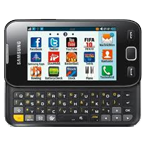
Samsung GT-S5333 est pris en charge avec PhoneCopy.
Veuillez noter que les paramètres suivants peuvent varier légèrement en fonction de la version du micrologiciel.
Modèles confirmés
Versions confirmées
Nouvelles
Samsung GT-S5333 utilisateurs dans le monde
D'après nos statistiques, les utilisateurs de PhoneCopy utilisent Samsung GT-S5333 pour la sauvegarde des données dans les pays Inde (Bharôt, ভাৰত, ভারত, Bhārat, ભારત, भारत, Bhārata, ಭಾರತ, Bhāratam, ഭാരതം, Bharôtô, ଭାରତ, ਭਾਰਤ, भारतम्, Bārata, பாரதம், Bhāratadēsam, భారత దేశం) - 75.00%, Iran (Īrān, ایران) - 25.00%.
Sur la carte
La carte de chaleur suivante montre les synchronisations des contacts avec Samsung GT-S5333 à l'aide de PhoneCopy dans le monde entier.
Guide textuel - Comment sauvegarder
Avec Samsung GT-S5333
| Profile name: | PhoneCopy |
|---|---|
| Host address: | http://www.phonecopy.com/sync |
| Port: | 80 |
| Login name: | username |
| Password: | Enter the password (allowed length is 5-50 characters) |
| Remote calendar database: | Calendar |
| Remote contact database: | Contacts |
| Remote note database: | Notes |
| Remote task/To-Do database: | Tasks |
| HTTP authentication | No |
| HTTP/Network username: | Do not enter |
| HTTP password: | Do not enter |
| Allow sync request: | Yes |
| Confirm sync request: | No |
| Internet connection: | Choose a connection, which you use for web browsing on your mobile phone (e.g. internet or GPRS etc.) |
When the above mentioned set up is done, start a sychronization.
Et maintenant, veuillez assigner votre téléphone à votre compte PhoneCopy.
En cas de problèmes dans la synchronisation, veuillez nous contacter.
