Sauvegarder contacts, calendrier, photos et vidéos depuis Vida Smart Hi-Fi
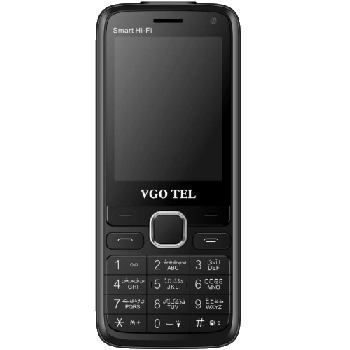
Guides disponibles pour la synchronisation vers le cloud sécurisé
Fonctions prises en charge
- synchronisation des contacts
- synchronisation du calendrier
- synchronisation des photos
- synchronisation des vidéos
- synchronisation automatique


Transférez vos contacts, calendrier, photos et vidéos de Vida Smart Hi-Fi vers un espace de stockage en ligne et inversement pour les garder en sécurité et à jour.
Vida Smart Hi-Fi est pris en charge avec PhoneCopy.
Veuillez noter que les paramètres suivants peuvent varier légèrement en fonction de la version du micrologiciel.
Modèles confirmés
Versions confirmées
Nouvelles
- 04/01/2024
- Récemment, nous avons également eu un nouvel utilisateur de Vida Smart Hi-Fi dans le pays Afrique du Sud. Il utilise PhoneCopy pour sauvegarder ses contacts.
- 13/05/2023
- Quelqu'un vient d'utiliser PhoneCopy pour sauvegarder Vida Smart Hi-Fi dans le pays États-Unis. Ses contacts et fichiers multimédias ont été sauvegardés.
- 14/04/2023
- Quelqu'un a utilisé PhoneCopy pour sauvegarder ce modèle de téléphone dans le pays Chine. Ses contacts et fichiers multimédias ont été transférés.
- 14/05/2022
- Le premier utilisateur dans le pays Pakistan vient de synchroniser ses contacts sur son téléphone Vida Smart Hi-Fi.
versions KaiOS fonctionnant sur Vida Smart Hi-Fi
L'application PhoneCopy pour KaiOS prend en charge diverses versions de KaiOS. Nos utilisateurs ont synchronisé leur Vida Smart Hi-Fi avec KaiOS 2.5.1.2 (100.00%).
Vida Smart Hi-Fi utilisateurs dans le monde
Vida Smart Hi-Fi est privilégié pour la sauvegarde des contacts par les utilisateurs de PhoneCopy dans plusieurs pays du monde - Pakistan (Pākistān, پاکستان) - 91.59%, Chine (Zhōngguó, Zhōnghuá Rénmín Gònghéguó, 中国, 中华人民共和国) - 5.14%, États-Unis (Estados Unidos, États-Unis, ‘Amelika Hui Pū ‘ia) - 2.34%, Afrique du Sud (Suid-Afrika, iNingizimu Afrika, uMzantsi Afrika, Afrika-Borwa, Afrika Borwa, Aforika Borwa, Afurika Tshipembe, Afrika Dzonga, iSewula Afrika) - 0.93%.
La carte de chaleur suivante illustre le partage entre les utilisateurs du monde entier synchronisant leur Vida Smart Hi-Fi à l'aide de PhoneCopy.
Guide textuel - Comment sauvegarder
À partir de Vida Smart Hi-Fi
- Download our PhoneCopy for KaiOS from application KaiOS Marketplace to your mobile device.
- After launching the application, create a new account from the application. If you have already created an account on web pages www.phonecopy.com, log in to this existing account in the application.
- After succesful login press "Synchronize" for complete synchronization, you can choose "This device >> Server" for one-way sync.
If you need more help with the settings, visit our step by step screenshot guide: How to synchronize contacts to phone with KaiOS
If you need more help with the settings, visit our step by step screenshot guide: How to backup contacts from phone with Kai OS
En cas de problèmes dans la synchronisation, veuillez nous contacter.
Vers Vida Smart Hi-Fi
- Download our PhoneCopy for KaiOS from application KaiOS Marketplace to your mobile device.
- After launching the application, log in to this existing account in the application.
- After succesful login press "Synchronize" for complete synchronization, you can choose "Server >> This device" for one-way sync.
If you need more help with the settings, visit our step by step screenshot guide: How to synchronize contacts to phone with KaiOS
If you need more help with the settings, visit our step by step screenshot guide: How to backup contacts from phone with Kai OS
En cas de problèmes dans la synchronisation, veuillez nous contacter.
Commentaires des utilisateurs
Pour laisser un commentaire identifiez-vous.
-
I would like to back up apps too. mart2, 23/01/2021
-
Apps can be downloaded anytime from the KaiOS Store. You need to backup your personal data only. Please check our guide: https://www.phonecopy.com/en/pages/how_to_backup_contacts_from_kaios_os
-
