Fazer cópia de segurança de contactos, fotografias, vídeos, mensagens SMS e registos de chamadas de Huawei MediaPad T5 Wi-Fi AGS2-W09
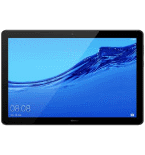
Guias disponíveis para sincronização com a nuvem segura
Funções suportadas
- sincronização de contactos
- cópia de segurança de SMS
- cópia de segurança do registo de chamadas
- sincronização de fotografias
- sincronização de vídeos
- sincronização automática


Transfira os seus contactos, fotografias, vídeos, mensagens SMS e registos de chamadas de Huawei MediaPad T5 Wi-Fi AGS2-W09 para um armazenamento online e vice-versa para os manter seguros e atualizados.
Huawei MediaPad T5 Wi-Fi AGS2-W09 é suportado pelo PhoneCopy.
Por favor, tenha em conta que as definições seguintes podem variar ligeiramente consoante a versão do firmware.
Modelos confirmados
Versões confirmadas
- Android 8.0 Oreo
Novidades
- 27/09/25
- O primeiro utilizador de Espanha acabou de sincronizar os seus contactos, multimédia, mensagens SMS e registos de chamadas no telemóvel Huawei MediaPad T5 Wi-Fi AGS2-W09.
- 24/09/25
- Recentemente tivemos também um novo utilizador do Huawei MediaPad T5 Wi-Fi AGS2-W09 em Filipinas. Está a usar o PhoneCopy para fazer cópia de segurança de contactos, mensagens SMS e registos de chamadas.
- 20/05/21
- Personal data backup from Huawei MediaPad T5 Wi-Fi AGS2-W09 with Android operating system and Huawei Mobile Services is now officially supported with our PhoneCopy mobile app.
- 19/05/21
- O primeiro utilizador de Bulgária acabou de sincronizar os seus contactos no telemóvel Huawei MediaPad T5 Wi-Fi AGS2-W09.
- 28/04/21
- Um novo utilizador de telemóvel sincronizou os seus contactos com o PhoneCopy a partir de Chéquia.
- 06/04/20
- Acabámos de ter o primeiro utilizador do Huawei MediaPad T5 Wi-Fi AGS2-W09 em Noruega! Alguém acabou de fazer cópia de segurança dos seus contactos a partir de um novo telemóvel.
versões do Android a executar no Huawei MediaPad T5 Wi-Fi AGS2-W09
Ao sincronizar, os utilizadores do PhoneCopy tinham as seguintes versões do Android no seu Huawei MediaPad T5 Wi-Fi AGS2-W09: Android 8.0 Oreo (100.00%).
utilizadores do Huawei MediaPad T5 Wi-Fi AGS2-W09 em todo o mundo
O Huawei MediaPad T5 Wi-Fi AGS2-W09 é preferido para a cópia de segurança de contactos pelos utilizadores do PhoneCopy em vários países do mundo - Bulgária (Bulgariya, Bălgarija, България) - 73.33%, Espanha (España, Espanya, Espainia, Espanha) - 6.67%, Filipinas (Pilipinas) - 6.67%, Chéquia (Czech Republic, Česká republika) - 6.67%, Noruega (Norge, Noreg) - 6.67%.
O mapa mostra a utilização do Huawei MediaPad T5 Wi-Fi AGS2-W09 para a cópia de segurança de contactos com o PhoneCopy em todo o mundo.
Guia de texto - Como fazer a cópia de segurança
De Huawei MediaPad T5 Wi-Fi AGS2-W09
- Download our PhoneCopy for Huawei application to your mobile device.
- After launching the application, create a new account from the application. If you have already created an account on web pages www.phonecopy.com, log in to this existing account in the application.
- After succesful login press "Synchronize" for complete synchronization, or press "Advanced & Account", select "One-way sync" and after choose "This device >> server" for one-way sync.
More detailed information and instructions include screenshots: how to backup and synchronize contacts from Huawei
For more information about our app, visit our PhoneCopy for Huawei page.
Let us just remind you, that for now PhoneCopy for Android transfers to server contacts, photos, videos, Call Logs and SMS.
Em caso de problemas com a sincronização, contacte-nos.
Para Huawei MediaPad T5 Wi-Fi AGS2-W09
- Download our PhoneCopy for Huawei application to your mobile device.
- After launching the application, create a new account from the application. If you have already created an account on web pages www.phonecopy.com, log in to this existing account in the application.
- After succesful login press "Synchronize" for complete synchronization, or press "Advanced & Account", select "One-way sync" and after choose "Server >> this device" for one-way sync.
More detailed information and instructions include screenshots: how transfer contacts to Huawei
For more information about our app, visit our PhoneCopy for Huawei page.
Let us just remind you, that for now PhoneCopy for Android transfers to server contacts, photos, videos, Call Logs and SMS.
Em caso de problemas com a sincronização, contacte-nos.
Comentários de utilizadores
Para deixar um comentário, inicie sessão.
-
Thanks for all. bikorimanasamuel, 24/07/26
