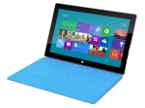
Fazer cópia de segurança de contactos de Microsoft Surface for Windows rt
Guias disponíveis para sincronização com a nuvem segura
Funções suportadas
- sincronização de contactos

Transfira os seus contactos de Microsoft Surface for Windows rt para um armazenamento online e vice-versa para os manter seguros e atualizados.
Microsoft Surface for Windows rt é suportado pelo PhoneCopy.
Por favor, tenha em conta que as definições seguintes podem variar ligeiramente consoante a versão do firmware.
Guia de texto - Como fazer a cópia de segurança
Com Microsoft Surface for Windows rt
A guia ainda não foi traduzida para o seu idioma.
- Install the "PhoneCopy" application from the "Productivity" section on the "Windows Store" .
- In main menu press PhoneCopy.
- Do you have an account on the www.phoneCopy.com? ▼ hide "create new account"
- Choose Create new account and fill in the following fields. If you already made your registration on pages www.phonecopy.com, please go to indent "use existing account".
- Username
- your_username
- Password
- your_password
- Repeat password
- retype your password once again
- fill in your email so we can contact you in case you will lost password.
- Timezone
- select your timezone - important for calendar on the web
- Captcha
- retype the code to prove that you are human
- Press Sign up
▼ hide "use existing account"- Choose Use existing account and fill in the following fields.
- Username
- your_username
- Password
- your_password
- Contacts folder
- select where the synchronized contacts will be located
- Press OK.
- Choose Create new account and fill in the following fields. If you already made your registration on pages www.phonecopy.com, please go to indent "use existing account".
- Press synchronize. You can see your synchronized contacts on www.phonecopy.com.
If you need more help with the settings, visit our step by step screenshot guide.
For more information about our app, visit our PhoneCopy for Windows page.
Em caso de problemas com a sincronização, contacte-nos.
Comentários de utilizadores
Para deixar um comentário, inicie sessão.
-
How to uninstall PhoneCopy from Windows 11? fieloryb, 21/12/25
-
Go to Settings -> Application, then find PhoneCopy and press Uninstall button
-
