Backup Samsung Chat (GT-S5270) with PhoneCopy
Available guides for synchronization to the secure cloud
Supported functions

Transfer your data from Samsung Chat (GT-S5270) to an online storage and back to keep them safe and up to date.
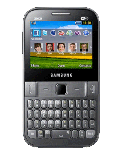
Samsung Chat (GT-S5270) is supported on PhoneCopy.
Please note that following settings may vary a little depending on the firmware version.
Confirmed models
Confirmed versions
News
- 24/06/23
- User from South Africa has synchronized contactos with his phone.
- 17/03/23
- Someone used PhoneCopy for backup of this phone model in Austria. His contactos were transferred.
- 05/03/22
- Even in Croatia we have a user with Samsung Chat (GT-S5270) phone. He backs up his contactos.
- 17/07/21
- User from Bangladesh has synchronized contactos with his phone.
- 17/06/21
- First user from Ivory Coast just synced his contactos on Samsung Chat (GT-S5270) phone.
Samsung Chat (GT-S5270) users around the world
Samsung Chat (GT-S5270) is preffered for contact backup by PhoneCopy users in several countries around the world - South Africa (Suid-Afrika, iNingizimu Afrika, uMzantsi Afrika, Afrika-Borwa, Afrika Borwa, Aforika Borwa, Afurika Tshipembe, Afrika Dzonga, iSewula Afrika) - 53.85%, India (Bharôt, ভাৰত, ভারত, Bhārat, ભારત, भारत, Bhārata, ಭಾರತ, Bhāratam, ഭാരതം, Bharôtô, ଭାରତ, ਭਾਰਤ, भारतम्, Bārata, பாரதம், Bhāratadēsam, భారత దేశం) - 14.42%, Austria (Österreich) - 10.58%, Romania (România) - 5.77%, Ivory Coast (Côte d'Ivoire) - 4.81%, Poland (Polska) - 3.85%, Montenegro (Crna Gora, Црна Гора) - 1.92%, Croatia (Hrvatska) - 0.96%, Spain (España, Espanya, Espainia, Espanha) - 0.96%, Switzerland (Schweiz, Suisse, Svizzera, Svizra) - 0.96%, Germany (Deutschland) - 0.96%, Bangladesh (বাংলাদেশ) - 0.96%.
On the map
Histogram depicts Samsung Chat (GT-S5270) backup with PhoneCopy around the world.
Text guideline - How to backup
With Samsung Chat (GT-S5270)
| Nome do Perfil: | PhoneCopy |
|---|---|
| Endereço Host: | http://www.phonecopy.com/sync |
| Port: | 80 |
| Login name: | username |
| Senha: | Coloque a senha (tamanho permitido é de 5-50 caracteres) |
| Calendário remoto da base de dados: | Calendário |
| Contacto remoto da base de dados: | Contactos |
| Nota de base de dados Remoto: | Notas |
| Tarefa Remota/To-Do base de dados: | Tarefas |
| Autenticação HTTP | Não |
| HTTP/Rede nome de usuário: | Não coloque |
| Senha HTTP: | Não coloque |
| Permitir o pedido de sincronização: | Sim |
| Confirmar o pedido de sincronização: | Não |
| Ligação à Internet: | Escolha uma conexão que você usa para navegar na Internet no seu telemóvel(e.g. internet ou GPRS etc.) |
Quando a instalação acima terminar, iniciar a sincronização.
And now please, assign your phone to your PhoneCopy account.
In the case of problems with synchronization, please contact us.
