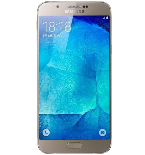
Transfer your contactos, photos, videos, sms messages and call logs from Samsung Galaxy A8 2018 SM-A530F to an online storage and back to keep them safe and up to date.
Samsung Galaxy A8 2018 SM-A530F is supported on PhoneCopy.
Please note that following settings may vary a little depending on the firmware version.
Confirmed models
sm-a530f: jackpotlteeea/jackpotlte (samsungexynos7885/universal7885)
sm-a530f: jackpotltexx/jackpotlte (samsungexynos7885/universal7885)
show all
Confirmed versions
- Android 9.0 Pie
ppr1.180610.011 (a530fxxu9cta4,a530fxxu9cta4/a530fxxu9cta4)
ppr1.180610.011 (a530fxxu9cta2/a530fxxu9cta2)
ppr1.180610.011 (a530fxxu8csk3,a530fxxu8csk3/a530fxxs8csl2)
ppr1.180610.011 (a530fxxu8csk3/a530fxxu8csk3)
ppr1.180610.011 (a530fxxu7csh4/a530fxxs7csi7)
ppr1.180610.011 (a530fxxu7csh4,a530fxxu7csh4/a530fxxs7csj7)
ppr1.180610.011 (a530fxxu7csh4,a530fxxu7csh4/a530fxxs7csi7)
ppr1.180610.011 (a530fxxu7csh4,a530fxxu7csh4/a530fxxu7csh4)
ppr1.180610.011 (a530fxxu7csh4/a530fxxu7csh4)
ppr1.180610.011 (a530fxxu7csg3/a530fxxu7csg5)
ppr1.180610.011 (a530fxxu7csg3,a530fxxu7csg3/a530fxxu7csg5)
ppr1.180610.011 (a530fxxu6csf6,a530fxxu6csf6/a530fxxu6csf6)
ppr1.180610.011 (a530fxxs5cse1/a530fxxs5cse4)
ppr1.180610.011 (a530fxxs5cse1,a530fxxs5cse1/a530fxxs5cse4)
ppr1.180610.011 (a530fxxs5cse1/a530fxxs5cse1)
ppr1.180610.011 (a530fxxu4csc6,a530fxxu4csc6/a530fxxu4csc6)
ppr1.180610.011 (a530fxxu4csc6/a530fxxu4csc6)
ppr1.180610.011 (a530fxxsicud7/a530fxxsicud3)
ppr1.180610.011 (a530fxxulcuk6,a530fxxulcuk6/a530fxxulcuk6)
ppr1.180610.011 (a530fxxulcuk6/a530fxxulcuk6)
ppr1.180610.011 (a530fxxulcuh4,a530fxxulcuh4/a530fxxulcuh4)
ppr1.180610.011 (a530fxxsbctc3,a530fxxsbctc3/a530fxxsbctc3)
ppr1.180610.011 (a530fxxulcvb2,a530fxxulcvb2/a530fxxulcuk6)
ppr1.180610.011 (a530fxxsactb2,a530fxxsactb2/a530fxxsactb2)
ppr1.180610.011 (a530fxxsicuc1,a530fxxsicuc1/a530fxxsicud3)
ppr1.180610.011 (a530fxxubctd1,a530fxxubctd1/a530fxxubctd2)
ppr1.180610.011 (a530fxxumcvk1,a530fxxumcvk1/a530fxxumcwa1)
ppr1.180610.011 (a530fxxujcue1,a530fxxujcue1/a530fxxujcue1)
ppr1.180610.011 (a530fxxsgcua1,a530fxxsgcua1/a530fxxsgcua1)
ppr1.180610.011 (a530fxxsdctg1,a530fxxsdctg1/a530fxxsdctg1)
ppr1.180610.011 (a530fxxsccte1,a530fxxsccte1/a530fxxsccte1)
ppr1.180610.011 (a530fxxujcue1/a530fxxujcue1)
ppr1.180610.011 (a530fxxsgcua1/a530fxxsgcua1)
ppr1.180610.011 (unknown/a530fxxu9cta4)
ppr1.180610.011 (unknown/a530fxxu8csk3)
ppr1.180610.011 (unknown/a530fxxs8csl2)
ppr1.180610.011 (unknown/a530fxxs7csj7)
ppr1.180610.011 (unknown/a530fxxs7csi7)
ppr1.180610.011 (unknown/a530fxxu7csg5)
ppr1.180610.011 (unknown/a530fxxu7csh4)
ppr1.180610.011 (unknown/a530fxxu7csg3)
ppr1.180610.011 (unknown/a530fxxs7csj2)
ppr1.180610.011 (unknown/a530fxxu6csf6)
ppr1.180610.011 (unknown/a530fxxs5cse4)
ppr1.180610.011 (unknown/a530fxxs5cse1)
ppr1.180610.011 (unknown/a530fxxu4csc6)
ppr1.180610.011 (unknown/a530fxxu4csd4)
ppr1.180610.011 (unknown/a530fxxulcuk6)
ppr1.180610.011 (unknown/a530fxxulcuh4)
ppr1.180610.011 (unknown/a530fxxsicud3)
ppr1.180610.011 (unknown/a530fxxsbctc3)
ppr1.180610.011 (unknown/a530fxxulcvb2)
ppr1.180610.011 (unknown/a530fxxufctl2)
ppr1.180610.011 (unknown/a530fxxufctk2)
ppr1.180610.011 (unknown/a530fxxuecth2)
ppr1.180610.011 (unknown/a530fxxucctf2)
ppr1.180610.011 (unknown/a530fxxubctd2)
ppr1.180610.011 (unknown/a530fxxsactb2)
ppr1.180610.011 (unknown/a530fxxumcwa1)
ppr1.180610.011 (unknown/a530fxxukcuf1)
ppr1.180610.011 (unknown/a530fxxujcue1)
ppr1.180610.011 (unknown/a530fxxslcuj1)
ppr1.180610.011 (unknown/a530fxxsgcua1)
ppr1.180610.011 (unknown/a530fxxsectj1)
ppr1.180610.011 (unknown/a530fxxsecti1)
ppr1.180610.011 (unknown/a530fxxsdctg1)
ppr1.180610.011 (unknown/a530fxxsccte1)
show all
- Android 8.0 Oreo
r16nw (a530fxxu4brl8/a530fxxs4bsa8)
r16nw (a530fxxu3brj4/a530fxxu3brj4)
r16nw (a530fxxu3brk3/a530fxxu3brk3)
r16nw (a530fxxu3brk3/a530fxxs3brl1)
r16nw (a530fxxu3bri1/a530fxxu3bri1)
r16nw (a530fxxu3brg1/a530fxxs3brh1)
r16nw (a530fxxu2brg1/a530fxxu2brg1)
r16nw (a530fxxulcuk6/a530fxxulcuk6)
r16nw (unknown/a530fxxs4bsa8)
r16nw (unknown/a530fxxu3brl8)
r16nw (unknown/a530fxxu3brl6)
r16nw (unknown/a530fxxu3brj4)
r16nw (unknown/a530fxxs3brh4)
r16nw (unknown/a530fxxu3brk3)
r16nw (unknown/a530fxxu3brh2)
r16nw (unknown/a530fxxu3bri1)
r16nw (unknown/a530fxxs3brl1)
r16nw (unknown/a530fxxs3brh1)
r16nw (unknown/a530fxxu2brg3)
r16nw (unknown/a530fxxu2brg1)
r16nw (unknown/a530fxxulcuk6)
show all
- Android 7.1 Nougat
nmf26x (a530fxxu2arc9/a530fxxs2arf3)
nmf26x (a530fxxu2arc9/a530fxxu2ard1)
nmf26x (a530fxxu2arc9/a530fxxs2arf1)
nmf26x (a530fxxu2arc9/a530fxxs2are1)
nmf26x (a530fxxu2arb6/a530fxxu2arb6)
nmf26x (a530fxxu2arb6/a530fxxs2arc1)
nmf26x (a530fxxu2ard1/a530fxxu2ard3)
nmf26x (a530fxxu2ard1/a530fxxs2are2)
nmf26x (a530fxxu1aql2/a530fxxu1aql2)
nmf26x (a530fxxu1arab/a530fxxu1arab)
nmf26x (a530fxxu1aqlc/a530fxxu1aqlc)
nmf26x (unknown/a530fxxu2arb6)
nmf26x (unknown/a530fxxs2arc6)
nmf26x (unknown/a530fxxu2ard3)
nmf26x (unknown/a530fxxs2arf3)
nmf26x (unknown/a530fxxs2are3)
nmf26x (unknown/a530fxxs2arf2)
nmf26x (unknown/a530fxxs2are2)
nmf26x (unknown/a530fxxs2arc2)
nmf26x (unknown/a530fxxu2ard1)
nmf26x (unknown/a530fxxs2arf1)
nmf26x (unknown/a530fxxs2are1)
nmf26x (unknown/a530fxxs2arc1)
nmf26x (unknown/a530fxxu1aql8)
nmf26x (unknown/a530fxxu1aql2)
nmf26x (unknown/a530fxxu1ara1)
nmf26x (unknown/a530fxxu2arba)
nmf26x (unknown/a530fxxu1arab)
nmf26x (unknown/a530fxxu1aqlc)
show all
News
- 27/06/24
- Someone used PhoneCopy for backup of this phone model in Slovenia. His contactos and sms messages were transferred.
- 14/01/24
- We just got first user of Samsung Galaxy A8 2018 SM-A530F in Lebanon! Someone just backed up his contactos, media, sms messages and call logs from a new phone.
- 29/10/23
- First user from Indonesia just synced his contactos and sms messages on Samsung Galaxy A8 2018 SM-A530F phone.
- 01/08/23
- Someone just used PhoneCopy for backup of Samsung Galaxy A8 2018 SM-A530F in country Ethiopia. His contactos were backed up.
- 31/12/22
- This phone model was just synchronized by PhoneCopy user in South Africa. It transferred contactos and sms messages.
Android versions running on Samsung Galaxy A8 2018 SM-A530F
When synchronizing, PhoneCopy users had following Android versions on their Samsung Galaxy A8 2018 SM-A530F: Android 9.0 Pie (89.47%), Android 8.0 Oreo (6.91%), Android 7.1 Nougat (3.63%).
Following chart shows contacts synchronisations with Samsung Galaxy A8 2018 SM-A530F running different Android versions.
Samsung Galaxy A8 2018 SM-A530F users around the world
Samsung Galaxy A8 2018 SM-A530F is often used by PhoneCopy users in countries like Czechia (Czech Republic, Česká republika) - 46.12%, United Kingdom (Y Deyrnas Unedig, Unitit Kinrick, Rìoghachd Aonaichte, Ríocht Aontaithe, An Rywvaneth Unys) - 29.60%, Spain (España, Espanya, Espainia, Espanha) - 5.96%, Lebanon (Lubnān, لبنان, Liban) - 3.44%, Ireland (Éire) - 2.18%, Bulgaria (Bulgariya, Bălgarija, България) - 1.94%, Netherlands (Nederland, Nederlân) - 1.26%, Iran (Īrān, ایران) - 1.16%, Austria (Österreich) - 1.11%, Egypt (Misr, Masr, مصر) - 0.87% and 25 other countries.
Following heat map shows contacts synchronisations with Samsung Galaxy A8 2018 SM-A530F using PhoneCopy across the globe.
Text guideline - How to backup
With Samsung Galaxy A8 2018 SM-A530F
A instrução ainda não foi traduzida para seu idioma.
- Download our PhoneCopy for Android application to your mobile device.
- After launching the application, create a new account from the application. If you have already created an account on web pages www.phonecopy.com, log in to this existing account in the application.
- After successful login, go through the application setup wizard and then select Synchronize (for an account with an existing backup) / Backup (for an empty account) or press the Later button and then select option in the side menu Back up contacts / Restore contacts for one-way synchronization.
For more information about our app, visit our PhoneCopy for Android page.
In the case of problems with synchronization, please contact us.
Comentários de utilizador
See whole discussion