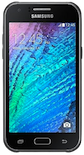
Backup contactos, photos, videos, sms messages and call logs from Samsung Galaxy J1 Duos (SM-J120a)
Available guides for synchronization to the secure cloud
Supported functions
- contact synchronization
- sms backup
- call log backup
- photo synchronization
- video synchronization
- automatic sync


Transfer your contactos, photos, videos, sms messages and call logs from Samsung Galaxy J1 Duos (SM-J120a) to an online storage and back to keep them safe and up to date.
Samsung Galaxy J1 Duos (SM-J120a) is supported on PhoneCopy.
Please note that following settings may vary a little depending on the firmware version.
Confirmed models
Confirmed versions
- Android 6.0 Marshmallow
News
- 21/03/20
- We just got first user of this model in Nigeria! Someone just backed up his contactos.
- 14/12/19
- A new phone user has synchronized his contactos to PhoneCopy from Saint Kitts and Nevis.
- We detected PhoneCopy app on Samsung Galaxy J1 Duos (SM-J120a) phone in Antigua and Barbuda. All contactos were backed up.
- 04/12/19
- Even in United States we have a user with Samsung Galaxy J1 Duos (SM-J120a) phone. He backs up his contactos.
- 24/10/19
- We detected PhoneCopy app on Samsung Galaxy J1 Duos (SM-J120a) phone in Barbados. All contactos were backed up.
Android versions running on Samsung Galaxy J1 Duos (SM-J120a)
PhoneCopy for Android app supports various Android versions. Our users synchronized their Samsung Galaxy J1 Duos (SM-J120a) running Android 6.0 Marshmallow (100.00%).
Samsung Galaxy J1 Duos (SM-J120a) users around the world
Samsung Galaxy J1 Duos (SM-J120a) is often used by PhoneCopy users in countries like Barbados - 86.17%, United States (Estados Unidos, États-Unis, ‘Amelika Hui Pū ‘ia) - 10.64%, Antigua and Barbuda - 1.06%, Saint Kitts and Nevis - 1.06%, Nigeria (Nijeriya, Naigeria, Nàìjíríà) - 1.06%.
Following heat map illustrates share between users around the world synchronizing their Samsung Galaxy J1 Duos (SM-J120a) using PhoneCopy.
Text guideline - How to backup
With Samsung Galaxy J1 Duos (SM-J120a)
- Download our PhoneCopy for Android application to your mobile device.
- After launching the application, create a new account from the application. If you have already created an account on web pages www.phonecopy.com, log in to this existing account in the application.
- After successful login, go through the application setup wizard and then select Synchronize (for an account with an existing backup) / Backup (for an empty account) or press the Later button and then select option in the side menu Back up contacts / Restore contacts for one-way synchronization.
For more information about our app, visit our PhoneCopy for Android page.
In the case of problems with synchronization, please contact us.
Comentários de utilizador
To leave a comment please sign in.
-
For some strange reason, app cannot access phone contacts stored on device - after granting proper permission it will show 0 contacts. Checked with other contact app, and they can be accessed. Android 11 (Lineage OS 18.1), Sony Xperia ZX 1 Compact gladykov, 03/01/22
-
Answered via private email.
-
Nuruseyd842@gmail.com
-
-
