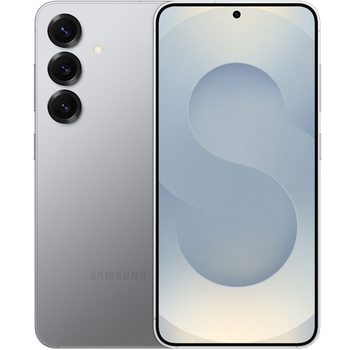
Backup contactos, photos, videos, sms messages and call logs from Samsung Galaxy S25+ sm-s936b
Available guides for synchronization to the secure cloud
Supported functions
- contact synchronization
- sms backup
- call log backup
- photo synchronization
- video synchronization
- automatic sync


Transfer your contactos, photos, videos, sms messages and call logs from Samsung Galaxy S25+ sm-s936b to an online storage and back to keep them safe and up to date.
Samsung Galaxy S25+ sm-s936b is supported on PhoneCopy.
Please note that following settings may vary a little depending on the firmware version.
Confirmed models
Confirmed versions
- Android 16
- Android 15
News
- 23/01/26
- This phone model was just synchronized by PhoneCopy user in Italy. It transferred contactos.
- 07/10/25
- PhoneCopy app is fully working after updating the Samsung Galaxy S25+ sm-s936b to Android 16.
- 06/10/25
- Recently we got new user of Samsung Galaxy S25+ sm-s936b also in India. He is using PhoneCopy for backup of contactos, media, sms messages and call logs.
- 29/07/25
- A new phone user has synchronized his contactos to PhoneCopy from Portugal.
- 21/07/25
- Recently we got new user of Samsung Galaxy S25+ sm-s936b also in Australia. He is using PhoneCopy for backup of contactos, sms messages and call logs.
- 25/05/25
- PhoneCopy app is fully supported on Samsung Galaxy S25+ sm-s936b with Android operating system and Huawei Mobile Services.
- 10/03/25
- We just added Samsung Galaxy S25+ sm-s936b to supported devices with the Android 15 operating system. We allow synchronization and backup of contacts, SMSes, call log, photos, and videos to a secure PhoneCopy Cloud.
- 08/03/25
- A new phone user has synchronized his contactos to PhoneCopy from Czechia.
Android versions running on Samsung Galaxy S25+ sm-s936b
PhoneCopy for Android app supports various Android versions. Our users synchronized their Samsung Galaxy S25+ sm-s936b running Android 16 (82.50%), Android 15 (17.50%).
The chart depicts Samsung Galaxy S25+ sm-s936b backup with PhoneCopy, running on various versions of Android.
Samsung Galaxy S25+ sm-s936b users around the world
Samsung Galaxy S25+ sm-s936b is preffered for contact backup by PhoneCopy users in several countries around the world - Czechia (Czech Republic, Česká republika) - 70.69%, Portugal - 24.14%, Australia - 1.72%, Italy (Italia) - 1.72%, India (Bharôt, ভাৰত, ভারত, Bhārat, ભારત, भारत, Bhārata, ಭಾರತ, Bhāratam, ഭാരതം, Bharôtô, ଭାରତ, ਭਾਰਤ, भारतम्, Bārata, பாரதம், Bhāratadēsam, భారత దేశం) - 1.72%.
Histogram depicts Samsung Galaxy S25+ sm-s936b backup with PhoneCopy around the world.
Text guideline - How to backup
From Samsung Galaxy S25+ sm-s936b
- Download our PhoneCopy for Huawei application to your mobile device.
- After launching the application, create a new account from the application. If you have already created an account on web pages www.phonecopy.com, log in to this existing account in the application.
- After succesful login press "Synchronize" for complete synchronization, or press "Advanced & Account", select "One-way sync" and after choose "This device >> server" for one-way sync.
More detailed information and instructions include screenshots: how to backup and synchronize contacts from Huawei
For more information about our app, visit our PhoneCopy for Huawei page.
Let us just remind you, that for now PhoneCopy for Android transfers to server contacts, photos, videos, Call Logs and SMS.
In the case of problems with synchronization, please contact us.
To Samsung Galaxy S25+ sm-s936b
- Download our PhoneCopy for Huawei application to your mobile device.
- After launching the application, create a new account from the application. If you have already created an account on web pages www.phonecopy.com, log in to this existing account in the application.
- After succesful login press "Synchronize" for complete synchronization, or press "Advanced & Account", select "One-way sync" and after choose "Server >> this device" for one-way sync.
More detailed information and instructions include screenshots: how transfer contacts to Huawei
For more information about our app, visit our PhoneCopy for Huawei page.
Let us just remind you, that for now PhoneCopy for Android transfers to server contacts, photos, videos, Call Logs and SMS.
In the case of problems with synchronization, please contact us.
Comentários de utilizador
To leave a comment please sign in.
-
-
Hi, I am sorry but the current version doesn't support automatic synchronization. But the next version which will be launched soon will allow it.
-

I have synchronized manually, but I would like to avoid having to open the app and manually click on the synchronize menu option? arthurquinlan, 07/09/21