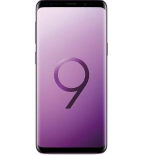
Transfira os seus contactos, fotografias, vídeos, mensagens SMS e registos de chamadas de Samsung Galaxy S9 Plus sm-g965f para um armazenamento online e vice-versa para os manter seguros e atualizados.
Samsung Galaxy S9 Plus sm-g965f é suportado pelo PhoneCopy.
Por favor, tenha em conta que as definições seguintes podem variar ligeiramente consoante a versão do firmware.
Modelos confirmados
sm-g965f: crownltexx/crownlte (samsungexynos8895/universal8895)
sm-g965f: lineage_star2lte/star2lte (samsungexynos9810/exynos9810)
sm-g965f: star2lteser/star2lte (samsungexynos9810/exynos9810)
sm-g965f: star2lteser/star2lte (samsungexynos9810/universal9810)
sm-g965f: star2ltexx/star2lte (samsungexynos9810/exynos9810)
sm-g965f: star2ltexx/star2lte (samsungexynos9810/universal9810)
show all
Versões confirmadas
- Android 13
tq3a.230901.001 (unknown/g965fxxuhfvg4)
show all
- Android 10
qp1a.190711.020 (g965fxxs9dtd7,g965fxxs9dtd7/g965fxxs9dtd7)
qp1a.190711.020 (g965fxxs9dtd7/g965fxxs9dtd7)
qp1a.190711.020 (g965fxxu9etf2/g965fxxu9etf5)
qp1a.190711.020 (g965fxxu9etf2,g965fxxu9etf2/g965fxxu9etf5)
qp1a.190711.020 (g965fxxu8dtc5,g965fxxu8dtc5/g965fxxu8dtc5)
qp1a.190711.020 (g965fxxu7dta3,g965fxxu7dta3/g965fxxu7dtaa)
qp1a.190711.020 (g965fxxu7dta3/g965fxxs7dtad)
qp1a.190711.020 (g965fxxs7dtb1,g965fxxs7dtb1/g965fxxs7dtb5)
qp1a.190711.020 (g965fxxsbetg8,g965fxxsbetg8/g965fxxsbeth1)
qp1a.190711.020 (g965fxxuffuc6,g965fxxuffuc6/g965fxxuffuc6)
qp1a.190711.020 (g965fxxuffuc6/g965fxxuffuc6)
qp1a.190711.020 (g965fxxuhfvb4/g965fxxuhfvg6)
qp1a.190711.020 (g965fxxuhfvb4,g965fxxuhfvb4/g965fxxuhfvg4)
qp1a.190711.020 (g965fxxugfug4,g965fxxugfug4/g965fxxugfug4)
qp1a.190711.020 (g965fxxuhfvb4/g965fxxuhfvg4)
qp1a.190711.020 (g965fxxuhfvb4/g965fxxuhfvb4)
qp1a.190711.020 (g965fxxugfug4/g965fxxugfug4)
qp1a.190711.020 (g965fxxuaetg3,g965fxxuaetg3/g965fxxuaetg3)
qp1a.190711.020 (g965fxxsffub3,g965fxxsffub3/g965fxxsffub3)
qp1a.190711.020 (g965fxxsffub3/g965fxxsffub3)
qp1a.190711.020 (g965fxxshfuj2,g965fxxshfuj2/g965fxxshfuj2)
qp1a.190711.020 (g965fxxsbeth2,g965fxxsbeth2/g965fxxsbeth2)
qp1a.190711.020 (g965fxxshfuj2/g965fxxshfuj2)
qp1a.190711.020 (g965fxxsbeth2/g965fxxsbeth2)
qp1a.190711.020 (g965fxxucftj1/g965fxxscftk2)
qp1a.190711.020 (g965fxxucftj1,g965fxxucftj1/g965fxxucftj2)
qp1a.190711.020 (g965fxxucftj1,g965fxxucftj1/g965fxxscftk2)
qp1a.190711.020 (g965fxxuffue1,g965fxxuffue1/g965fxxuffue1)
qp1a.190711.020 (g965fxxsefua1,g965fxxsefua1/g965fxxsefua1)
qp1a.190711.020 (g965fxxsdftl1,g965fxxsdftl1/g965fxxsdftl1)
qp1a.190711.020 (g965fxxsdftl1/g965fxxsdftl1)
qp1a.190711.020 (unknown/g965fxxs9dtd7)
qp1a.190711.020 (unknown/g965fxxu9etf6)
qp1a.190711.020 (unknown/g965fxxu9etf5)
qp1a.190711.020 (unknown/g965fxxu8dtc5)
qp1a.190711.020 (unknown/g965fxxs8dtd4)
qp1a.190711.020 (unknown/g965fxxs7dtb5)
qp1a.190711.020 (unknown/g965fxxu7dtb4)
qp1a.190711.020 (unknown/g965nksu5fug4)
qp1a.190711.020 (unknown/g965fxxuhfvg7)
qp1a.190711.020 (unknown/g965fxxu7dtaa)
qp1a.190711.020 (unknown/g965fxxs7dtad)
qp1a.190711.020 (unknown/g965fxxuhfvg6)
qp1a.190711.020 (unknown/g965fxxuffuc6)
qp1a.190711.020 (unknown/g965fxxuhfvg4)
qp1a.190711.020 (unknown/g965fxxuhfvb4)
qp1a.190711.020 (unknown/g965fxxugfug4)
qp1a.190711.020 (unknown/g965fxxuaetg3)
qp1a.190711.020 (unknown/g965fxxsffub3)
qp1a.190711.020 (unknown/g965fxxucftj2)
qp1a.190711.020 (unknown/g965fxxshfuj2)
qp1a.190711.020 (unknown/g965fxxscftk2)
qp1a.190711.020 (unknown/g965fxxsbeth2)
qp1a.190711.020 (unknown/g965fxxuffue1)
qp1a.190711.020 (unknown/g965fxxucftk1)
qp1a.190711.020 (unknown/g965fxxsefua1)
qp1a.190711.020 (unknown/g965fxxsdftl1)
qp1a.190711.020 (unknown/g965fxxsbeth1)
qp1a.190711.020 (unknown/g955fxxsbdua3)
show all
- Android 9.0 Pie
ppr1.180610.011 (g965fxxu7csi6,g965fxxu7csi6/g965fxxu7csj1)
ppr1.180610.011 (g965fxxu7csi6/g965fxxu7csj1)
ppr1.180610.011 (g965fxxu7csj5,g965fxxu7csj5/g965fxxu7csk1)
ppr1.180610.011 (g965fxxs7csj3,g965fxxs7csj3/g965fxxs7csk4)
ppr1.180610.011 (g965fxxs7csj3,g965fxxs7csj3/g965fxxs7csj3)
ppr1.180610.011 (g965fxxs7cta2,g965fxxs7cta2/g965fxxs7cta2)
ppr1.180610.011 (g965fxxu6csg4/g965fxxu6csg8)
ppr1.180610.011 (g965fxxu6csg4,g965fxxu6csg4/g965fxxu6csg8)
ppr1.180610.011 (g965fxxu5csf2,g965fxxu5csf2/g965fxxu5csf2)
ppr1.180610.011 (g965fxxu4cse1/g965fxxu4cse3)
ppr1.180610.011 (g965fxxu4cse1,g965fxxu4cse1/g965fxxu4cse3)
ppr1.180610.011 (g965fxxu3csd3,g965fxxu3csd3/g965fxxu3csd4)
ppr1.180610.011 (g965fxxs3csd2,g965fxxs3csd2/g965fxxs3csd1)
ppr1.180610.011 (g965fxxu2csb3,g965fxxu2csb3/g965fxxu2csb9)
ppr1.180610.011 (g965fxxu2csb3,g965fxxu2csb3/g965fxxu2csb3)
ppr1.180610.011 (g965fxxu2csc1/g965fxxu2csc8)
ppr1.180610.011 (g965fxxu2csc1,g965fxxu2csc1/g965fxxu2csc8)
ppr1.180610.011 (g965fxxu6csgd/g965fxxs6csh5)
ppr1.180610.011 (g965fxxu6csgd,g965fxxu6csgd/g965fxxs6csh5)
ppr1.180610.011 (g965fxxu6csgd,g965fxxu6csgd/g965fxxu6csgd)
ppr1.180610.011 (g965fxxu6csgd/g965fxxu6csgd)
ppr1.180610.011 (g965fxxu2crli/g965fxxu2csa2)
ppr1.180610.011 (g965fxxu2crli,g965fxxu2crli/g965fxxs2csb8)
ppr1.180610.011 (g965fxxu2crli,g965fxxu2crli/g965fxxu2csa2)
ppr1.180610.011 (g965fxxu2crli,g965fxxu2crli/g965fxxu2crlo)
ppr1.180610.011 (g965fxxu2crli,g965fxxu2crli/g965fxxu2crli)
ppr1.180610.011 (unknown/g965fxxs7csk6)
ppr1.180610.011 (unknown/g965fxxs7csj6)
ppr1.180610.011 (unknown/g965fxxs7csi5)
ppr1.180610.011 (unknown/g965fxxs7csk4)
ppr1.180610.011 (unknown/g965fxxs7csj3)
ppr1.180610.011 (unknown/g965fxxu7csj2)
ppr1.180610.011 (unknown/g965fxxs7cta2)
ppr1.180610.011 (unknown/g965fxxu7csk1)
ppr1.180610.011 (unknown/g965fxxu7csj1)
ppr1.180610.011 (unknown/g965fxxs7cta1)
ppr1.180610.011 (unknown/g965fxxu6csg8)
ppr1.180610.011 (unknown/g965fxxs6csh5)
ppr1.180610.011 (unknown/g965fxxs6csi4)
ppr1.180610.011 (unknown/g965fxxs6csh2)
ppr1.180610.011 (unknown/g965fxxu5csf2)
ppr1.180610.011 (unknown/g965fxxu4cse3)
ppr1.180610.011 (unknown/g965nksu3dtd1)
ppr1.180610.011 (unknown/g965fxxs3csd1)
ppr1.180610.011 (unknown/g965fxxu2csb9)
ppr1.180610.011 (unknown/g965fxxu2csc8)
ppr1.180610.011 (unknown/g965fxxu2csb3)
ppr1.180610.011 (unknown/g965fxxu2csa2)
ppr1.180610.011 (unknown/g965fxxs2csb2)
ppr1.180610.011 (unknown/g965nksu1ard6)
ppr1.180610.011 (unknown/g965fxxu6csgd)
ppr1.180610.011 (unknown/g965fxxs6csgb)
ppr1.180610.011 (unknown/g965fxxs4csdh)
ppr1.180610.011 (unknown/g965fxxu2cscb)
ppr1.180610.011 (unknown/g965fxxu2crlo)
show all
- Android 8.0 Oreo
r16nw (g965fxxs2brh8/g965fxxs2bri1)
r16nw (g965fxxu2brg8/g965fxxu2brga)
r16nw (g965fxxu2brj4/g965fxxu2brj8)
r16nw (g965fxxu2brg4/g965fxxu2brg6)
r16nw (g965fxxs2brk4/g965fxxs2brk4)
r16nw (g965fxxs2bri4/g965fxxs2bri4)
r16nw (g965fxxs2brk4/g965fxxs2brl3)
r16nw (g965fxxu2brj4/g965fxxu2brk2)
r16nw (g965fxxs2brk3/g965fxxs2brk3)
r16nw (g965fxxu2brj1/g965fxxs2brj6)
r16nw (g965fxxu2brj1/g965fxxu2brj3)
r16nw (g965fxxu1ard6/g965fxxs1are6)
r16nw (g965fxxu1ard6/g965fxxu1ard4)
r16nw (g965fxxu1brf5/g965fxxu1brf8)
r16nw (g965fxxu1arc4/g965fxxu1arc5)
r16nw (g965fxxu1bre3/g965fxxu1bre6)
r16nw (g965fxxu1bre3/g965fxxu1bre5)
r16nw (g965fxxu1arb1/g965fxxu1arb3)
r16nw (g965fxxu2brha/g965fxxu2bri3)
r16nw (g965fxxu1arcc/g965fxxs1ard1)
r16nw (g965fxxu1arcc/g965fxxu1arcc)
r16nw (unknown/g965fxxu2brj8)
r16nw (unknown/g965fxxu2brg6)
r16nw (unknown/g965fxxs2brj6)
r16nw (unknown/g965fxxu2brh4)
r16nw (unknown/g965fxxu2brj3)
r16nw (unknown/g965fxxu2bri3)
r16nw (unknown/g965fxxs2brk3)
r16nw (unknown/g965fxxu2brk2)
r16nw (unknown/g965fxxs2bri2)
r16nw (unknown/g965fxxu2brh1)
r16nw (unknown/g965fxxs2bri1)
r16nw (unknown/g965fxxs2brg1)
r16nw (unknown/g965fxxu1brf8)
r16nw (unknown/g965fxxu1bre7)
r16nw (unknown/g965fxxu1bre6)
r16nw (unknown/g965fxxu1arc6)
r16nw (unknown/g965fxxs1are6)
r16nw (unknown/g965fxxu1bre5)
r16nw (unknown/g965fxxu1arc5)
r16nw (unknown/g965fxxu1ard4)
r16nw (unknown/g965fxxu1arb3)
r16nw (unknown/g965fxxs1brf3)
r16nw (unknown/g965fxxs1ard2)
r16nw (unknown/g965fxxs1ard1)
r16nw (unknown/g965fxxu2brga)
r16nw (unknown/g965fxxu1arcc)
show all
Novidades
- 08/02/25
- Um utilizador de Costa do Marfim sincronizou contactos com o seu telemóvel.
- 09/10/24
- We just added Samsung Galaxy S9 Plus sm-g965f to supported devices with the Android 13 operating system. We allow synchronization and backup of contacts, call logs, SMSes, photos, and videos to a secure PhoneCopy Cloud.
- We just added Samsung Galaxy S9 Plus sm-g965f to supported devices with Android operating system and Huawei Mobile Services. We allow synchronization and backup of contacts, SMSes, photos, and videos to a secure PhoneCopy Cloud.
- 01/09/24
- Mesmo em Bósnia e Herzegovina temos um utilizador com um telemóvel Samsung Galaxy S9 Plus sm-g965f. Faz cópia de segurança dos seus contactos e mensagens SMS.
- 15/04/24
- Detetámos a aplicação PhoneCopy num telemóvel Samsung Galaxy S9 Plus sm-g965f em Tailândia. Todos os contactos, mensagens SMS e registos de chamadas foram guardados como cópia de segurança.
- 18/02/24
- O telemóvel Samsung Galaxy S9 Plus sm-g965f foi sincronizado por um utilizador do PhoneCopy em Polinésia Francesa. Os seus contactos, mensagens SMS e registos de chamadas foram transferidos.
- 29/01/23
- O telemóvel Samsung Galaxy S9 Plus sm-g965f foi sincronizado por um utilizador do PhoneCopy em Reunião. Os seus contactos e multimédia foram transferidos.
versões do Android a executar no Samsung Galaxy S9 Plus sm-g965f
Ao sincronizar, os utilizadores do PhoneCopy tinham as seguintes versões do Android no seu Samsung Galaxy S9 Plus sm-g965f: Android 10 (56.14%), Android 9.0 Pie (31.16%), Android 8.0 Oreo (12.69%), Android 13 (0.02%).
O gráfico mostra a utilização de versões do Samsung Galaxy S9 Plus sm-g965f e do Android para a cópia de segurança de contactos com o PhoneCopy em todo o mundo.
utilizadores do Samsung Galaxy S9 Plus sm-g965f em todo o mundo
O Samsung Galaxy S9 Plus sm-g965f é frequentemente usado pelos utilizadores do PhoneCopy em países como Chéquia (Czech Republic, Česká republika) - 20.46%, Países Baixos (Nederland, Nederlân) - 13.38%, Reino Unido (Y Deyrnas Unedig, Unitit Kinrick, Rìoghachd Aonaichte, Ríocht Aontaithe, An Rywvaneth Unys) - 12.22%, Nigéria (Nijeriya, Naigeria, Nàìjíríà) - 9.43%, Eslováquia (Slovensko) - 7.02%, Brasil (Brasil) - 5.83%, Grécia (Hellas, Ελλάς, Ellada, Ελλάδα) - 4.54%, Austrália - 3.24%, Estados Unidos (Estados Unidos, États-Unis, ‘Amelika Hui Pū ‘ia) - 2.84%, Arábia Saudita (Al-Mamlaka Al-‘Arabiyyah as Sa‘ūdiyyah, المملكة العربية السعودية) - 2.38% e mais 55 países.
O mapa mostra a utilização do Samsung Galaxy S9 Plus sm-g965f para a cópia de segurança de contactos com o PhoneCopy em todo o mundo.
Guia de texto - Como fazer a cópia de segurança
De Samsung Galaxy S9 Plus sm-g965f
A guia ainda não foi traduzida para o seu idioma.
If you want to transfer contacts from your Huawei device please use following
screenshot guide.
- Download our PhoneCopy for Huawei application to your mobile device.
- After launching the application, create a new account from the application. If you have already created an account on web pages www.phonecopy.com, log in to this existing account in the application.
- After succesful login press "Synchronize" for complete synchronization, or press "Advanced & Account", select "One-way sync" and after choose "This device >> server" for one-way sync.
More detailed information and instructions include screenshots: how to backup and synchronize contacts from Huawei
For more information about our app, visit our PhoneCopy for Huawei page.
Let us just remind you, that for now PhoneCopy for Android transfers to server contacts, photos, videos, Call Logs and SMS.
Em caso de problemas com a sincronização, contacte-nos.
Para Samsung Galaxy S9 Plus sm-g965f
A guia ainda não foi traduzida para o seu idioma.
If you want to transfer contacts to your Huawei device please use following
screenshot guide.
- Download our PhoneCopy for Huawei application to your mobile device.
- After launching the application, create a new account from the application. If you have already created an account on web pages www.phonecopy.com, log in to this existing account in the application.
- After succesful login press "Synchronize" for complete synchronization, or press "Advanced & Account", select "One-way sync" and after choose "Server >> this device" for one-way sync.
More detailed information and instructions include screenshots: how transfer contacts to Huawei
For more information about our app, visit our PhoneCopy for Huawei page.
Let us just remind you, that for now PhoneCopy for Android transfers to server contacts, photos, videos, Call Logs and SMS.
Em caso de problemas com a sincronização, contacte-nos.
Comentários de utilizadores
Ver toda a discussão



ntuenabraham2, 09/09/26