Fazer cópia de segurança de contactos, calendário, tarefas e notas de Samsung Wave II (M210S)
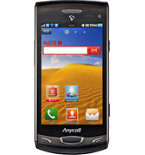
Guias disponíveis para sincronização com a nuvem segura
Funções suportadas
- sincronização de contactos
- sincronização de calendário
- sincronização de tarefas
- sincronização de notas

Transfira os seus contactos, calendário, tarefas e notas de Samsung Wave II (M210S) para um armazenamento online e vice-versa para os manter seguros e atualizados.
Samsung Wave II (M210S) é suportado pelo PhoneCopy.
Por favor, tenha em conta que as definições seguintes podem variar ligeiramente consoante a versão do firmware.
Guia de texto - Como fazer a cópia de segurança
Com Samsung Wave II (M210S)
A guia ainda não foi traduzida para o seu idioma.
First go to the phone's Main Menu and then follow these steps:
- Select Settings, then Connectivity.
- Click Synchronise and select Create.
- Configure given fields.
▼ hide fields
- Profile name: write PhoneCopy
- Synchronization category: Select the items you would like to synchronize. All will synchronize all items.
- Contacts
- to remote contacts write contacts, the rest can be left blank.
- Plan
- to remote calendar write calendar, the rest can be left blank.
- Task
- to remote task write tasks, the rest can be left blank.
- Notes
- to remote notes write notes, the rest can be left blank.
- Synchronization type: select Full sync
- Synchronization server:
- Address
- write http://www.phonecopy.com/sync
- Login ID
- your_username
- Password
- your_password
- Save the data.
- Go to section Synchronise, click on the PhoneCopy profile and select Sync now.
If you need more help with the settings, visit our step by step screenshot guide.
E agora, por favor, associe o seu telemóvel à sua conta PhoneCopy.
Em caso de problemas com a sincronização, contacte-nos.
