Backup контакты, photos, videos, sms messages and call logs from BLU Dash M
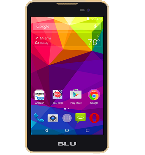
BLU Dash M

Available guides for synchronization to the secure cloud

Supported functions

  • contact synchronization
  • sms backup
  • call log backup
  • photo synchronization
  • video synchronization
  • automatic sync

BLU Dash M is supported on PhoneCopy. Please note that following settings may vary a little depending on the firmware version.

Confirmed models

blu dash m: blu_dash_m/blu_dash_m (mt6580/blu_dash_m)

Confirmed versions

Android 5.1 Lollipop
lmy47i (unknown/unknown)

Android versions running on BLU Dash M

PhoneCopy for Android app supports various Android versions. Our users synchronized their BLU Dash M running Android 5.1 Lollipop (100.00%).

Text guideline - How to backup

From BLU Dash M

  1. Скачайте приложение PhoneCopy для Android
  2. После запуска приложения, войдите в свой аккаунт или создайте новую учетную запись.
  3. Выполните синхронизацию при помощи приложения. Синхронизированные контакты можно просмотреть на сайте www.phonecopy.com.

In the case of problems with synchronization, please contact us.

To BLU Dash M

Руководящего положения еще не было переведено на ваш язык.
If you want to transfer contacts to your Android device please use following screenshot guide.
  1. Download our PhoneCopy for Android application to your mobile device.
  2. After launching the application, create a new account from the application. If you have already created an account on web pages www.phonecopy.com, log in to this existing account in the application.
  3. After successful login, go through the application setup wizard and then select "Synchronize" (for an account with an existing backup) / "Backup" (for an empty account) or press the "Later" button and then select option in the side menu "Back up contacts" / "Restore contacts" for one-way synchronization.

More detailed information and instructions include screenshots: how transfer contacts to Android

For more information about our app, visit our PhoneCopy for Android page.


You need an Android phone version 4.4 (KitKat), 5.0, 5.1 (Lollipop), 6.0 (Marshmallow), 7.0, 7.1 (Nougat), 8.0, 8.1 (Oreo), 9.0 (Pie), 10, 11, 12, 13 and 14 incl. tablets. Let us just remind you, that for now, PhoneCopy for Android transfers to server contacts, photos, videos, and SMS.

In the case of problems with synchronization, please contact us.

Комментарии пользователей

To leave a comment please sign in.

  • Creating a proper text guideline on how to backup is essential for ensuring data safety and minimizing the risk of loss. A good backup strategy should clearly explain different methods such as cloud storage, external hard drives, or network-attached systems, and emphasize the importance of regular scheduling. It should also include steps on verifying backup integrity and maintaining multiple copies in separate locations for added security. By providing users with easy-to-follow instructions, a backup guideline helps both individuals and organizations protect valuable information. Ultimately, it builds confidence in data recovery and long-term digital reliability. <a href="https://sambadlottery.co/">lottery sambad</a>
    arishsharma09, 24.08.2025
See whole discussion
