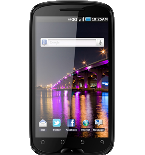
Backup контакты, photos, videos and sms messages from BLU Studio 5.3 II
Available guides for synchronization to the secure cloud
Supported functions
- contact synchronization
- sms backup
- photo synchronization
- video synchronization
- automatic sync

BLU Studio 5.3 II is supported on PhoneCopy. Please note that following settings may vary a little depending on the firmware version.
Confirmed models
Confirmed versions
- Android 4.1 Jelly Bean
Android versions running on BLU Studio 5.3 II
PhoneCopy for Android app supports various Android versions. Our users synchronized their BLU Studio 5.3 II running Android 4.1 Jelly Bean (100.00%).
Text guideline - How to backup
From BLU Studio 5.3 II
- Скачайте приложение PhoneCopy для Android
- После запуска приложения, войдите в свой аккаунт или создайте новую учетную запись.
- Выполните синхронизацию при помощи приложения. Синхронизированные контакты можно просмотреть на сайте www.phonecopy.com.
In the case of problems with synchronization, please contact us.
To BLU Studio 5.3 II
Руководящего положения еще не было переведено на ваш язык.
If you want to transfer contacts to your Android device please use following screenshot guide.
- Download our PhoneCopy for Android application to your mobile device.
- After launching the application, create a new account from the application. If you have already created an account on web pages www.phonecopy.com, log in to this existing account in the application.
- After successful login, go through the application setup wizard and then select "Synchronize" (for an account with an existing backup) / "Backup" (for an empty account) or press the "Later" button and then select option in the side menu "Back up contacts" / "Restore contacts" for one-way synchronization.
More detailed information and instructions include screenshots: how transfer contacts to Android
For more information about our app, visit our PhoneCopy for Android page.
You need an Android phone version 4.4 (KitKat), 5.0, 5.1 (Lollipop), 6.0 (Marshmallow), 7.0, 7.1 (Nougat), 8.0, 8.1 (Oreo), 9.0 (Pie), 10, 11, 12, 13 and 14 incl. tablets. Let us just remind you, that for now, PhoneCopy for Android transfers to server contacts, photos, videos, and SMS.
In the case of problems with synchronization, please contact us.
Комментарии пользователей
To leave a comment please sign in.
-
gabacajenessa969@gmail.com gabacajenessa969, 12.01.2025
