Backup контакты, photos, videos and sms messages from Gigabyte GSmart GS202
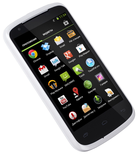
Available guides for synchronization to the secure cloud
Supported functions
- contact synchronization
- sms backup
- photo synchronization
- video synchronization
- automatic sync

Transfer your контакты, photos, videos and sms messages from Gigabyte GSmart GS202 to an online storage and back to keep them safe and up to date.
Gigabyte GSmart GS202 is supported on PhoneCopy.
Please note that following settings may vary a little depending on the firmware version.
Confirmed models
Confirmed versions
- Android 4.2 Jelly Bean
- Android 4.0 Ice Cream Sandwich
Android versions running on Gigabyte GSmart GS202
When synchronizing, PhoneCopy users had following Android versions on their Gigabyte GSmart GS202: Android 4.0 Ice Cream Sandwich (96.15%), Android 4.2 Jelly Bean (3.85%).
Android versions on Gigabyte GSmart GS202
Following chart shows contacts synchronisations with Gigabyte GSmart GS202 running different Android versions.
Text guideline - How to backup
With Gigabyte GSmart GS202
- Скачайте приложение PhoneCopy для Android
- После запуска приложения, войдите в свой аккаунт или создайте новую учетную запись.
- Выполните синхронизацию при помощи приложения. Синхронизированные контакты можно просмотреть на сайте www.phonecopy.com.
In the case of problems with synchronization, please contact us.
Комментарии пользователей
To leave a comment please sign in.
-
Advan ita66051, 15.08.2026
