Backup контакты, photos, videos, sms messages and call logs from Huawei P9 Plus Dual SIM LTE (VIE-L29)
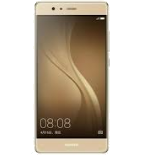
Available guides for synchronization to the secure cloud
Supported functions
- contact synchronization
- sms backup
- call log backup
- photo synchronization
- video synchronization
- automatic sync


Transfer your контакты, photos, videos, sms messages and call logs from Huawei P9 Plus Dual SIM LTE (VIE-L29) to an online storage and back to keep them safe and up to date.
Huawei P9 Plus Dual SIM LTE (VIE-L29) is supported on PhoneCopy.
Please note that following settings may vary a little depending on the firmware version.
Confirmed models
Confirmed versions
- Android 7.0 Nougat
- Android 6.0 Marshmallow
News
- 18.08.2021
- We just got first user of Huawei P9 Plus Dual SIM LTE (VIE-L29) in Ethiopia! Someone just backed up his контакты from a new phone.
- 14.06.2021
- Someone used PhoneCopy for backup of this phone model in Belgium. His контакты were transferred.
- 26.10.2019
- Someone used PhoneCopy for backup of this phone model in Cambodia. His контакты were transferred.
Android versions running on Huawei P9 Plus Dual SIM LTE (VIE-L29)
When synchronizing, PhoneCopy users had following Android versions on their Huawei P9 Plus Dual SIM LTE (VIE-L29): Android 7.0 Nougat (58.55%), Android 6.0 Marshmallow (41.45%).
The chart shows usage of Huawei P9 Plus Dual SIM LTE (VIE-L29) and Android versions for contact backup with PhoneCopy around the world.
Huawei P9 Plus Dual SIM LTE (VIE-L29) users around the world
Huawei P9 Plus Dual SIM LTE (VIE-L29) is preffered for contact backup by PhoneCopy users in several countries around the world - Belgium (België, Belgique, Belgien) - 60.00%, Ethiopia (Ityop'ia, ኢትዮጵያ) - 20.00%, Cambodia (Kampuchea, កម្ពុជា) - 20.00%.
The map shows usage of Huawei P9 Plus Dual SIM LTE (VIE-L29) for contact backup with PhoneCopy around the world.
Text guideline - How to backup
With Huawei P9 Plus Dual SIM LTE (VIE-L29)
- Скачайте приложение PhoneCopy для Android
- После запуска приложения, войдите в свой аккаунт или создайте новую учетную запись.
- Выполните синхронизацию при помощи приложения. Синхронизированные контакты можно просмотреть на сайте www.phonecopy.com.
In the case of problems with synchronization, please contact us.
Комментарии пользователей
To leave a comment please sign in.
-
For some strange reason, app cannot access phone contacts stored on device - after granting proper permission it will show 0 contacts. Checked with other contact app, and they can be accessed. Android 11 (Lineage OS 18.1), Sony Xperia ZX 1 Compact gladykov, 03.01.2022
-
Answered via private email.
-
Nuruseyd842@gmail.com
-
-