Backup контакты, photos, videos, sms messages and call logs from Samsung Galaxy A7 LTE (2017) SM-A720F
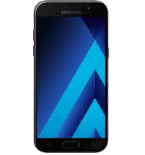
Available guides for synchronization to the secure cloud
Supported functions
- contact synchronization
- sms backup
- call log backup
- photo synchronization
- video synchronization
- automatic sync


Transfer your контакты, photos, videos, sms messages and call logs from Samsung Galaxy A7 LTE (2017) SM-A720F to an online storage and back to keep them safe and up to date.
Samsung Galaxy A7 LTE (2017) SM-A720F is supported on PhoneCopy.
Please note that following settings may vary a little depending on the firmware version.
Confirmed models
Confirmed versions
- Android 8.0 Oreo
- Android 7.0 Nougat
- Android 6.0 Marshmallow
News
- 11.11.2023
- Someone just used PhoneCopy for backup of Samsung Galaxy A7 LTE (2017) SM-A720F in country Indonesia. His контакты and sms messages were backed up.
- 05.10.2023
- We just got first user of Samsung Galaxy A7 LTE (2017) SM-A720F in United Arab Emirates! Someone just backed up his контакты from a new phone.
- 15.08.2023
- Samsung Galaxy A7 LTE (2017) SM-A720F phone was synchronized by PhoneCopy user in Tanzania. His контакты and sms messages were transferred.
- 06.08.2023
- Samsung Galaxy A7 LTE (2017) SM-A720F phone was synchronized by PhoneCopy user in Turkey. His контакты and sms messages were transferred.
- 18.11.2022
- Someone just used PhoneCopy for backup of Samsung Galaxy A7 LTE (2017) SM-A720F in country Iran. His контакты and sms messages were backed up.
Android versions running on Samsung Galaxy A7 LTE (2017) SM-A720F
PhoneCopy for Android app supports various Android versions. Our users synchronized their Samsung Galaxy A7 LTE (2017) SM-A720F running Android 8.0 Oreo (86.80%), Android 6.0 Marshmallow (8.64%), Android 7.0 Nougat (4.56%).
The chart depicts Samsung Galaxy A7 LTE (2017) SM-A720F backup with PhoneCopy, running on various versions of Android.
Samsung Galaxy A7 LTE (2017) SM-A720F users around the world
Samsung Galaxy A7 LTE (2017) SM-A720F is preffered for contact backup by PhoneCopy users around the world - Bahrain (Al-Baḥrayn, البحرين) - 58.82%, Australia - 37.22%, South Africa (Suid-Afrika, iNingizimu Afrika, uMzantsi Afrika, Afrika-Borwa, Afrika Borwa, Aforika Borwa, Afurika Tshipembe, Afrika Dzonga, iSewula Afrika) - 0.77%, India (Bharôt, ভাৰত, ভারত, Bhārat, ભારત, भारत, Bhārata, ಭಾರತ, Bhāratam, ഭാരതം, Bharôtô, ଭାରତ, ਭਾਰਤ, भारतम्, Bārata, பாரதம், Bhāratadēsam, భారత దేశం) - 0.48%, Iran (Īrān, ایران) - 0.39%, Egypt (Misr, Masr, مصر) - 0.39%, Lebanon (Lubnān, لبنان, Liban) - 0.39%, Israel (Yisra'el, ישראל, Israʼiyl, إسرائيل) - 0.39%, Malaysia (Mǎláixīyà, 马来西亚, Malēṣiyā, மலேசியா) - 0.19%, Syria (Suriyah, سورية) - 0.19% and 8 other countries.
Histogram depicts Samsung Galaxy A7 LTE (2017) SM-A720F backup with PhoneCopy around the world.
Text guideline - How to backup
With Samsung Galaxy A7 LTE (2017) SM-A720F
- Скачайте приложение PhoneCopy для Android
- После запуска приложения, войдите в свой аккаунт или создайте новую учетную запись.
- Выполните синхронизацию при помощи приложения. Синхронизированные контакты можно просмотреть на сайте www.phonecopy.com.
In the case of problems with synchronization, please contact us.
Комментарии пользователей
To leave a comment please sign in.
-
Please send me a script to uptodate emails with my information about any working products android may use and plus I have to send you these applications about the Mexican Mexican apple butter apply app steals and regains grades from wire craigandre06, 20.07.2026
