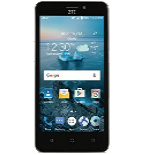
Backup контакты, photos, videos, sms messages and call logs from ZTE Maven 2 Z831
Available guides for synchronization to the secure cloud
Supported functions
- contact synchronization
- sms backup
- call log backup
- photo synchronization
- video synchronization
- automatic sync


Transfer your контакты, photos, videos, sms messages and call logs from ZTE Maven 2 Z831 to an online storage and back to keep them safe and up to date.
ZTE Maven 2 Z831 is supported on PhoneCopy.
Please note that following settings may vary a little depending on the firmware version.
Confirmed models
Confirmed versions
- Android 7.1 Nougat
- Android 6.0 Marshmallow
News
- 03.03.2020
- We just got first user of ZTE Maven 2 Z831 in United States! Someone just backed up his контакты from a new phone.
Android versions running on ZTE Maven 2 Z831
PhoneCopy for Android app supports various Android versions. Our users synchronized their ZTE Maven 2 Z831 running Android 6.0 Marshmallow (96.67%), Android 7.1 Nougat (3.33%).
The chart depicts ZTE Maven 2 Z831 backup with PhoneCopy, running on various versions of Android.
ZTE Maven 2 Z831 users around the world
ZTE Maven 2 Z831 is preffered for contact backup by PhoneCopy users in several countries around the world - United States (Estados Unidos, États-Unis, ‘Amelika Hui Pū ‘ia) - 100.00%.
Histogram depicts ZTE Maven 2 Z831 backup with PhoneCopy around the world.
Text guideline - How to backup
With ZTE Maven 2 Z831
- Скачайте приложение PhoneCopy для Android
- После запуска приложения, войдите в свой аккаунт или создайте новую учетную запись.
- Выполните синхронизацию при помощи приложения. Синхронизированные контакты можно просмотреть на сайте www.phonecopy.com.
In the case of problems with synchronization, please contact us.
Комментарии пользователей
To leave a comment please sign in.
-
Hi, please since the day I have been using my Tecno spark 3 I yve not enjoy my personal video coverage, I mean whenever I make videos coverage then when I try to play the video, the video won't play very well, the picture in the video won't move the way a normal video suppose to move(skipping) please what can I do? abiolaolatubosun16, 08.06.2021
-
Sorry, we are a backup and synchronization service and not Tecno support.
-
