Apple iPhone 15 dan yedeklenen kişiler, takvim, fotoğraflar ve videolar
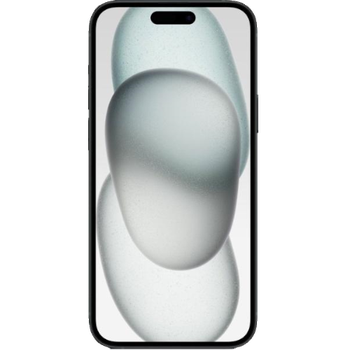
Güvenli buluta senkronizasyon için mevcut kılavuzlar
Desteklenen işlevler
- Kişiler senkronizasyonu
- Takvim senkronizasyonu
- fotoğraf senkronizasyonu
- video senkronizasyonu
- Otomatik senkronizasyon

kişiler, takvim, fotoğraflar ve videolar verilerinizi Apple iPhone 15 cihazından çevrimiçi bir depolama alanına ve geri aktararak güvende ve güncel tutun.
Apple iPhone 15 cihazını PhoneCopy desteklenmektedir.
Lütfen aşağıdaki ayarların ürün yazılımı sürümüne bağlı olarak biraz değişebileceğini unutmayın.
Haberler
- 15.06.2026
- User from Kıbrıs has synchronized kişiler with his phone.
- 27.05.2026
- Someone just used PhoneCopy for backup of Apple iPhone 15 in country Kazakistan. His kişiler were backed up.
- 13.12.2025
- Apple iPhone 15 phone was synchronized by PhoneCopy user in Maldivler. His kişiler were transferred.
- 3.12.2025
- Someone just used PhoneCopy for backup of Apple iPhone 15 in country İrlanda. His kişiler ve medya were backed up.
- 23.11.2025
- We just got first user of Apple iPhone 15 in İsveç! Someone just backed up his kişiler from a new phone.
dünya genelindeki Apple iPhone 15 kullanıcıları
Apple iPhone 15, PhoneCopy kullanıcıları tarafından Çekya (Czech Republic, Česká republika) - 35.36%, İngiltere (Y Deyrnas Unedig, Unitit Kinrick, Rìoghachd Aonaichte, Ríocht Aontaithe, An Rywvaneth Unys) - 13.72%, Amerika Birleşik Devletleri (Estados Unidos, États-Unis, ‘Amelika Hui Pū ‘ia) - 9.87%, Slovakya (Slovensko) - 8.96%, Yeni Zelanda (Aotearoa) - 7.30%, Danimarka (Danmark) - 6.94%, Almanya (Deutschland) - 3.10%, Hindistan (Bharôt, ভাৰত, ভারত, Bhārat, ભારત, भारत, Bhārata, ಭಾರತ, Bhāratam, ഭാരതം, Bharôtô, ଭାରତ, ਭਾਰਤ, भारतम्, Bārata, பாரதம், Bhāratadēsam, భారత దేశం) - 3.02%, Bulgaristan (Bulgariya, Bălgarija, България) - 2.07%, Güney Afrika (Suid-Afrika, iNingizimu Afrika, uMzantsi Afrika, Afrika-Borwa, Afrika Borwa, Aforika Borwa, Afurika Tshipembe, Afrika Dzonga, iSewula Afrika) - 1.67% gibi ülkelerde ve 39 başka ülkede sıklıkla kullanılmaktadır.
Haritada
Aşağıdaki ısı haritası, dünya genelinde PhoneCopy kullanarak Apple iPhone 15 ile yapılan kişi senkronizasyonlarını göstermektedir.
Talimat metni - Nasıl yedekleme yapılır
Apple iPhone 15 ile
- PhoneCopy for iPhone / iPad'i App Store'dan yükleyin.
- Uygulamayı başlatın ve görüntülenen sihirbazı izleyin. Zaten bir PhoneCopy hesabınız varsa giriş yapın, yeni bir hesap oluşturmak istiyorsanız kaydolun.
- Kişilere erişimi yetkilendirin ve ardından senkronize etmek istediğiniz kaynakları (hesapları) seçin. Ardından medyaya erişimi yetkilendirin ve fotoğraf ve/veya videoları senkronize etmek isteyip istemediğinizi seçin. PhoneCopy'ye medyanıza erişim izni vermezseniz, yalnızca kişileriniz senkronize edilecektir.
- PhoneCopy hesabınızda zaten medya varsa, bunları bu cihaza senkronize etmeyi (indirmeyi) tercih edebilirsiniz.
- Son olarak, tam senkronizasyonu gerçekleştirmek için Synchronize öğesine dokunun.
Takvimi senkronize etmeniz gerekiyorsa, iOS cihazlarıyla takvim senkronizasyonu kılavuzumuza bakın.
Senkronizasyon esnasında herhangi bir problemle karşılaşırsanız Yardım İsteyin
Kullanıcı yorumları
- The iPhone application need not to be associated with profile as for other phones, all is automatic.
- The application for iPhone cannot synchronize SMS and notes, because the Apple does not allow application access to them.
- You can synchronize your calendars using CalDAV protocol.
Yorum yazmak için lütfen Giriş yapın
-
help import sms in iphone example ? rqcesa, 28.09.2020
-
Sorry, we don't provide SMS import to iPhone. We can only export it from iPhone to PhoneCopy.
-
