Nokia N9 dan yedeklenen kişiler
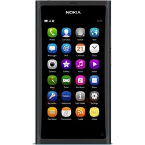
Güvenli buluta senkronizasyon için mevcut kılavuzlar
Desteklenen işlevler
- Kişiler senkronizasyonu

kişiler verilerinizi Nokia N9 cihazından çevrimiçi bir depolama alanına ve geri aktararak güvende ve güncel tutun.
Nokia N9 cihazını PhoneCopy desteklenmektedir.
Lütfen aşağıdaki ayarların ürün yazılımı sürümüne bağlı olarak biraz değişebileceğini unutmayın.
Onaylanan modeller
Onaylanan sürümler
Haberler
- 25.04.2021
- This phone model was just synchronized by PhoneCopy user in Hindistan. It transferred kişiler.
dünya genelindeki Nokia N9 kullanıcıları
Nokia N9, dünya genelindeki birçok ülkede PhoneCopy kullanıcıları tarafından kişi yedeklemesi için tercih edilmektedir - Hindistan (Bharôt, ভাৰত, ভারত, Bhārat, ભારત, भारत, Bhārata, ಭಾರತ, Bhāratam, ഭാരതം, Bharôtô, ଭାରତ, ਭਾਰਤ, भारतम्, Bārata, பாரதம், Bhāratadēsam, భారత దేశం) - 100.00%.
Haritada
Harita, dünya genelinde PhoneCopy ile kişi yedeklemesi için Nokia N9 kullanımını göstermektedir.
Talimat metni - Nasıl yedekleme yapılır
Nokia N9 ile
- Before you start setting up your phone, make sure that you have already registered on the website www.phonecopy.com. Into the phone you will enter the same user name and password that you used during registration.
- From main menu of your phone choose Accounts and press Add accounts and Mail for Exchange.
- Configure given fields.
- Email address
- your_username@phonecopy.com
- User name
- your_username
- Password
- your_password
- Domain
- www.phonecopy.com
- Click Sign in.
- Choose Contacts only.
- Click Done and Sign in.
Now the contacts should automatically synced to the phone. You can see synchronized contacts on the www.phonecopy.com.
If you need more help with the settings, visit our step by step screenshot guide "How to backup and synchronize contacts from phone with operating system MeeGo".
Senkronizasyon esnasında herhangi bir problemle karşılaşırsanız Yardım İsteyin
