Sauvegarder contacts depuis Nokia N9
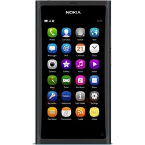
Guides disponibles pour la synchronisation vers le cloud sécurisé
Fonctions prises en charge
- synchronisation des contacts

Transférez vos contacts de Nokia N9 vers un espace de stockage en ligne et inversement pour les garder en sécurité et à jour.
Nokia N9 est pris en charge avec PhoneCopy.
Veuillez noter que les paramètres suivants peuvent varier légèrement en fonction de la version du micrologiciel.
Modèles confirmés
Versions confirmées
Nouvelles
- 25/04/2021
- Ce modèle de téléphone vient d'être synchronisé par un utilisateur de PhoneCopy dans le pays Inde. Il a transféré contacts.
Nokia N9 utilisateurs dans le monde
Nokia N9 est privilégié pour la sauvegarde des contacts par les utilisateurs de PhoneCopy dans plusieurs pays du monde - Inde (Bharôt, ভাৰত, ভারত, Bhārat, ભારત, भारत, Bhārata, ಭಾರತ, Bhāratam, ഭാരതം, Bharôtô, ଭାରତ, ਭਾਰਤ, भारतम्, Bārata, பாரதம், Bhāratadēsam, భారత దేశం) - 100.00%.
Sur la carte
La carte montre l'utilisation de Nokia N9 pour la sauvegarde des contacts avec PhoneCopy dans le monde entier.
Guide textuel - Comment sauvegarder
Avec Nokia N9
- Before you start setting up your phone, make sure that you have already registered on the website www.phonecopy.com. Into the phone you will enter the same user name and password that you used during registration.
- From main menu of your phone choose Accounts and press Add accounts and Mail for Exchange.
- Configure given fields.
- Email address
- your_username@phonecopy.com
- User name
- your_username
- Password
- your_password
- Domain
- www.phonecopy.com
- Click Sign in.
- Choose Contacts only.
- Click Done and Sign in.
Now the contacts should automatically synced to the phone. You can see synchronized contacts on the www.phonecopy.com.
If you need more help with the settings, visit our step by step screenshot guide "How to backup and synchronize contacts from phone with operating system MeeGo".
En cas de problèmes dans la synchronisation, veuillez nous contacter.
